
Fix phone
put A new card in
iPhone 11, iOS 15
put A new card in
iPhone 11, iOS 15
To put a new SIM card in your iPhone follow the directions below.
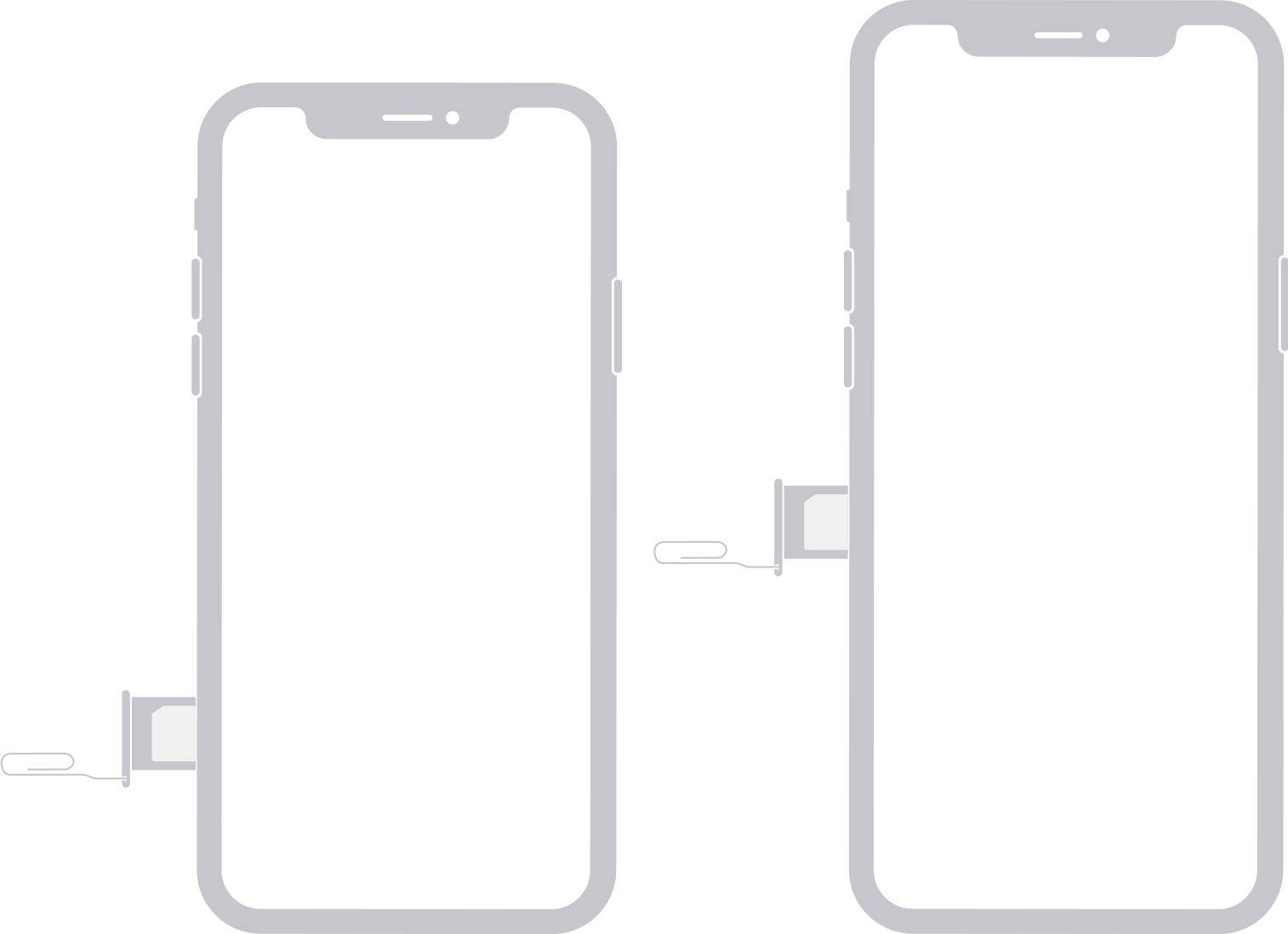
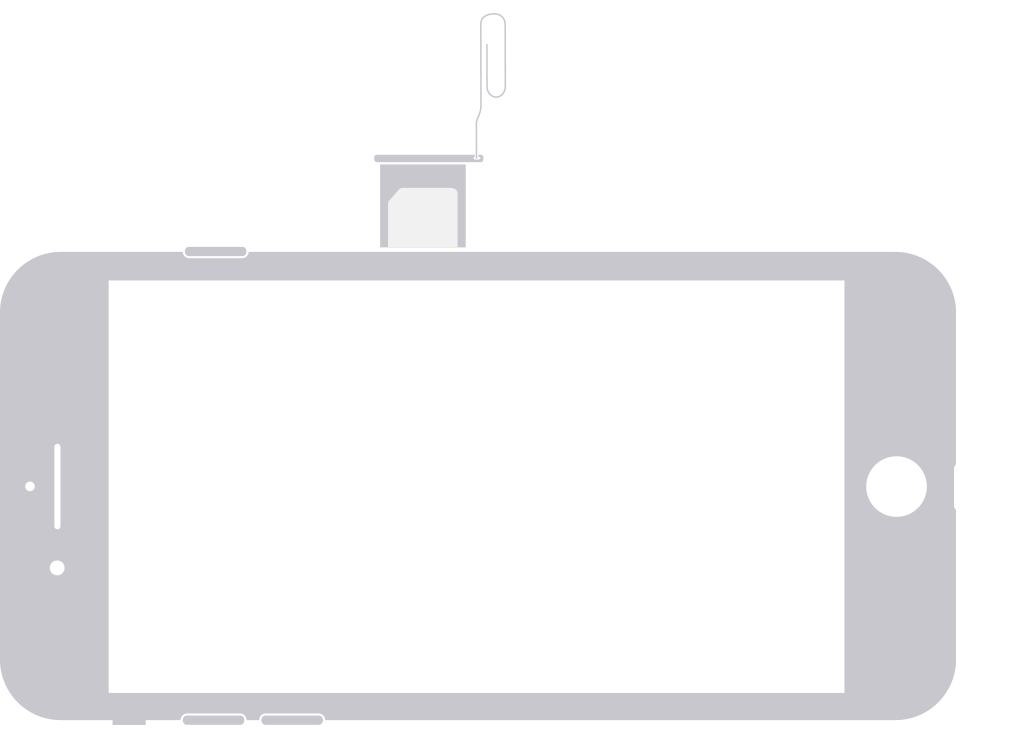
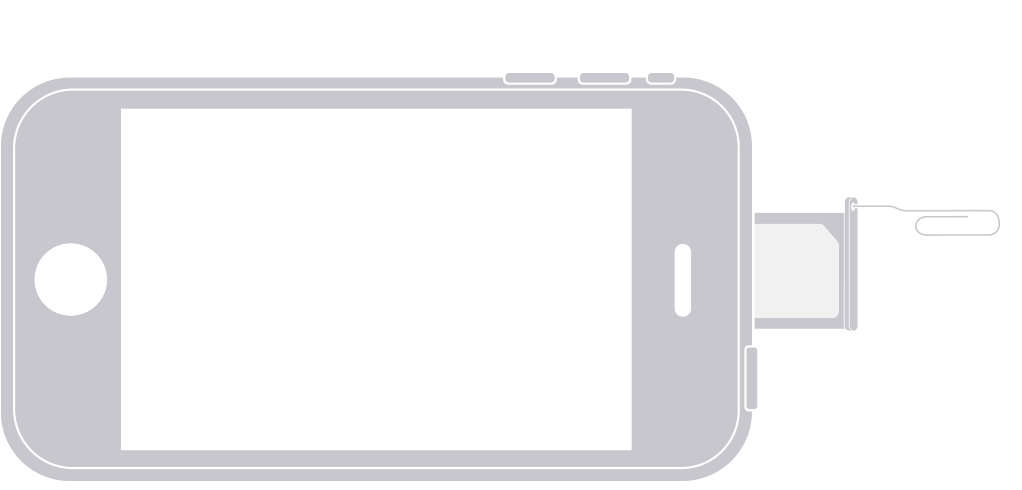
Find your model below to locate the SIM tray. To pop open the SIM tray, insert a paper clip or a SIM-eject tool into the hole beside the tray. Push in, towards the iPhone, but don’t force it. If you're having difficulty ejecting the SIM tray, take your device to your carrier or an Apple Store for help.
After you remove your SIM card from the tray, notice the notch in one corner of the new SIM card. Place the new SIM card into the tray—it will fit only one way, because of the notch. Then insert the tray into the device completely and in the same orientation that you removed it. The tray also fits only one way.

To put a new SIM card in your iPhone follow the directions below.
Find your model below to locate the SIM tray. To pop open the SIM tray, insert a paper clip or a SIM-eject tool into the hole beside the tray. Push in, towards the iPhone, but don’t force it. If you're having difficulty ejecting the SIM tray, take your device to your carrier or an Apple Store for help.
After you remove your SIM card from the tray, notice the notch in one corner of the new SIM card. Place the new SIM card into the tray—it will fit only one way, because of the notch. Then insert the tray into the device completely and in the same orientation that you removed it. The tray also fits only one way.
Here is some guidance on how to get the most out of ASC→Writing an effective Apple Support Communities post
Do you have a question other users in this user-to-user technical support forum may be able to help you with?
Put a new card in
Here is some guidance on how to get the most out of ASC→Writing an effective Apple Support Communities post
Do you have a question other users in this user-to-user technical support forum may be able to help you with?
Fix phone

