How to add bus ticket to Wallet?
How to add bus ticket to Wallet?
[Edited by Moderator]
iPhone 12 Pro Max, iOS 15
How to add bus ticket to Wallet?
[Edited by Moderator]
iPhone 12 Pro Max, iOS 15
Hello bibin67,
Welcome to Apple Support Communities!
If we understand your post correctly, it sounds like you're trying to add a ticket to Wallet. We're happy to help!
The article you came from, Add, use, and share boarding passes, tickets, and other passes in Apple Wallet, is the best resource for help adding a ticket to Wallet.
How to add a boarding pass, ticket, or other pass to Apple Wallet on your iPhone
Open the app, email, notification, or other communication that contains your boarding pass, ticket, or other pass.
Tap Add to Apple Wallet.
Follow the instructions on the screen.
If necessary, tap Add in the upper right corner.
If you don't see an option to add your boarding pass, ticket, or other pass to the Wallet app, contact the merchant or company that issued it to make sure they support passes in the Wallet app.
When you add a boarding pass, ticket, or other pass to the Wallet app on your iPhone, you automatically add it to the Wallet app on your paired Apple Watch.
Learn how to remove a pass or ticket from the Wallet app.
Use a boarding pass, ticket, or other pass in Apple Wallet
When you add a boarding pass, ticket, or other pass to the Wallet app, you can use it with your iPhone or Apple Watch.
How to use a boarding pass, ticket, or other pass on your iPhone
To open the boarding pass, ticket or other pass:
If your iPhone has Face ID, double-click the side button. If prompted, authenticate with Face ID or enter your passcode to open Apple Wallet.
If your iPhone has Touch ID, double-click the Home button.
Tap your default payment card to see your other cards.
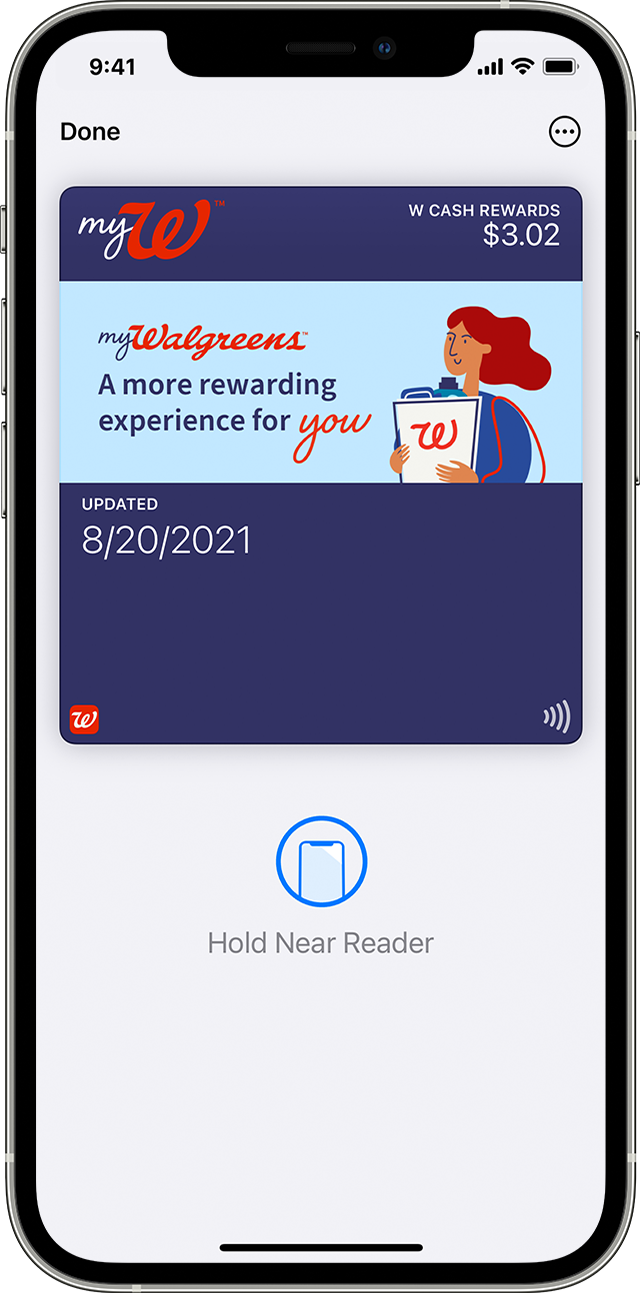
Tap your boarding pass, ticket, or other pass and authenticate.
Scan or tap your iPhone at the contactless reader, or present it to the attendant.
How to use a boarding pass, ticket, or other pass on your Apple Watch
Double-click the side button.
Scroll down to find the boarding pass, ticket, or other pass that you want to use and tap it.
Scan or tap the display of your Apple Watch at the contactless reader, or present it to the attendant.
You might be able to use Express mode with some passes and tickets in the Wallet app.
You might need to unlock your device to show your pass or ticket before scanning or tapping it.
Thank you for using Apple Support Communities.
Take care!
Hello bibin67,
Welcome to Apple Support Communities!
If we understand your post correctly, it sounds like you're trying to add a ticket to Wallet. We're happy to help!
The article you came from, Add, use, and share boarding passes, tickets, and other passes in Apple Wallet, is the best resource for help adding a ticket to Wallet.
How to add a boarding pass, ticket, or other pass to Apple Wallet on your iPhone
Open the app, email, notification, or other communication that contains your boarding pass, ticket, or other pass.
Tap Add to Apple Wallet.
Follow the instructions on the screen.
If necessary, tap Add in the upper right corner.
If you don't see an option to add your boarding pass, ticket, or other pass to the Wallet app, contact the merchant or company that issued it to make sure they support passes in the Wallet app.
When you add a boarding pass, ticket, or other pass to the Wallet app on your iPhone, you automatically add it to the Wallet app on your paired Apple Watch.
Learn how to remove a pass or ticket from the Wallet app.
Use a boarding pass, ticket, or other pass in Apple Wallet
When you add a boarding pass, ticket, or other pass to the Wallet app, you can use it with your iPhone or Apple Watch.
How to use a boarding pass, ticket, or other pass on your iPhone
To open the boarding pass, ticket or other pass:
If your iPhone has Face ID, double-click the side button. If prompted, authenticate with Face ID or enter your passcode to open Apple Wallet.
If your iPhone has Touch ID, double-click the Home button.
Tap your default payment card to see your other cards.
Tap your boarding pass, ticket, or other pass and authenticate.
Scan or tap your iPhone at the contactless reader, or present it to the attendant.
How to use a boarding pass, ticket, or other pass on your Apple Watch
Double-click the side button.
Scroll down to find the boarding pass, ticket, or other pass that you want to use and tap it.
Scan or tap the display of your Apple Watch at the contactless reader, or present it to the attendant.
You might be able to use Express mode with some passes and tickets in the Wallet app.
You might need to unlock your device to show your pass or ticket before scanning or tapping it.
Thank you for using Apple Support Communities.
Take care!
How to add bus ticket to Wallet?