
Remote wipe
How I connect wifi in my disable iPhone 6
iPhone 6, iOS 12
How I connect wifi in my disable iPhone 6
iPhone 6, iOS 12
Hello shoeb290,
Thanks for choosing the Apple Support Communities. If your iPhone is disabled, you'd want to follow these steps to restore it using a computer with iTunes or Finder on a Mac.
If you forgot your iPhone passcode - Apple Support
"If you enter the wrong passcode on your iPhone Lock Screen too many times, an alert lets you know that your iPhone is disabled. If you can’t remember your passcode when you try again, use a computer to put your iPhone in recovery mode. Recovery mode allows you to erase the iPhone, giving you access to set it up again.
After you erase your iPhone, you can restore your data and settings from a backup. If you didn't back up your iPhone, you can set it up as a new device and then download any data that you have in iCloud.
Step 1: Make sure that you have a computer (Mac or PC)
This process requires a Mac or PC. If you're using a PC, make sure that it has Windows 8 or later, and that iTunes is installed. You also need the cable that came with your iPhone, or another compatible cable, to connect your iPhone to the computer.
If you don't have a computer and you can't borrow one, you need to go to an Apple Retail Store or Apple Authorized Service Provider for help.

Step 2: Turn off your iPhone
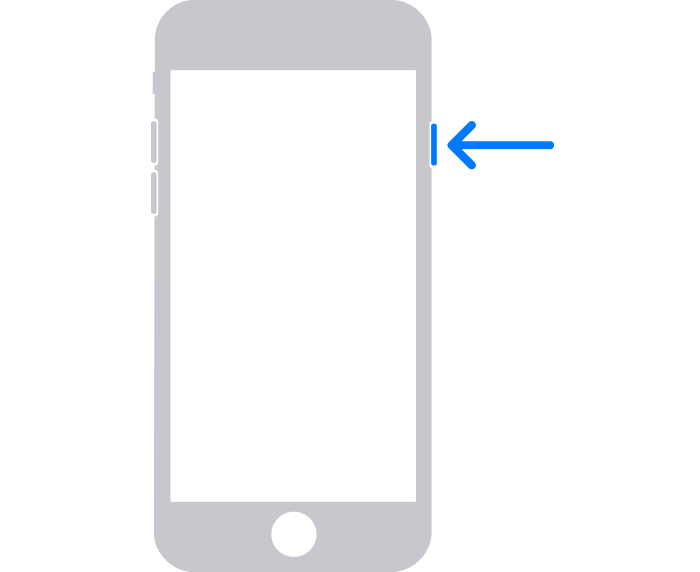
Drag the slider to turn off your iPhone, then wait a minute to make sure that it turns off completely.
Step 3: Put your iPhone in recovery mode
Get ready by finding the button on your iPhone that you'll need to hold in the next step:
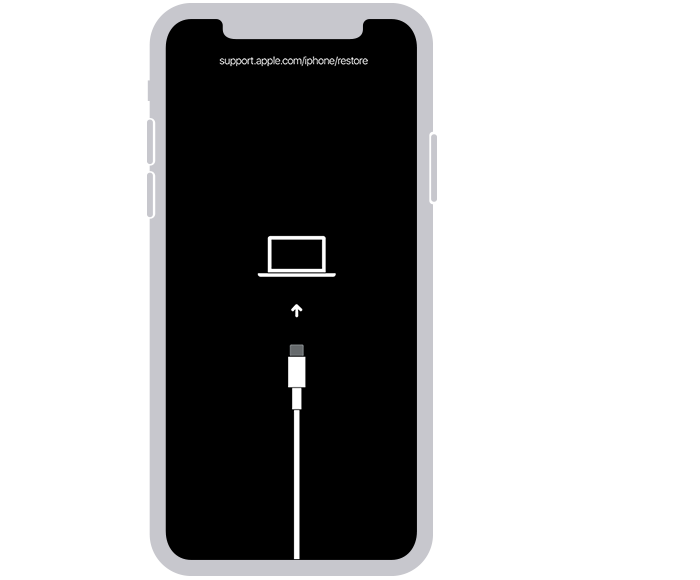
If you can’t get your iPhone to show the recovery mode screen and you need help, contact Apple Support.
Step 4: Restore your iPhone
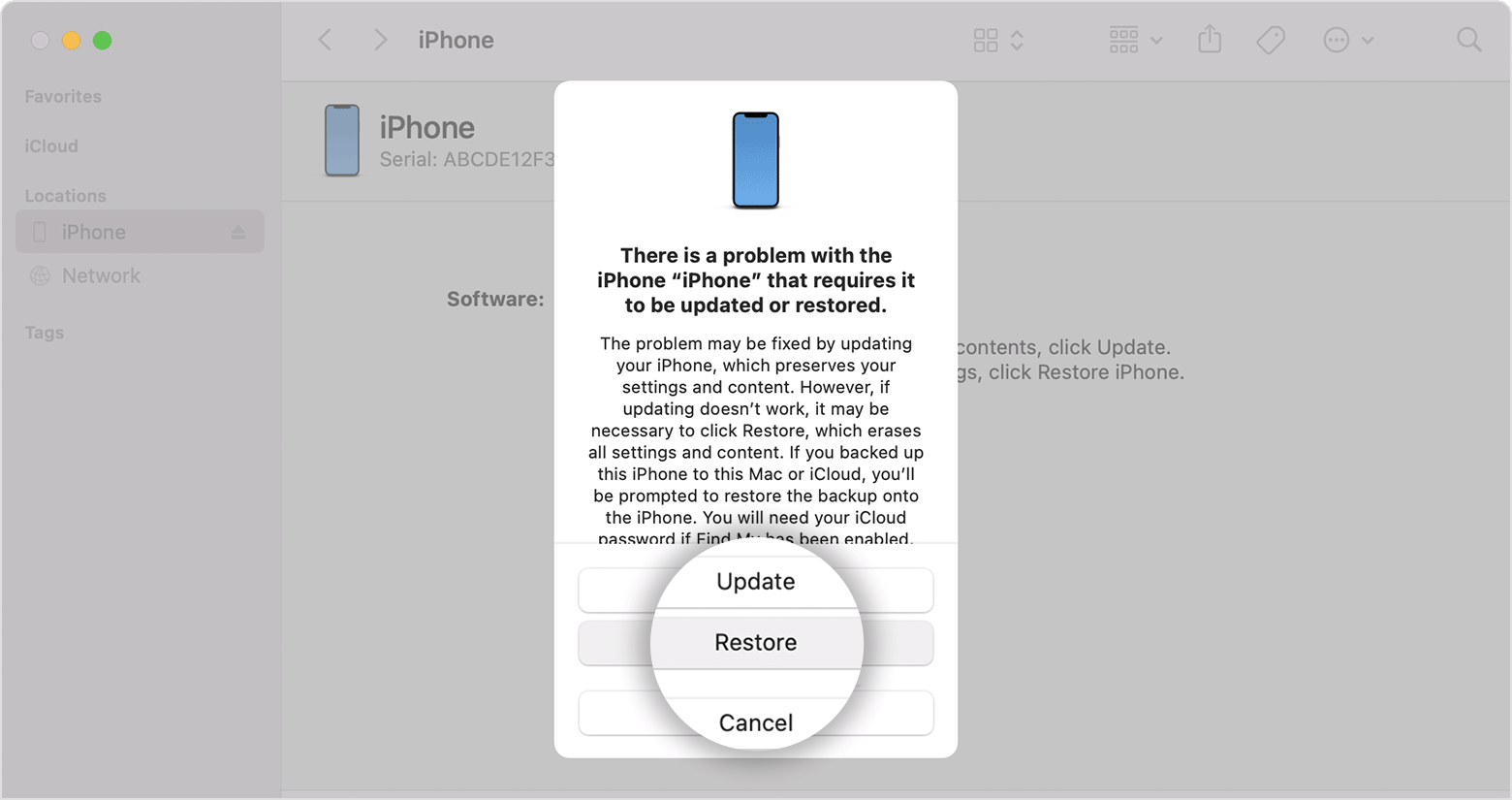
Need more help?
If you can't complete any of these steps, if you're still prompted for a passcode, or if you need any other assistance, contact Apple Support."
Cheers!
Hello shoeb290,
Thanks for choosing the Apple Support Communities. If your iPhone is disabled, you'd want to follow these steps to restore it using a computer with iTunes or Finder on a Mac.
If you forgot your iPhone passcode - Apple Support
"If you enter the wrong passcode on your iPhone Lock Screen too many times, an alert lets you know that your iPhone is disabled. If you can’t remember your passcode when you try again, use a computer to put your iPhone in recovery mode. Recovery mode allows you to erase the iPhone, giving you access to set it up again.
After you erase your iPhone, you can restore your data and settings from a backup. If you didn't back up your iPhone, you can set it up as a new device and then download any data that you have in iCloud.
Step 1: Make sure that you have a computer (Mac or PC)
This process requires a Mac or PC. If you're using a PC, make sure that it has Windows 8 or later, and that iTunes is installed. You also need the cable that came with your iPhone, or another compatible cable, to connect your iPhone to the computer.
If you don't have a computer and you can't borrow one, you need to go to an Apple Retail Store or Apple Authorized Service Provider for help.
Step 2: Turn off your iPhone
Drag the slider to turn off your iPhone, then wait a minute to make sure that it turns off completely.
Step 3: Put your iPhone in recovery mode
Get ready by finding the button on your iPhone that you'll need to hold in the next step:
If you can’t get your iPhone to show the recovery mode screen and you need help, contact Apple Support.
Step 4: Restore your iPhone
Need more help?
If you can't complete any of these steps, if you're still prompted for a passcode, or if you need any other assistance, contact Apple Support."
Cheers!
Are you asking how you can remotely wipe a phone that is not connected to a network? If so, the answer is that you can't.
Remote wipe


