refund my subscription
Please help, i used a few days to unsubscribe subscription of filmoraGo Pro, i cand find anything from apple app.
Please help, i used a few days to unsubscribe subscription of filmoraGo Pro, i cand find anything from apple app.
Hi Lanf77,
It sounds like you'd are attempting to cancel a subscription but you're unable to locate it, correct?
If so, check out the steps outlined here: If you want to cancel a subscription from Apple - Apple Support
Can’t find the subscription that you want to cancel?
You can cancel iCloud+ in your iCloud storage settings.
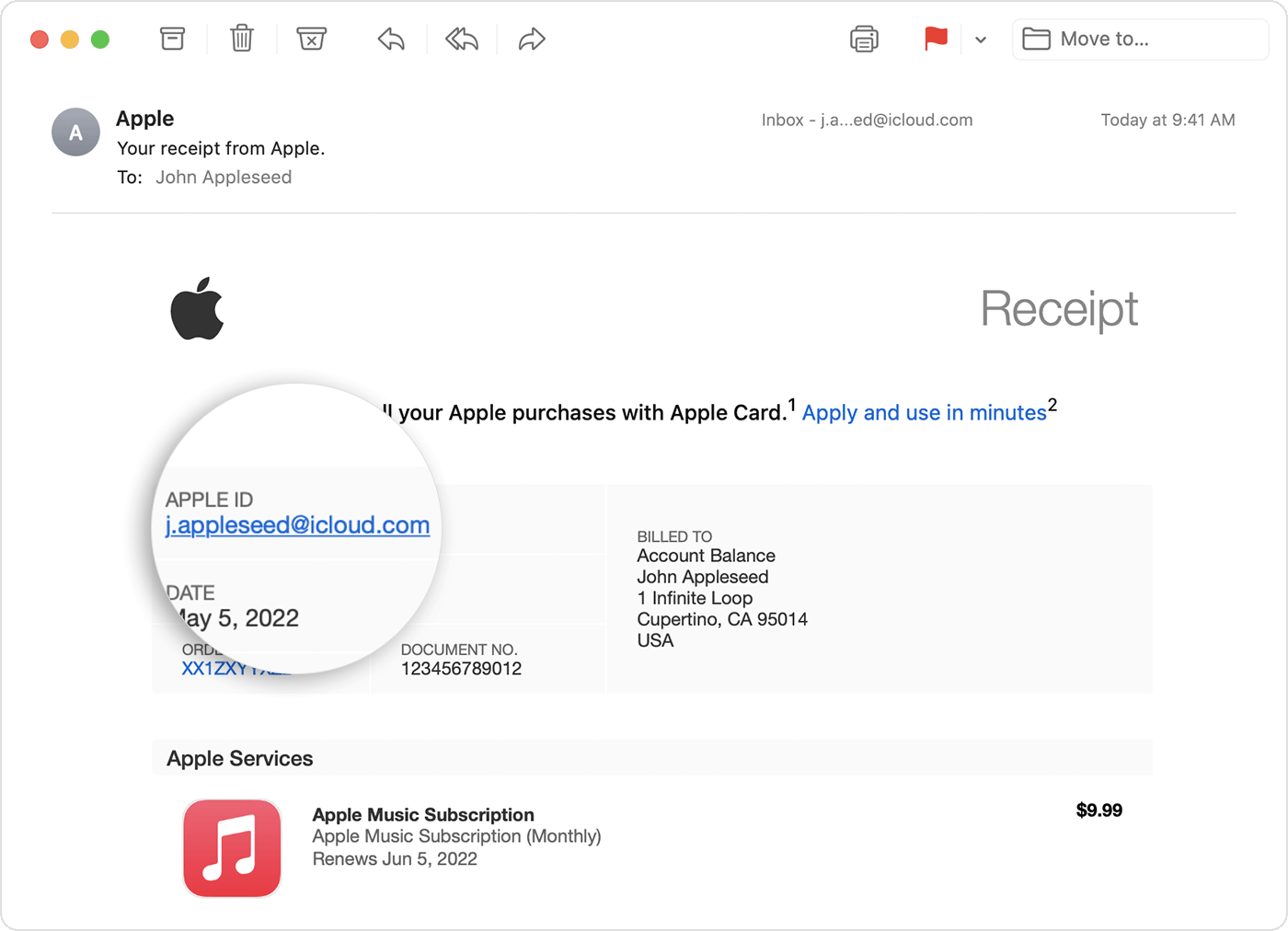
If you aren't trying to cancel iCloud+, find your receipt:
1. Search your email for the words "receipt from Apple."
2. On the receipt for the subscription, check which Apple ID was used.
• If a family member's Apple ID appears on the receipt, ask that family member to use the steps in this article to cancel the subscription. You can’t cancel a family member's subscription.
• If another Apple ID that you use appears on the receipt, sign in with that Apple ID and use the steps in this article to cancel the subscription.
• If you can't find a receipt from Apple for the subscription, you might have bought the subscription from another company. To find out which company bills you, check your bank or credit card statement. To cancel the subscription, you must contact the company that bills you for the subscription.
If you'd like to request a refund once you locate the subscription, this article will walk you through the complete process: Request a refund for apps or content that you bought from Apple - Apple Support
If you need additional assistance, we'd ask that you reach out to Apple directly: Get Support
We hope this helps.
Cheers!
Hi Lanf77,
It sounds like you'd are attempting to cancel a subscription but you're unable to locate it, correct?
If so, check out the steps outlined here: If you want to cancel a subscription from Apple - Apple Support
Can’t find the subscription that you want to cancel?
You can cancel iCloud+ in your iCloud storage settings.
If you aren't trying to cancel iCloud+, find your receipt:
1. Search your email for the words "receipt from Apple."
2. On the receipt for the subscription, check which Apple ID was used.
• If a family member's Apple ID appears on the receipt, ask that family member to use the steps in this article to cancel the subscription. You can’t cancel a family member's subscription.
• If another Apple ID that you use appears on the receipt, sign in with that Apple ID and use the steps in this article to cancel the subscription.
• If you can't find a receipt from Apple for the subscription, you might have bought the subscription from another company. To find out which company bills you, check your bank or credit card statement. To cancel the subscription, you must contact the company that bills you for the subscription.
If you'd like to request a refund once you locate the subscription, this article will walk you through the complete process: Request a refund for apps or content that you bought from Apple - Apple Support
If you need additional assistance, we'd ask that you reach out to Apple directly: Get Support
We hope this helps.
Cheers!
refund my subscription