how to buy music on iTunes on MacBook air
I have been buying music for years now and most recently a month ago - but now I cannot figure out how to buy music using my MacBook Air. I can still buy it on my iPhone.
MacBook Air 13″, macOS 12.4
I have been buying music for years now and most recently a month ago - but now I cannot figure out how to buy music using my MacBook Air. I can still buy it on my iPhone.
MacBook Air 13″, macOS 12.4
Hi notlimey,
We'll be more than happy to lend a hand so you can make music purchases using your MacBook Air. Looking at the article you posted from, it does show the steps to open the iTunes Store. So we can help better, take a look at the steps below from the article, and let us know at what point you are having trouble with so we know where to start.
Buy music from the iTunes Store - Apple Support
Buy music from the iTunes Store in the Apple Music app on your Mac
1. Open the Apple Music app.
2. In the menu bar, choose Music > Preferences.
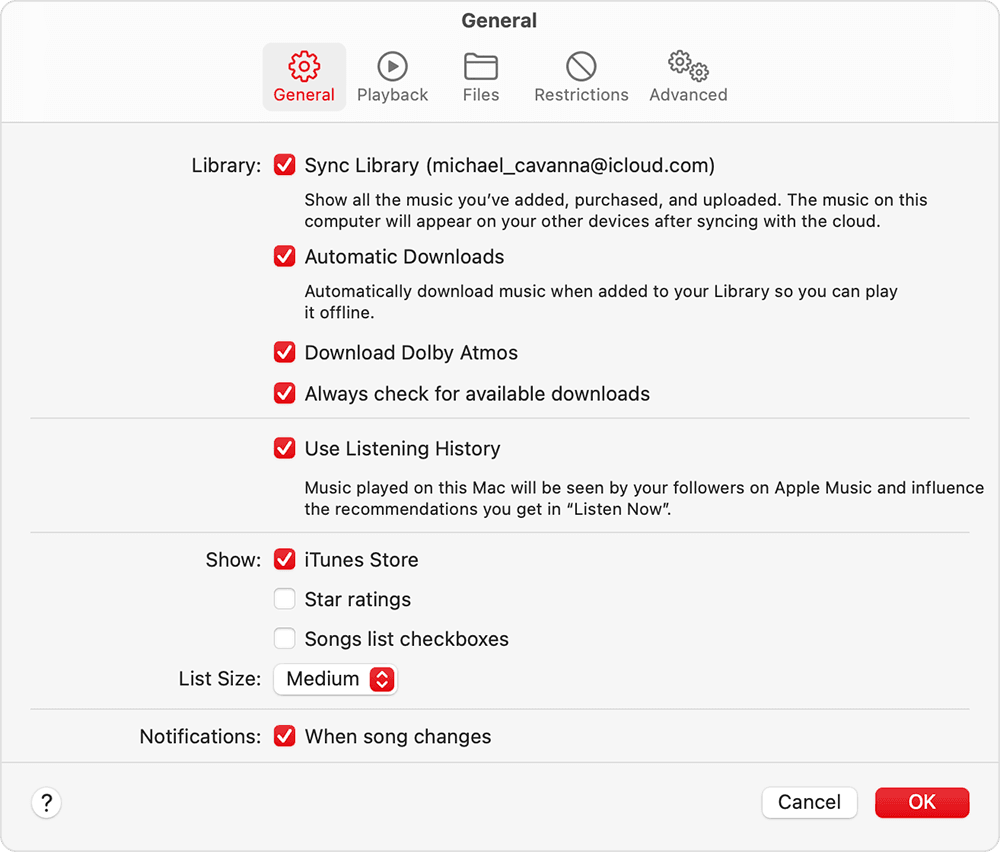
3. Go to the General tab, select iTunes Store, then click Ok.
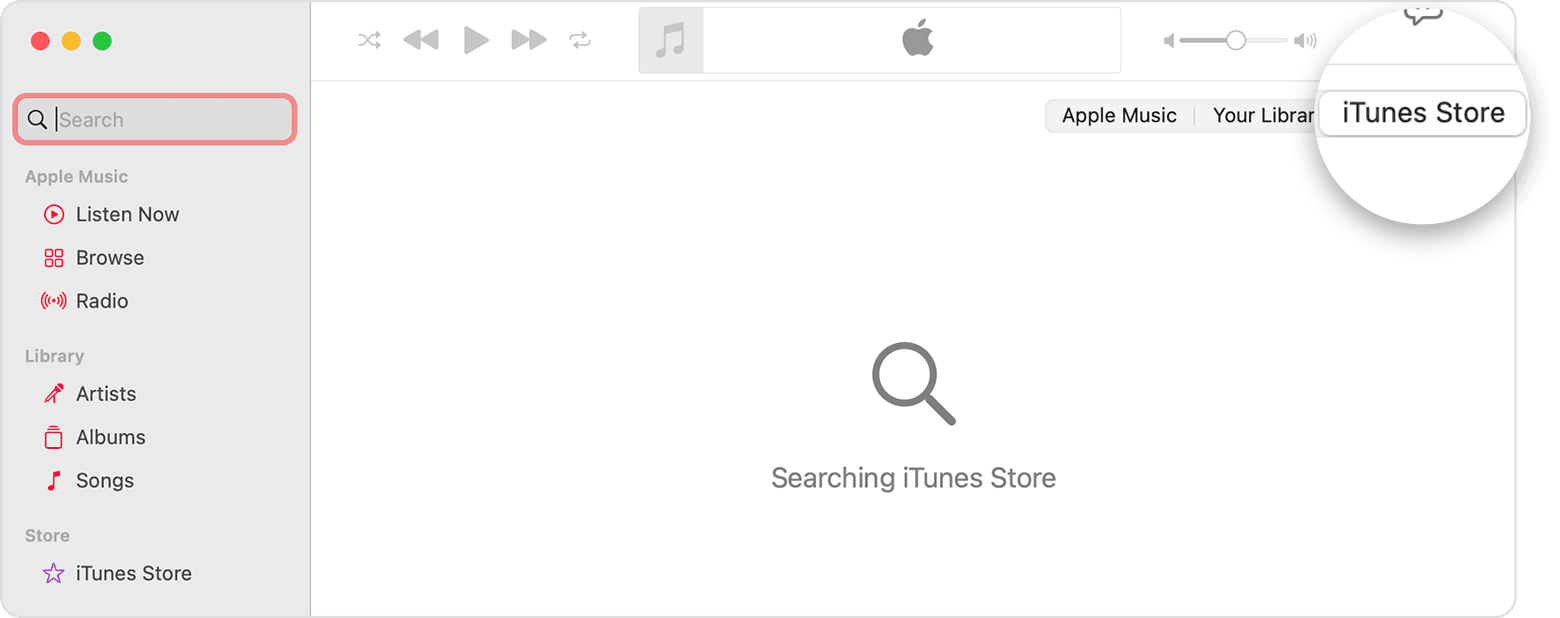
4. Click the search field, then enter the song or album that you want to buy.
5. Click the iTunes Store button in the upper-right corner.
6. Click the price next to the song or album to buy it.
7. Sign in with your Apple ID and password to complete the purchase. Need help?
After you buy music, you can find it in your music library.
To download music to listen to offline, click the Download buttonnext to a song or album.
Again, just let us know where you are running into trouble with the above steps.
We look forward to hearing back from you!
Hi notlimey,
We'll be more than happy to lend a hand so you can make music purchases using your MacBook Air. Looking at the article you posted from, it does show the steps to open the iTunes Store. So we can help better, take a look at the steps below from the article, and let us know at what point you are having trouble with so we know where to start.
Buy music from the iTunes Store - Apple Support
Buy music from the iTunes Store in the Apple Music app on your Mac
1. Open the Apple Music app.
2. In the menu bar, choose Music > Preferences.
3. Go to the General tab, select iTunes Store, then click Ok.
4. Click the search field, then enter the song or album that you want to buy.
5. Click the iTunes Store button in the upper-right corner.
6. Click the price next to the song or album to buy it.
7. Sign in with your Apple ID and password to complete the purchase. Need help?
After you buy music, you can find it in your music library.
To download music to listen to offline, click the Download button
Again, just let us know where you are running into trouble with the above steps.
We look forward to hearing back from you!
how to buy music on iTunes on MacBook air