Making a playlist from History & "Playing Next"

I want to make a playlist form the few songs that have recently played, and the lineup the Autoplay feature has created. Does anyone know how to make that happen?


I know I can just select the ellipsis (three dots) and add each individual song, but I'd rather be lazy that not have to pay close attention.

Posted on Jun 9, 2022 7:40 AM

Reply
1 reply

Jun 10, 2022 11:29 AM in response to dbishop07

Hi, dbishop07,


Thanks for visiting the Apple Support Communities.


Check out the steps below, taken from the Apple Support article How to make a playlist in the Apple Music app - Apple Support, on how you can create playlists in the Apple Music app on your iPhone:


Create a playlist on your iPhone, iPod touch, or Android device

1. Open the Apple Music app.
2. At the bottom of your screen, tap Library.
3. Tap Playlists.
4. Tap New Playlist.
5. Give your playlist a name, then tap Add Music.
6. Find the music that you want to add.
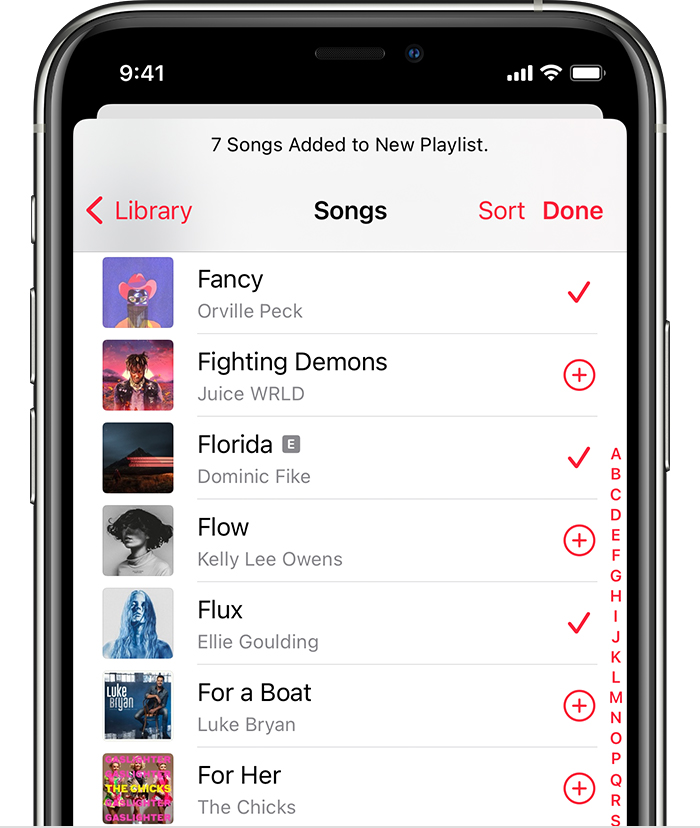
• On iPhone or iPod touch, tap the music you want, then tap Done. If you add music directly from the search box, hit Cancel, then tap Done.
• On Android, tap the music you want to add, then tap Done The checkmark icon on Android .The iPhone is showing 7 songs added to a new playlist

You can also touch and hold a song, album, or playlist. Then tap Add to a Playlist to add the music to an existing one, or tap New Playlist. Or you can touch and hold on a playlist to download, share, or delete it.

Best.

This thread has been closed by the system or the community team. You may vote for any posts you find helpful, or search the Community for additional answers.

Making a playlist from History & "Playing Next"

Welcome to Apple Support Community
A forum where Apple customers help each other with their products. Get started with your Apple Account.