Jigsaw puzzle locks up after loading, iPad
I have had jigsaw puzzles on my iPad for many years. Recently it locks up after loading. It claims I will loose all my data if I unload game.
iPad Air, iPadOS 15
I have had jigsaw puzzles on my iPad for many years. Recently it locks up after loading. It claims I will loose all my data if I unload game.
iPad Air, iPadOS 15
Welcome Estelle60,
It sounds as though your app isn't working on your iPad. If you unload or remove the game, it will remove your data along with it.
In this case, we'd recommend contacting the app developer for their next steps: How to contact an app developer - Apple Support
Contact the developer of an iOS, iPadOS, or watchOS app
1. Open the App Store on your iPhone, iPad, or iPod touch.
2. Search for the app, then tap it. If you can't find it, tap the account buttonor your photo at the top of the screen, tap Purchased, tap "Not on this [device]," then tap the app.
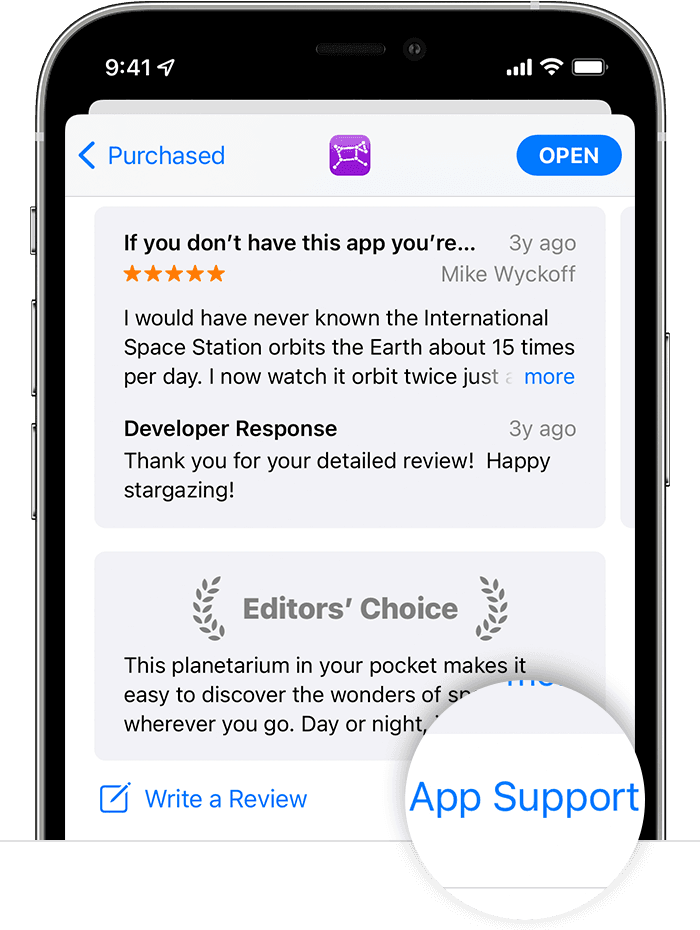
3. The app's product page appears. Scroll to the Ratings & Reviews section, then tap App Support. If you don't see App Support, make sure that you're signed in with the correct Apple ID.
Since they handle and develop this app, they would know how to support you from here.
Wishing you well, take care.
Jigsaw puzzle locks up after loading, iPad