Message app does not header
Message app does not open with TO:
Message app does not open with TO:
Hello Rosetta289,
To confirm, when you open the Apple Messages app, then open a new message, it doesn't have the option for 'To:'?
If you haven't yet, try closing the Messages app and then restart your iPhone to test it out.
Close an app on your iPhone or iPod touch - Apple Support
iPhone X and later
1. From the Home Screen, swipe up from the bottom of the screen and pause in the middle of the screen.
2. Swipe right or left to find the app that you want to close.
3. Swipe up on the app's preview to close the app.
iPhone SE, iPhone 8 and earlier, and iPod touch
1. Double-click the Home button to show your most recently used apps.
2. Swipe right or left to find the app that you want to close.
3. Swipe up on the app's preview to close the app.
Restart your iPhone - Apple Support
How to restart your iPhone X, 11, 12, or 13
1. Press and hold either volume button and the side button until the power-off slider appears.
2. Drag the slider, then wait 30 seconds for your device to turn off. If your device is frozen or unresponsive, force restart your device.
3. To turn your device back on, press and hold the side button (on the right side of your iPhone) until you see the Apple logo.
How to restart your iPhone SE (2nd or 3rd generation), 8, 7, or 6
1. Press and hold the side button until the power-off slider appears.
2. Drag the slider, then wait 30 seconds for your device to turn off. If your device is frozen or unresponsive, force restart your device.
3. To turn your device back on, press and hold the side button until you see the Apple logo.
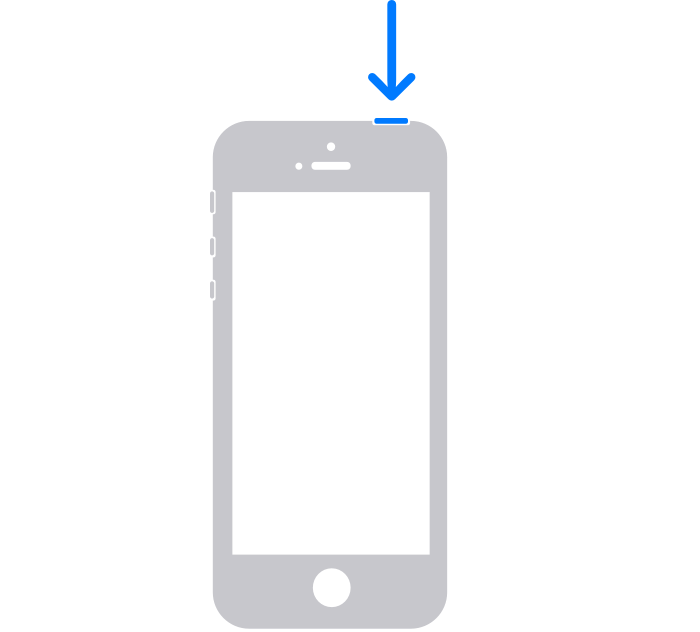
How to restart your iPhone SE (1st generation), 5, or earlier
1. Press and hold the top button until the power-off slider appears.
2. Drag the slider, then wait 30 seconds for your device to turn off. If your device is frozen or unresponsive, force restart your device.
3. To turn your device back on, press and hold the top button until you see the Apple logo.
Or are you missing the subject field? If so, you can enable it in Settings > Messages > Show Subject Field.
If we misunderstood or these steps didn't solve it, please reply back with more details on the behavior.
Wishing you well, cheers.
Hello Rosetta289,
To confirm, when you open the Apple Messages app, then open a new message, it doesn't have the option for 'To:'?
If you haven't yet, try closing the Messages app and then restart your iPhone to test it out.
Close an app on your iPhone or iPod touch - Apple Support
iPhone X and later
1. From the Home Screen, swipe up from the bottom of the screen and pause in the middle of the screen.
2. Swipe right or left to find the app that you want to close.
3. Swipe up on the app's preview to close the app.
iPhone SE, iPhone 8 and earlier, and iPod touch
1. Double-click the Home button to show your most recently used apps.
2. Swipe right or left to find the app that you want to close.
3. Swipe up on the app's preview to close the app.
Restart your iPhone - Apple Support
How to restart your iPhone X, 11, 12, or 13
1. Press and hold either volume button and the side button until the power-off slider appears.
2. Drag the slider, then wait 30 seconds for your device to turn off. If your device is frozen or unresponsive, force restart your device.
3. To turn your device back on, press and hold the side button (on the right side of your iPhone) until you see the Apple logo.
How to restart your iPhone SE (2nd or 3rd generation), 8, 7, or 6
1. Press and hold the side button until the power-off slider appears.
2. Drag the slider, then wait 30 seconds for your device to turn off. If your device is frozen or unresponsive, force restart your device.
3. To turn your device back on, press and hold the side button until you see the Apple logo.
How to restart your iPhone SE (1st generation), 5, or earlier
1. Press and hold the top button until the power-off slider appears.
2. Drag the slider, then wait 30 seconds for your device to turn off. If your device is frozen or unresponsive, force restart your device.
3. To turn your device back on, press and hold the top button until you see the Apple logo.
Or are you missing the subject field? If so, you can enable it in Settings > Messages > Show Subject Field.
If we misunderstood or these steps didn't solve it, please reply back with more details on the behavior.
Wishing you well, cheers.
Message app does not header