Hello Page36,
Thanks for reaching out in Apple Support Communities. To ensure that we're covering all of our bases, let's use these steps to report those unwanted emails:
How to report suspicious emails, messages, and calls
• If you receive a suspicious email that looks like it's supposed to be from Apple, please forward it to reportphishing@apple.com.
• To report a suspicious SMS text message that looks like it's supposed to be from Apple, take a screenshot of the message and email the screenshot to reportphishing@apple.com.
• To report spam or other suspicious emails that you receive in your iCloud.com, me.com, or mac.com Inbox, send them to abuse@icloud.com.
• To report spam or other suspicious messages that you receive through Messages, tap Report Junk under the message. You can also block unwanted messages and calls.
• Report scam phone calls to the Federal Trade Commission (U.S. only) at reportfraud.ftc.gov or to your local law enforcement agency.
More details found here: Recognize and avoid phishing messages, phony support calls, and other scams
Also, spammers use the email image-loading feature to determine if your email account is active. Use these steps to keep images from loading automatically:
Report and block spam in iCloud mail
On iCloud.com
1. Go to iCloud.com/mail
2. Click the Settings button  in the sidebar
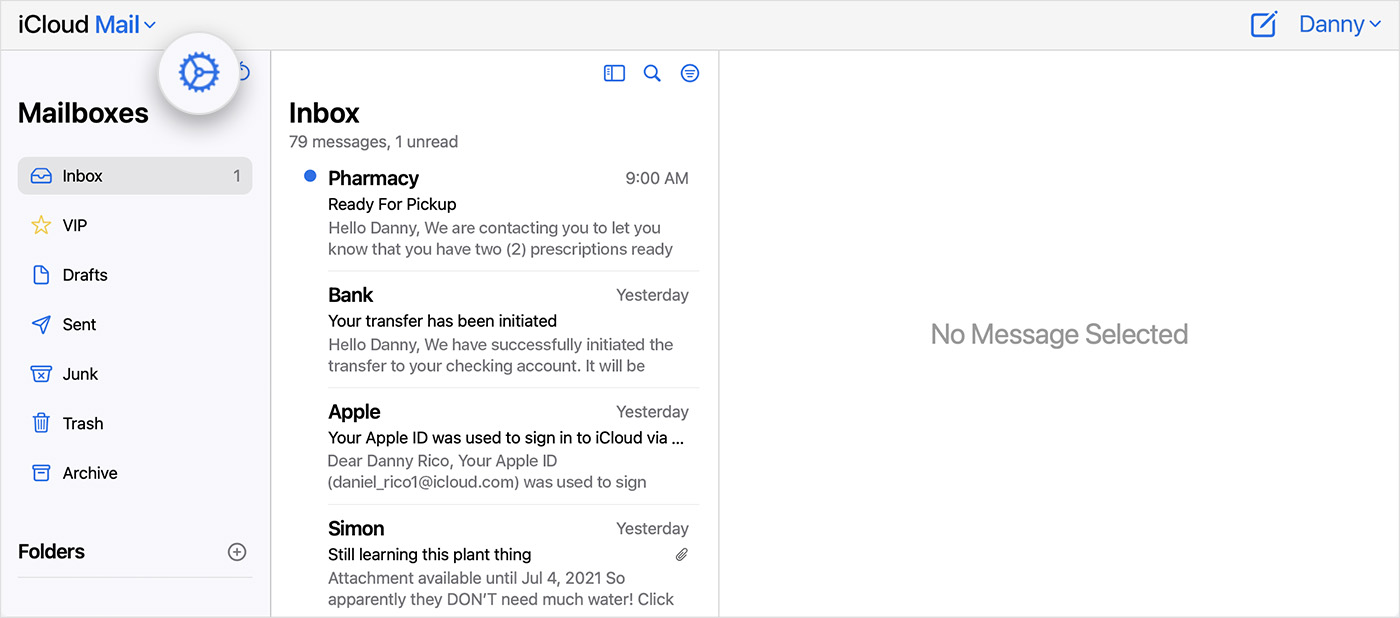
3. Choose Preferences.
4. Click General, then turn off "Load remote content in messages."
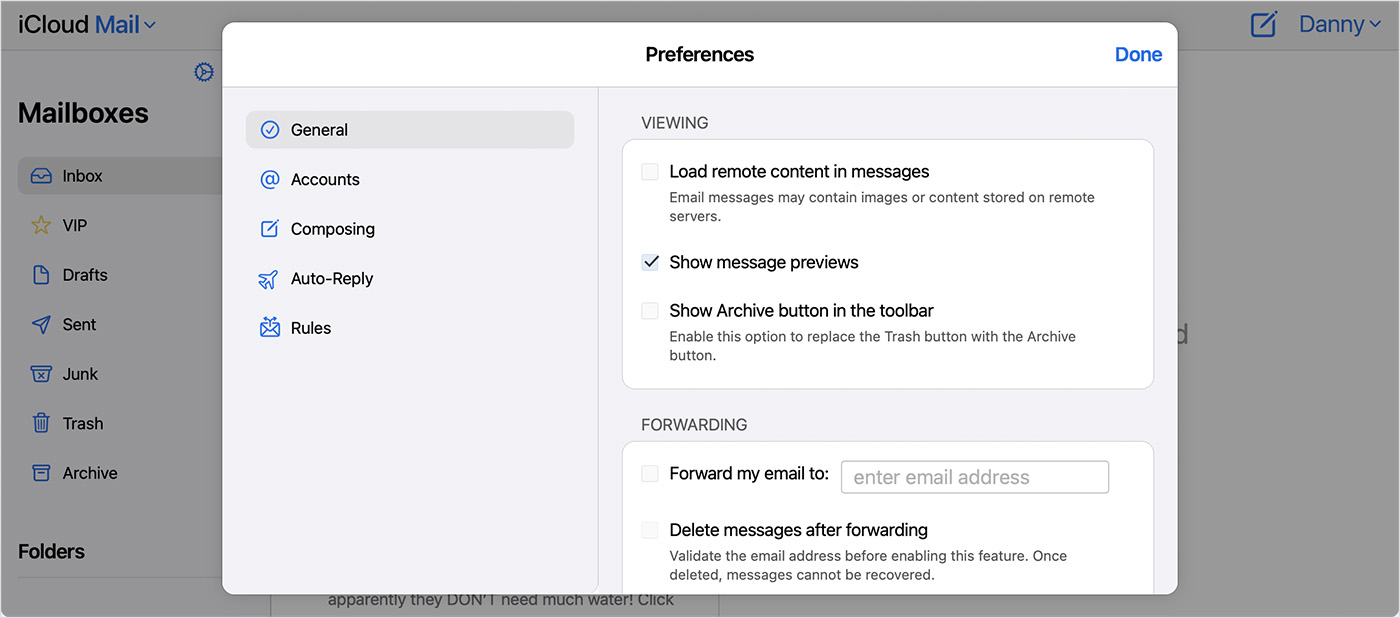
5. Click Done.
Let us know if this helps.
Cheers!


