Hi me1285,
Are you attempting to enter this code on your iPhone itself or a different device? For some devices, you may need to enter the code into the password field directly after your password. See below:
What if I use two-factor authentication on a device running older software?
If you use two-factor authentication with devices running older OS versions—like an Apple TV (2nd or 3rd generation)—you might be asked to add your six-digit verification code to the end of your password when signing in. Get your verification code from a trusted device running iOS 9 and later or OS X El Capitan and later, or have it sent to your trusted phone number. Then type your password followed by the six-digit verification code directly into the password field.
If that is not the case, do you have access to another trusted device running the latest version of either iOS or macOS? If so, you can generate a code from that device as well.
Get a code from Settings on your trusted device
If you can’t receive a verification code on your trusted devices automatically, you can get one from Settings, even if your device is offline.
From your iPhone, iPad, or iPod touch
If your device is online:
- Go to Settings > [your name].
- Tap Password & Security > Get Verification Code.
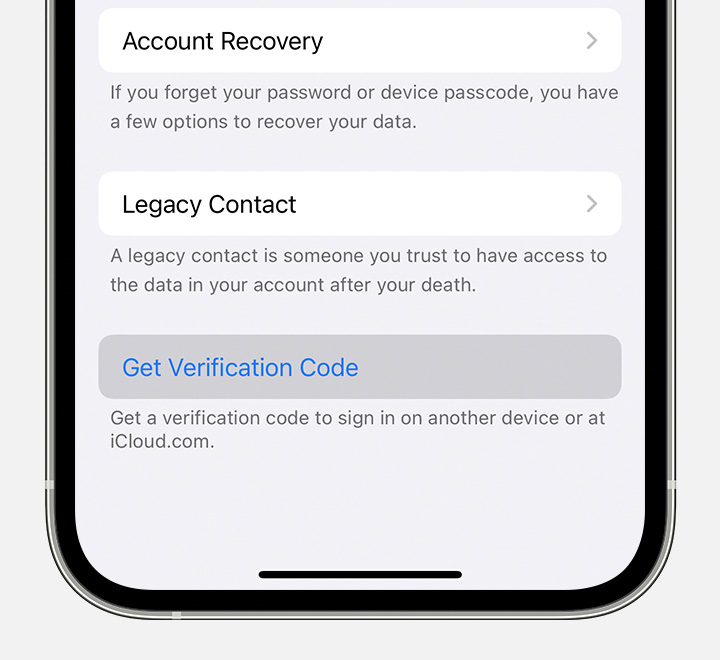
If your device is offline:
- Go to Settings > [your name].
- Tap Password & Security.
- A message says "Account Details Unavailable." Tap Get Verification Code.
From your Mac
- Go to Apple menu > System Preferences, then click Apple ID.
- Click Password & Security > Get Verification Code.
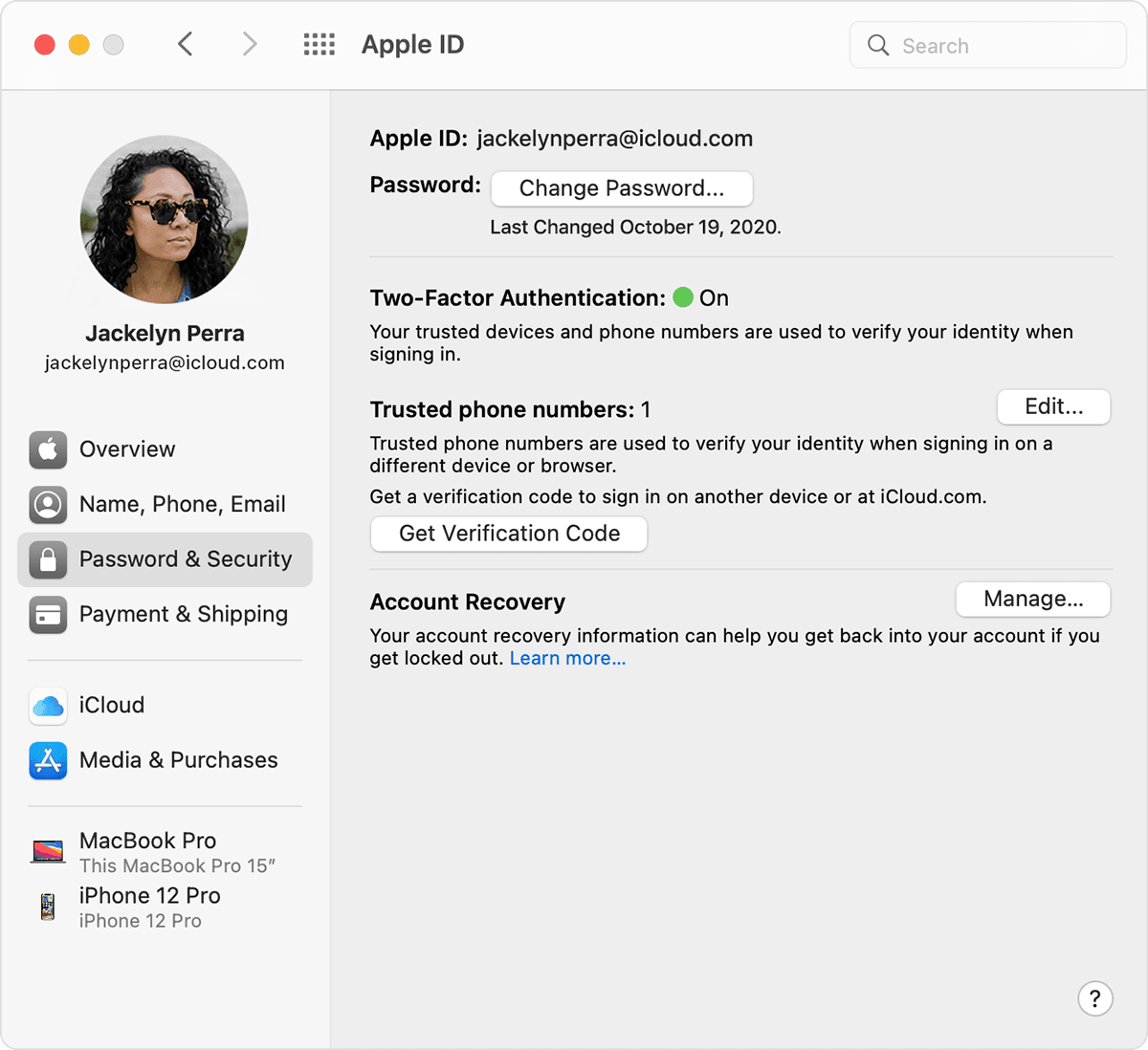
Let us know if the issue persists.
Cheers!


