
Internal Mic not working with garage band
Is this a setting in the IPAD. The internal mic does work with Voice Memo, I cant get it to pick up sound using garage band. I'm using an IPAD Pro
Is this a setting in the IPAD. The internal mic does work with Voice Memo, I cant get it to pick up sound using garage band. I'm using an IPAD Pro
Hey Mike3961,
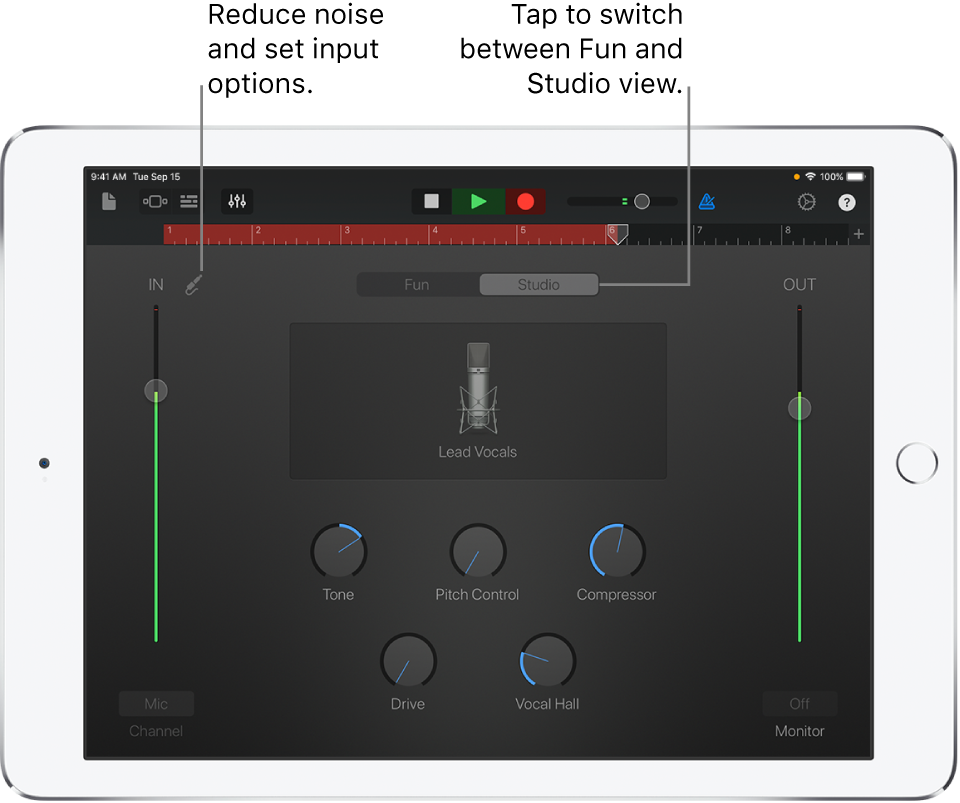
We'd suggest reviewing the information in this article for help using your microphone with GarageBand: Use the Audio Recorder in GarageBand for iPad - Apple Support
Record a sound
 in the control bar.
 in the control bar to stop recording. Tap the Play button again to hear your recording.
Adjust the microphone input level
While you record, the In level slider on the left shows the input level from the microphone. If the level turns red, drag the slider down (or record the part again more softly) to prevent distortion.
"
Thanks!
Internal Mic not working with garage band

