Trying to reset an apple iPod but the verification code is being sent to a phone I no longer have
Trying to reset an apple iPod touch but it’s sending the verification code to a phone number I no longer have
Trying to reset an apple iPod touch but it’s sending the verification code to a phone number I no longer have
Hi Delilah-113,
It sounds like you're running into an issue with two-factor authentication for your Apple ID.
Do you have another Apple device other than this iPod signed in with your Apple ID? If so, you should also receive the code you need there.
Use the code displayed on your trusted device
1. If you have a trusted device running iOS 9 and later, OS X El Capitan and later, iPadOS 13 and later, or watchOS 6 and later, the verification code is displayed automatically on your trusted devices.
2. Sign in with your Apple ID and password on a new device or browser.
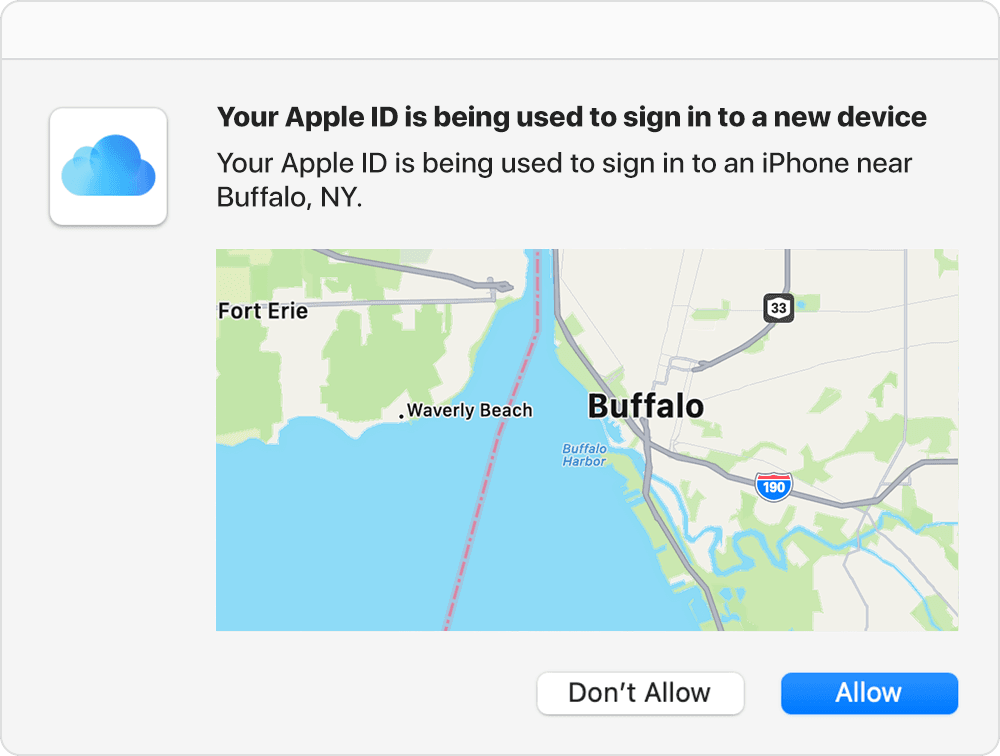
3. Look for a sign in notification on any of your trusted devices.
4. Tap Allow to receive your verification code.
5. Enter the verification code on your other device to complete sign in.
You can see other options to receive the verification code in the following article: Get a verification code and sign in with two-factor authentication - Apple Support
Cheers!
Hi Delilah-113,
It sounds like you're running into an issue with two-factor authentication for your Apple ID.
Do you have another Apple device other than this iPod signed in with your Apple ID? If so, you should also receive the code you need there.
Use the code displayed on your trusted device
1. If you have a trusted device running iOS 9 and later, OS X El Capitan and later, iPadOS 13 and later, or watchOS 6 and later, the verification code is displayed automatically on your trusted devices.
2. Sign in with your Apple ID and password on a new device or browser.
3. Look for a sign in notification on any of your trusted devices.
4. Tap Allow to receive your verification code.
5. Enter the verification code on your other device to complete sign in.
You can see other options to receive the verification code in the following article: Get a verification code and sign in with two-factor authentication - Apple Support
Cheers!
Trying to reset an apple iPod but the verification code is being sent to a phone I no longer have