Application not showing in store
in App Store RTA m WALLET application not showing
in App Store RTA m WALLET application not showing
sairam195,
If you specifically receive a message that the app you're searching for isn't available in your country or region but you feel it should be, check your country or region in your Apple ID.
1. Open the Settings app.
2. Tap your name, then tap Media & Purchases.
3. Tap View Account. You might be asked to sign in.
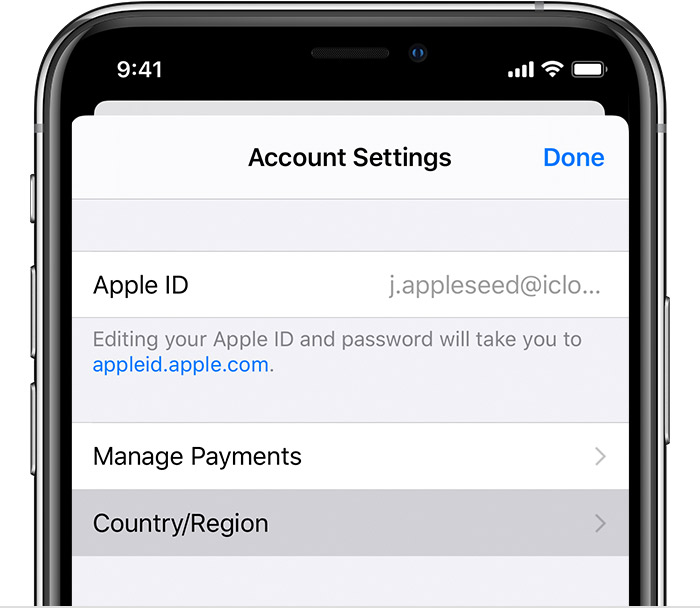
4. Tap Country/Region.
From there you can see the country or region your Apple ID is set to and if need be update it to reflect your current location.
If your country or region is already accurate, then we'd advise contacting the developer of the app you're attempting to download to make it available in your location.
Take care.
sairam195,
If you specifically receive a message that the app you're searching for isn't available in your country or region but you feel it should be, check your country or region in your Apple ID.
1. Open the Settings app.
2. Tap your name, then tap Media & Purchases.
3. Tap View Account. You might be asked to sign in.
4. Tap Country/Region.
From there you can see the country or region your Apple ID is set to and if need be update it to reflect your current location.
If your country or region is already accurate, then we'd advise contacting the developer of the app you're attempting to download to make it available in your location.
Take care.
Hi sairam195,
Just to confirm, are you unable to find the Wallet app? If so, use this guide to find out if Apple Pay is available in your region :Countries and regions that support Apple Pay - Apple Support
If that's not what you needed help with, reply with some additional details.
Best regards.
Not wallet application it is Rta m wallet application got it
Application not showing in store