ICloud sync failure

IPad Air 5th gen, iOS 15.6.1 using Files, iCloud, Word and Excel


When I open an iCloud document in Files and make changes in Word or Excel, the date in Files is sometimes not updated. As a result the file is not synced to other devices, and I have to save with a different name.

iPad Air 5 Wi-Fi

Posted on Aug 30, 2022 8:43 AM

Reply
13 replies

Sep 5, 2022 12:48 PM in response to Chris_D13

MS suggested trying OneDrive, but I had the same problem. A new Word document I updated at 8:54pm was shown in Files as 8:52pm. As a result it did not sync to other devices. The iPad document has 3 lines of text, but the version on my Windows machine has only one. Same on the OneDrive website, only one line of text. So the cloud storage is not the problem, either Word or iOS is not updating the timestamp.

Aug 31, 2022 11:13 AM in response to DavBrew

Hello DavBrew,


We understand that your iCloud Drive files are not syncing correctly. Is that correct? If so, you've come to the right place to get support, and we recommend the following troubleshooting steps via the link below.


Access iCloud Drive files from your iPhone and other devices


To perform the troubleshooting actions recommended by the article above, please read through and complete the steps in the section titled "If your files don't update to iCloud Drive."


We're recommending the steps above because they directly address the issue you initially reached out to the community about, which is that files associated with your iCloud Drive are not syncing across your other devices.


If the original problem persists after trying our suggested troubleshooting steps, provide us with specifics on what you see for more help, and we will continue from there.


Thanks for using the Apple Support Communities.


Cheers!

Sep 3, 2022 12:56 PM in response to DavBrew

DavBrew,


You can follow these steps to update your apps on your iPad:


How to manually update apps on your iPhone or iPad
Open the App Store.
Tap your profile icon at the top of the screen.
Scroll to see pending updates and release notes. Tap Update next to an app to update only that app, or tap Update All.

You'll find those in the link above, as well.


Take care.

Sep 2, 2022 10:16 AM in response to DavBrew

Hello DavBrew,


That might be a good next step. First, we'd make sure that these third-party apps are up to date: How to manually update apps on your Apple device - Apple Support


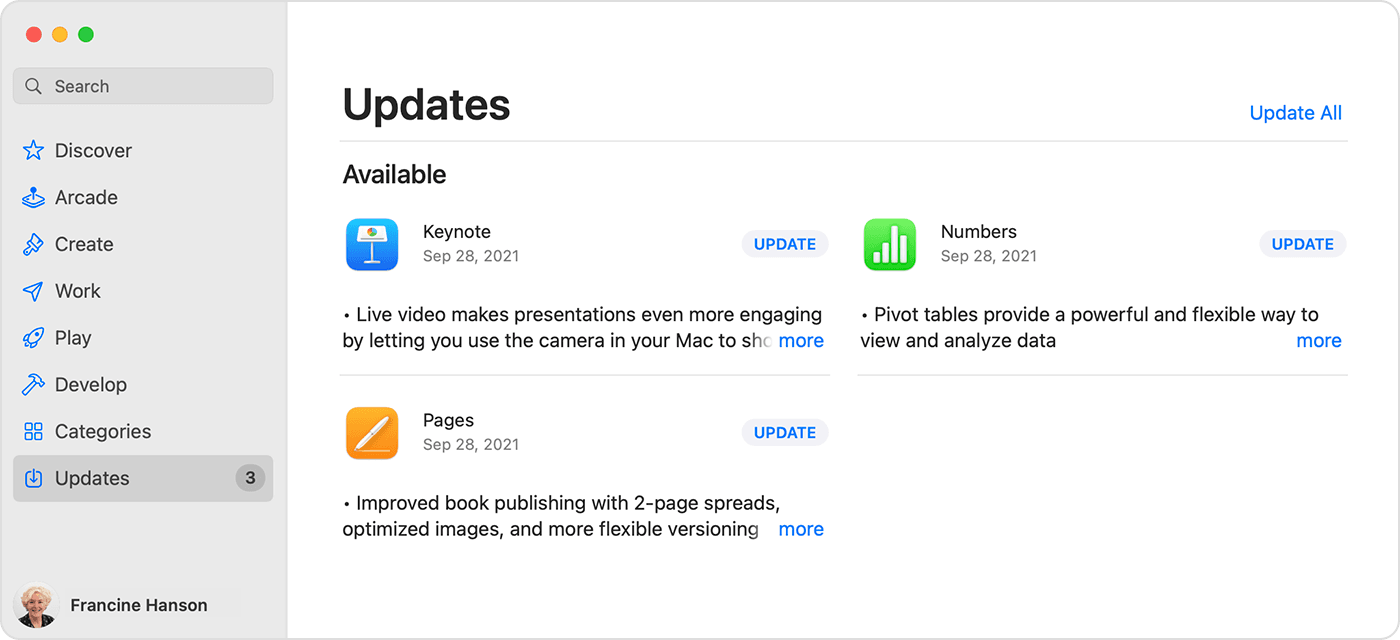
How to manually update apps on your Mac

1. Open the App Store.
2. In the sidebar, click Updates.
3. Click Update next to an app to update only that app, or click Update All.
Mac showing a list of available updates for 3 different apps.

4. If you didn’t get the app from the App Store on your Mac, contact the app developer to get help with updates.

Learn what to do if you can't update an app on your Mac.


Then update a document in Excel or Word to see if it then updates the document in iCloud.


In case that doesn't solve the issue, then it would be best to contact Microsoft directly: Contact Us - Microsoft


Wishing you well, take care.

Sep 4, 2022 9:08 AM in response to DavBrew

Hi DavBrew,


Yes, please reach out to Microsoft for assistance with the behavior: Contact Us - Microsoft


In regards to the post being unable to be created with your iPad, clearing the website data may help:


If Safari isn't loading websites or quits on your iPhone, iPad, or iPod touch - Apple Support


"Clear website data

You can clear website data occasionally to improve Safari performance.

  1. Go to Settings > Safari.
  2. Tap Clear History and Website Data.
  3. Tap Clear History and Data to confirm."


Kind regards.

Sep 3, 2022 2:22 PM in response to Sparks0829

Thank you for the response. There are no outstanding or recent updates for Word, so I should report this problem to MS.


Also, I was not able to post this response on my iPad, so this is from Windows. This is not the first time this has happened, so perhaps my iPad is defective: "Your post could not be saved. Please try again in a few moments."

Sep 29, 2022 1:23 AM in response to DavBrew

Similar problem. For me it started there and then developed to the point that I cannot save any NEW Microsoft word documents to the File App on my Ipad Pro 5th Generation. In my case, I bought the Studio Display and wanted to run it via my Ipad. Mostly everything works fine, but now that I can’t save any word/excel etc to my ipad, the Studio Display isn’t worth the money.

This thread has been closed by the system or the community team. You may vote for any posts you find helpful, or search the Community for additional answers.

ICloud sync failure

Welcome to Apple Support Community
A forum where Apple customers help each other with their products. Get started with your Apple Account.