How do I permanently delete apps from my account?

How do I permanently delete apps from my library/account?

iPhone 13 Pro, iOS 15

Posted on Sep 2, 2022 11:06 AM

Reply
Question marked as Top-ranking reply

Posted on Sep 4, 2022 10:36 AM

Hi, Maruzzella8.


It isn't possible to delete applications from your Apple ID account. The closest option would be to hide your purchases, as shown here:


"Hide apps on your iPhone, iPad, or iPod touch

  1. Open the App Store app.
  2. Tap the account button , or your photo or initials, at the top of the screen.
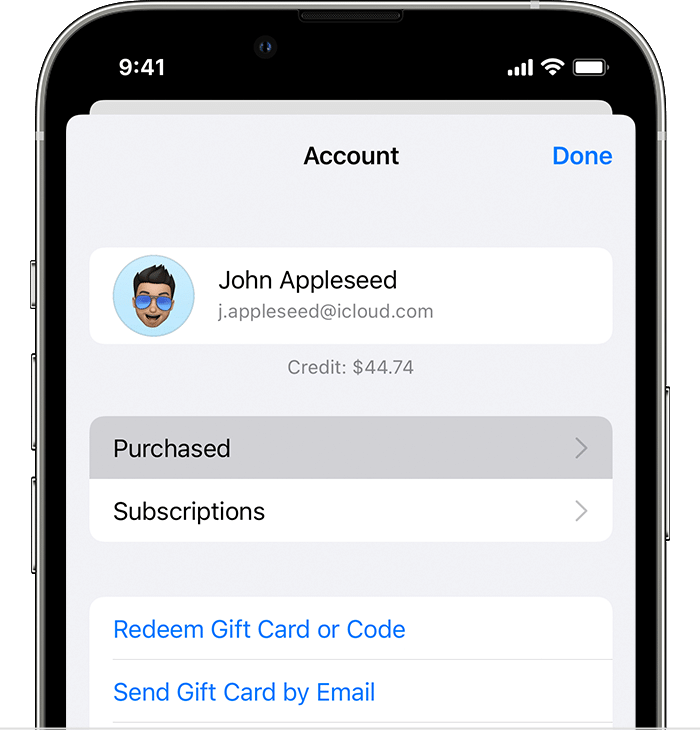
  3. Tap Purchased. If you use Family Sharing, tap My Purchases.
  4. iPhone showing the Purchased option in the Account menu.
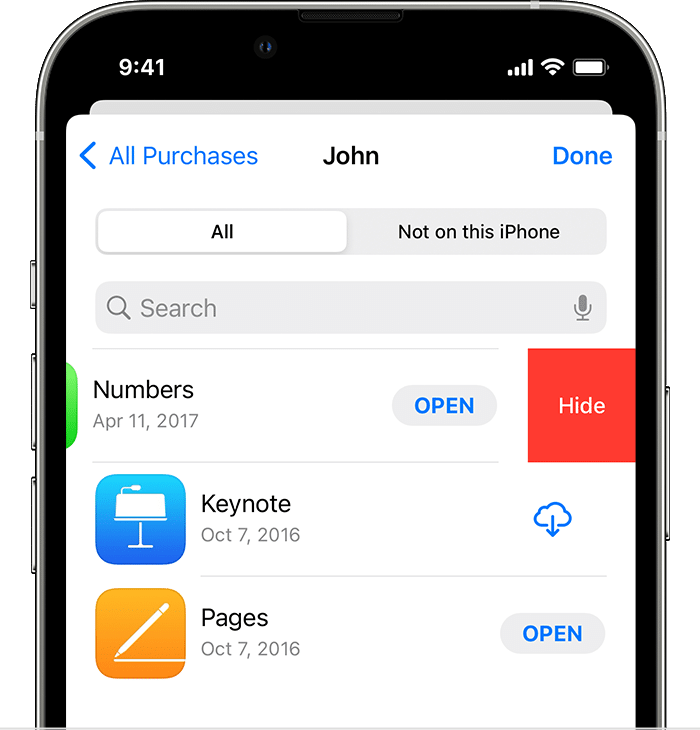
  5. Find the app that you want, then swipe left on it and tap Hide.
  6. iPhone showing what happens when you swipe left on an app in your purchases and the Hide button appears.
  7. Tap Done.

"


Hide purchases from the App Store


Take care.

1 reply
Question marked as Top-ranking reply

Sep 4, 2022 10:36 AM in response to Maruzzella8

Hi, Maruzzella8.


It isn't possible to delete applications from your Apple ID account. The closest option would be to hide your purchases, as shown here:


"Hide apps on your iPhone, iPad, or iPod touch

  1. Open the App Store app.
  2. Tap the account button , or your photo or initials, at the top of the screen.
  3. Tap Purchased. If you use Family Sharing, tap My Purchases.
  4. iPhone showing the Purchased option in the Account menu.
  5. Find the app that you want, then swipe left on it and tap Hide.
  6. iPhone showing what happens when you swipe left on an app in your purchases and the Hide button appears.
  7. Tap Done.

"


Hide purchases from the App Store


Take care.

This thread has been closed by the system or the community team. You may vote for any posts you find helpful, or search the Community for additional answers.

How do I permanently delete apps from my account?

Welcome to Apple Support Community
A forum where Apple customers help each other with their products. Get started with your Apple Account.