sleep screen not working in watchos 9

I have just updated to iOS16 on my phone and watchOS 9 on my apple watch yesterday, but when it went into Sleep focus, the face on my apple watch didn't go into sleep screen mode, (although it did on my iPhone).


I do have "Shared Across Devices" switched on. Sleep app is on my phone and watch.

In Settings -> Sleep I have Sleep Screen & Show Time turned on.


Does anyone have a suggestion on how to get sleep screen mode working on my watch?

Posted on Sep 14, 2022 6:41 AM

Reply
Question marked as Top-ranking reply

Posted on Sep 20, 2022 10:41 PM

Hi! I had the same issue and just resolved it this morning. First check if the ‘Sleep’ app is still installed on the AW , mine was apparently deleted with the update and I had to re download it (might take a lot of scrolling in the App store since it doesn’t show up on top when searching for ‘Sleep’). Once the app is installed just check the boxes you need in the app and the settings subsection. After that everything should be working correctly again.

Similar questions

2 replies
Question marked as Top-ranking reply

Sep 20, 2022 10:41 PM in response to Ellisrej32

Hi! I had the same issue and just resolved it this morning. First check if the ‘Sleep’ app is still installed on the AW , mine was apparently deleted with the update and I had to re download it (might take a lot of scrolling in the App store since it doesn’t show up on top when searching for ‘Sleep’). Once the app is installed just check the boxes you need in the app and the settings subsection. After that everything should be working correctly again.

Sep 17, 2022 5:04 PM in response to Ellisrej32

Hi, Ellisrej32


It sounds like you may be referring to the Bedtime function. This would change the screen on the Apple Watch when sleeping. To do this, you can follow the steps here:


"Set up Sleep

Getting enough sleep is important to your overall health. The Health app on iPhone can help you set a sleep goal, and track your progress over time in meeting that goal.

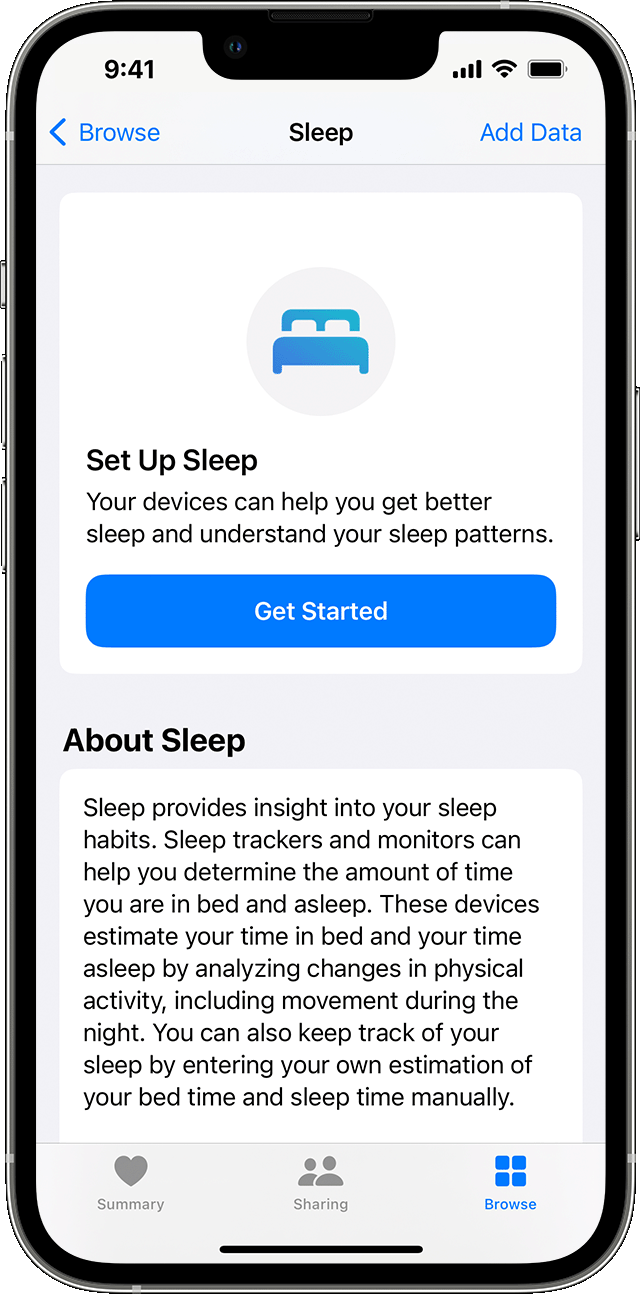
An iPhone screen showing the Set up Sleep option  

  1. Open the Health app on your iPhone.
  2. Tap Get Started under Set Up Sleep1, then tap Next.
  3. Follow the onscreen prompts to establish:
    • Sleep Goals: Set the number of hours you'd like to spend asleep.
    • Bedtime and Wake Up times: Set when you'd like to go to bed and wake up.
    • Sleep Focus: To reduce distractions, iPhone can simplify your Lock Screen and turn on Sleep Focus at your scheduled bedtime. You can also give certain people or apps permission to notify you. Learn how to customize a Focus.
    • Track Sleep with Apple Watch: Wear your watch to bed to track your sleep. This option is available during setup if you've paired your Apple Watch with your iPhone beforehand. If you pair your Apple Watch after setup, you can still turn on Track Sleep with Apple Watch later.


"


Track your sleep on Apple Watch and use Sleep on iPhone - Apple Support


This thread has been closed by the system or the community team. You may vote for any posts you find helpful, or search the Community for additional answers.

sleep screen not working in watchos 9

Welcome to Apple Support Community
A forum where Apple customers help each other with their products. Get started with your Apple Account.