How to update your home or mailing address?
How to update your home or mailing address?
How to update your home or mailing address?
Greetings ERNIEV,
It sounds like you want to know how to change your Apple ID shipping address. We know how important this is for you, and you’re in the right place for answers.
How to change your Apple ID to a different email address
1. Go to appleid.apple.com and sign in.
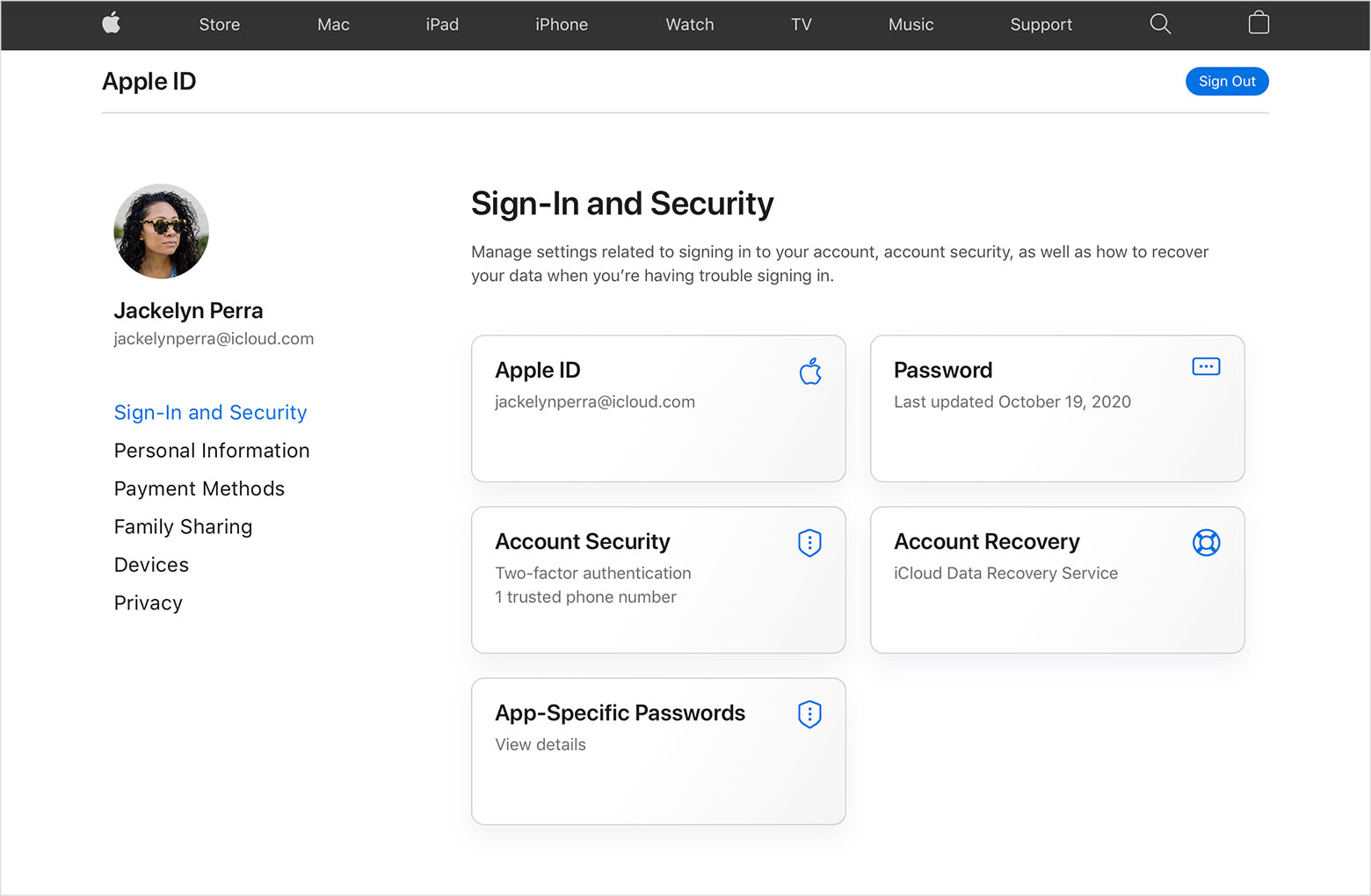
2. In the Sign-In and Security section, choose Apple ID.
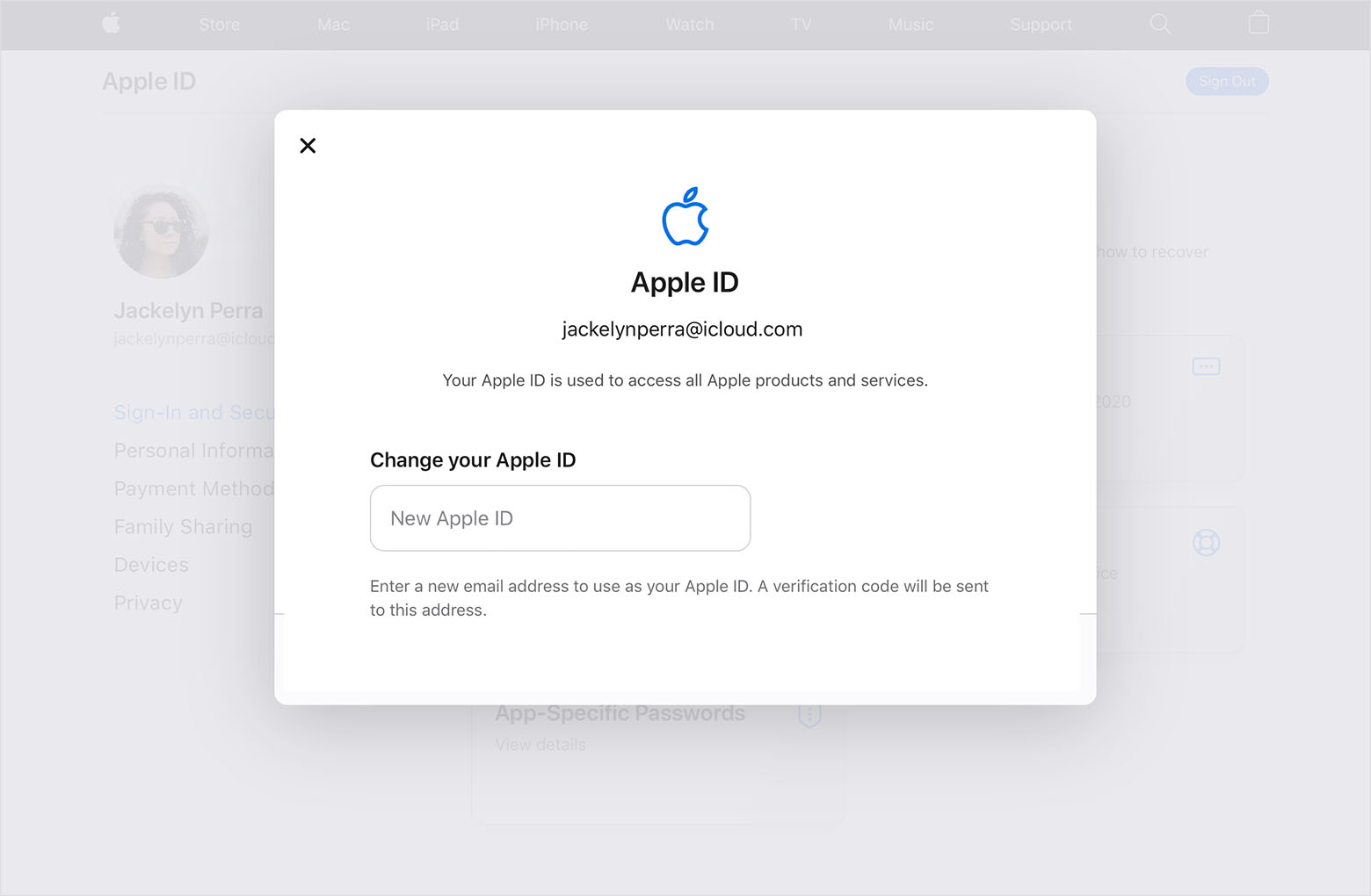
3. Enter the email address that you want to use as your Apple ID.
4. Choose Change Apple ID.
5. If you changed your Apple ID to a third-party email address, check your email for a verification code, then enter the code. Learn what to do if you didn't get the email.
6. If you use services like iCloud or Messages to share with friends and colleagues, sign in to those services with your updated Apple ID.
This info is located in this support article: Change your Apple ID - Apple Support
Cheers!
How to update your home or mailing address?