How to downloaded app
iPad mini, iOS 9
iPad mini, iOS 9
Greetings, mausami258.
The message you received is likely because your iOS is not compatible for the version of the app you are trying to download. However, you can work through these steps:
"Try this if you have an issue when you update or download apps from the App Store on your iPhone, iPad, or iPod touch.
1. Open the App Store and sign in
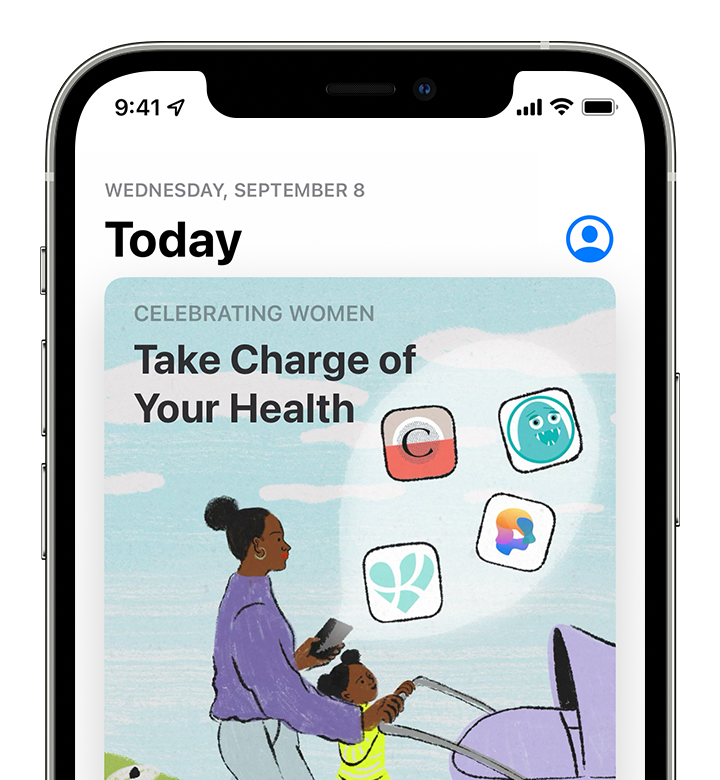
If a blue account button appears at the top of the App Store, you might not be signed in. Tap it and sign in with your Apple ID. Learn what to do if you forgot your password.
Learn what to do if you can't open the App Store.
2. Manually update the app
In the App Store, try to update the app manually.
3. Check your payment method
You might need to have a payment method on file, even if the app that you want to download is free. See what payment method you have on file and make sure that it isn't expired, declined, or failed.
If you can't update apps and you see a message that says “your account is disabled in the App Store,” there might be a problem with your payment method. Contact Apple Support for assistance.
4. Prioritize the download
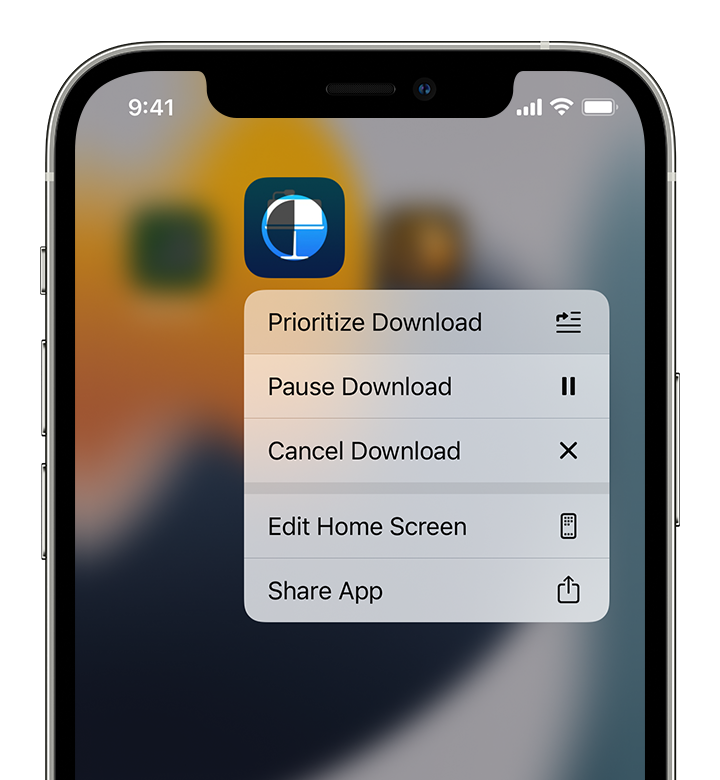
From the Home Screen, touch and hold the app. From the menu that appears, choose Prioritize Download.
5. Restart your device
Restart your iPhone or restart your iPad.
Then check to see if you can download or update apps.
6. Contact Apple
If you still can't download or update apps on your iPhone or iPad, contact Apple Support.
" If you can’t download or update apps on your iPhone or iPad
We hope this helps!
Sincerely.
Greetings, mausami258.
The message you received is likely because your iOS is not compatible for the version of the app you are trying to download. However, you can work through these steps:
"Try this if you have an issue when you update or download apps from the App Store on your iPhone, iPad, or iPod touch.
1. Open the App Store and sign in
If a blue account button appears at the top of the App Store, you might not be signed in. Tap it and sign in with your Apple ID. Learn what to do if you forgot your password.
Learn what to do if you can't open the App Store.
2. Manually update the app
In the App Store, try to update the app manually.
3. Check your payment method
You might need to have a payment method on file, even if the app that you want to download is free. See what payment method you have on file and make sure that it isn't expired, declined, or failed.
If you can't update apps and you see a message that says “your account is disabled in the App Store,” there might be a problem with your payment method. Contact Apple Support for assistance.
4. Prioritize the download
From the Home Screen, touch and hold the app. From the menu that appears, choose Prioritize Download.
5. Restart your device
Restart your iPhone or restart your iPad.
Then check to see if you can download or update apps.
6. Contact Apple
If you still can't download or update apps on your iPhone or iPad, contact Apple Support.
" If you can’t download or update apps on your iPhone or iPad
We hope this helps!
Sincerely.
How to downloaded app