Hi Spillebeen,
You can customize a created Focus under Settings > Focus.
See additional details here:
"Connect Home Screen pages to Focus
After you set up Focus, you can silence notifications or allow only notifications from the people and apps that match your Focus. You can also customize a Home Screen page that has only apps related to your Focus and make that page the only one accessible during the time you have the Focus enabled.
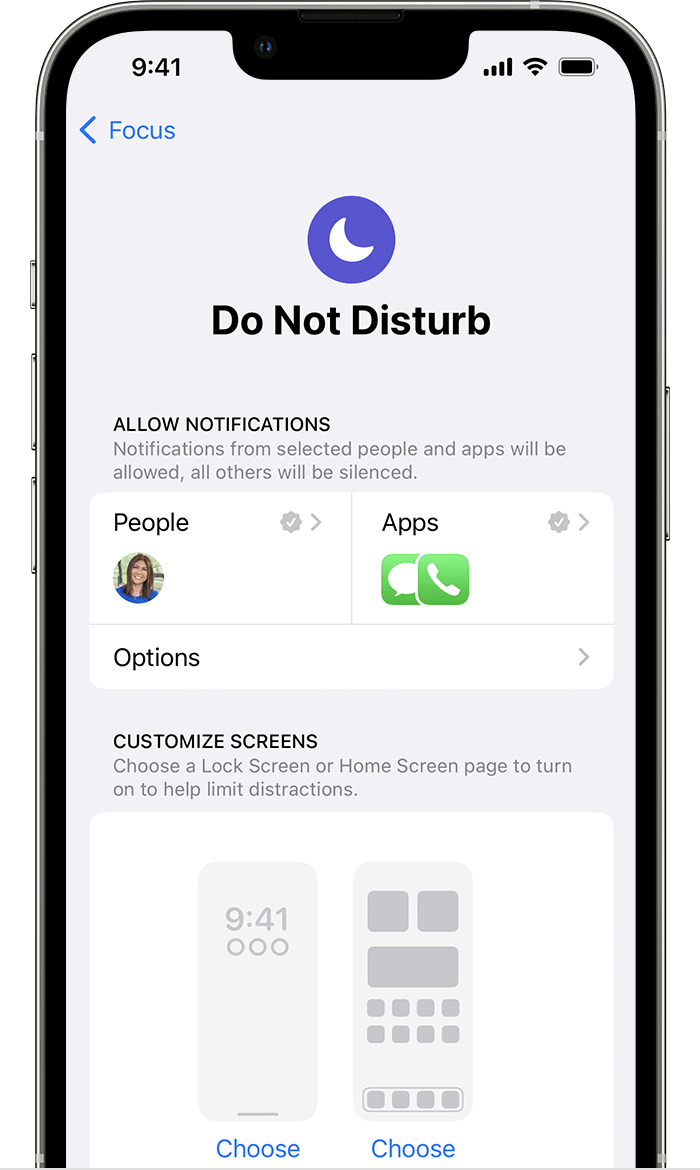
- Go to Settings > Focus.
- Select the Focus that you want to customize, then choose the Home Screen.
- Create a new Home Screen page, select an existing Home Screen page, or select multiple pages that you want to connect to this Focus.
- Tap Done.
From here, you can also tap Options and turn on Hide Notification Badges, which hides notifications on your Home Screen apps.

Connect your Lock Screen to Focus
- Go to Settings > Focus.
- Select the Focus that you want to customize, then choose the Lock Screen.
- Create a new Lock Screen, select an existing Lock Screen, or select multiple Lock Screens that you want to connect to this Focus.
- Tap Done."
Cheers!

