Retrieve missing notes On My iPhone?

I'm looking for help retrieving missing notes "On My iPhone" - recently upgraded to iOS15.7 and that still didn't help. Using iMazing the missing notes are still present in the backup, but do not show up in the Notes app on the iPhone.

iPhone 8 Plus

Posted on Oct 1, 2022 4:15 PM

Reply
1 reply

Oct 3, 2022 10:56 AM in response to Omnitech2000

Hello Omnitech2000,


Please be sure to review all of the information in the link you came here from, as that may be able to help you find missing notes: If you're missing notes on your iPhone, iPad, or iPod touch


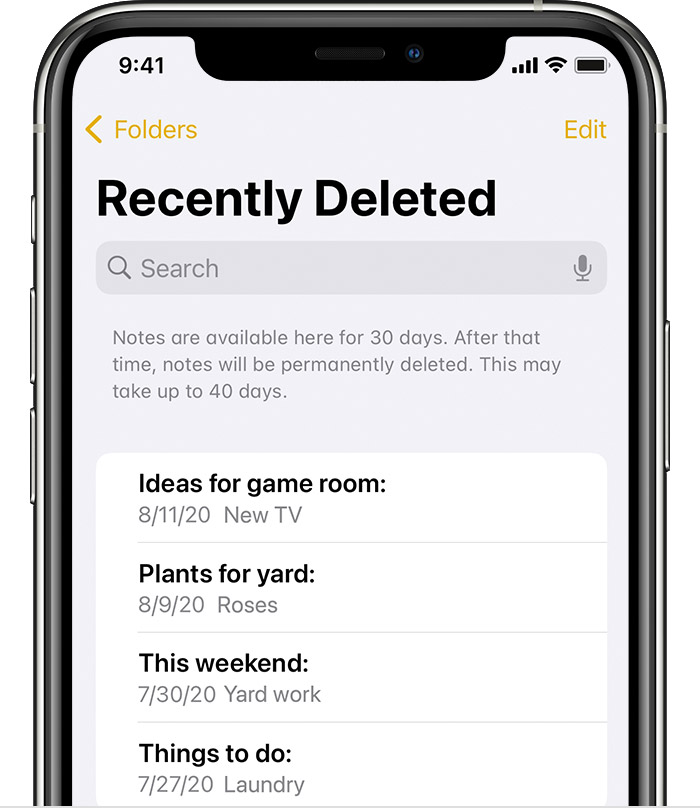
The recently deleted folder in Mail holds recently deleted notes for 30 days.

Check your Recently Deleted folder

If you store your notes on iCloud, check your Recently Deleted folder:

1. Open Notes, then tap the back icon Tap the arrow icon until you see your Folders list.
2. Tap Recently Deleted and search for your note.

If you find your note in Recently Deleted or in another folder, you can move it:

1. In the Notes list, tap Edit.
2. Select the note that you want to move.
3. Tap Move, then select the folder you want to move it to.

If you use notes with another service, like Gmail or Yahoo, check the Trash folder of that account in the Mail app. If you delete a note from the Notes app, your third-party account will usually keep it in the Trash folder. To recover a note from the Trash folder, you need to copy and paste the note to a new note in the Notes app.


Thanks!

This thread has been closed by the system or the community team. You may vote for any posts you find helpful, or search the Community for additional answers.

Retrieve missing notes On My iPhone?

Welcome to Apple Support Community
A forum where Apple customers help each other with their products. Get started with your Apple Account.