
Talking memoji-not talking
I can not get my Memoji to talk! I followed all the steps - and finally I press send … and the “sending Memoji” just keeps spinning…like it is trying to transmit.
iPhone XS Max, iOS 16
I can not get my Memoji to talk! I followed all the steps - and finally I press send … and the “sending Memoji” just keeps spinning…like it is trying to transmit.
iPhone XS Max, iOS 16


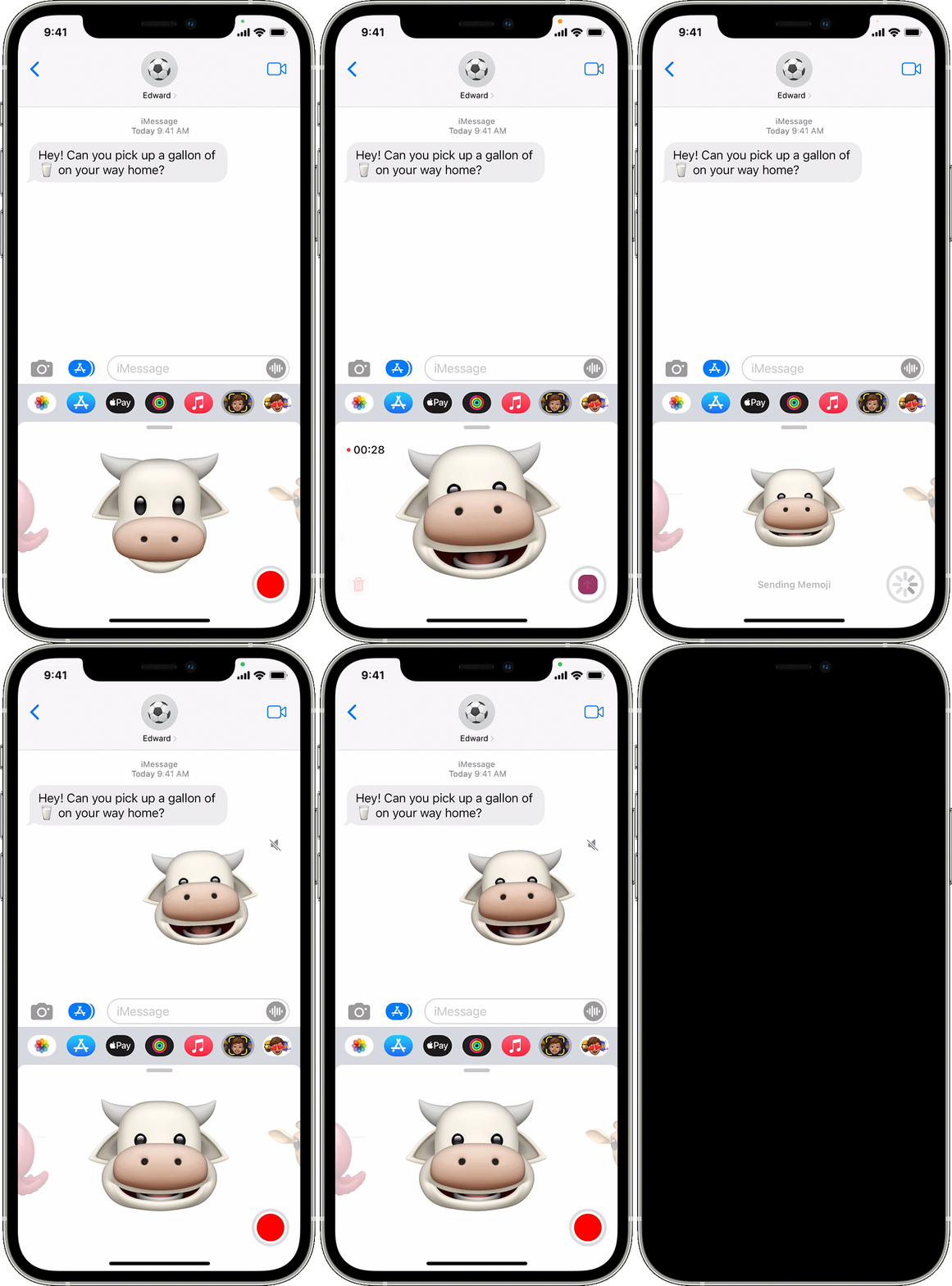
How to use an animated Memoji in Messages
 to start a new message. Or go to an existing conversation.
 , then swipe left to pick your Memoji.
 to record and
  to stop. You can record for up to 30 seconds. To choose a different Memoji with the same recording, tap another Memoji that you created. To create a Memoji sticker, touch and hold the Memoji and drag it to the message thread. To delete a Memoji, tap the Trash button
  .
. .
.If you are trying to send it to an Android user it will not go.
Talking memoji-not talking
