My IPHONE 13 pro got wet , now when I take a picture I don’t see it in my camera roll
My IPhone 13 pro got wet and now when I take a picture it doesn’t show up in my photo roll. Any suggestions?
Windows, Windows 10
My IPhone 13 pro got wet and now when I take a picture it doesn’t show up in my photo roll. Any suggestions?
Windows, Windows 10
Hi Lindalou64,
You can definitely complete the steps listed here: If you're missing photos or videos in the Photos app - Apple Support to check for missing photos. The steps are also listed below.
On your iPhone or iPad
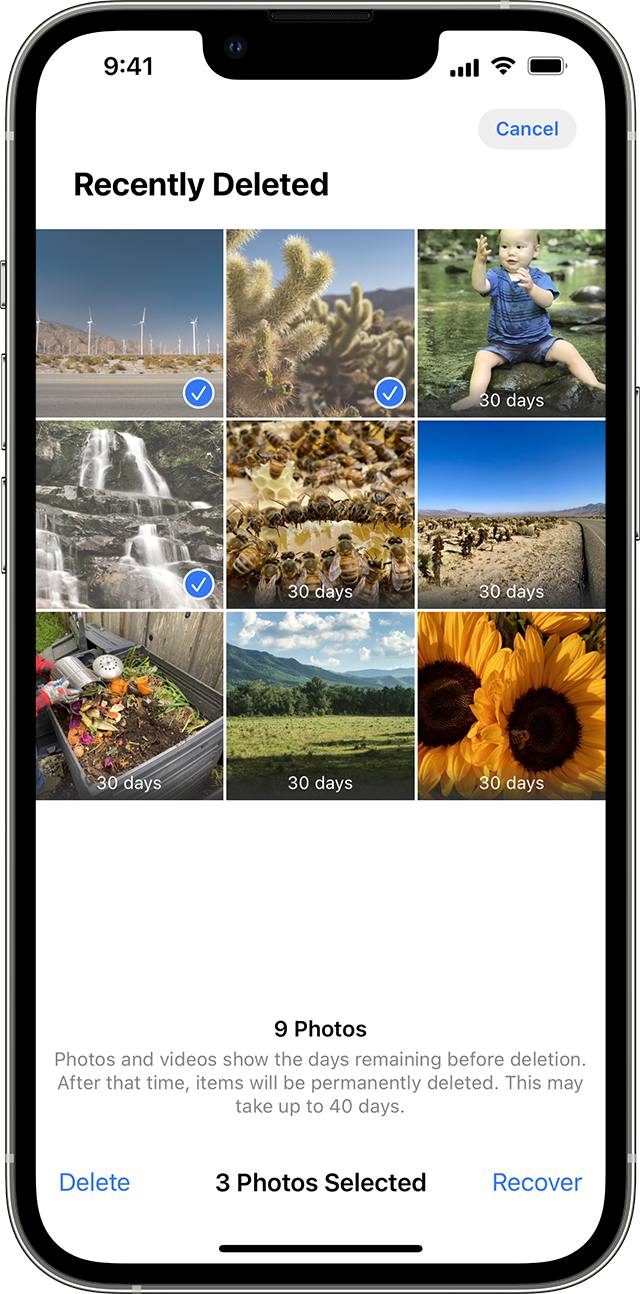
1. In iOS 16, iPadOS 16.1, or later, use Face ID or Touch ID to unlock your Recently Deleted album.
2. Tap a photo or video, then tap Recover. To recover multiple photos, tap Select, select your photos or videos, then tap Recover.
3. Confirm that you want to recover the photos or videos.
If you are unable to locate the photos by completing the steps above, then please reach out to support for additional assistance here: Apple Support
Cheers!
My IPHONE 13 pro got wet , now when I take a picture I don’t see it in my camera roll