Hi Rich
I am not a big user of HandBrake so am not familiar with all it can do.
On reading this post I decided to have a play with it.
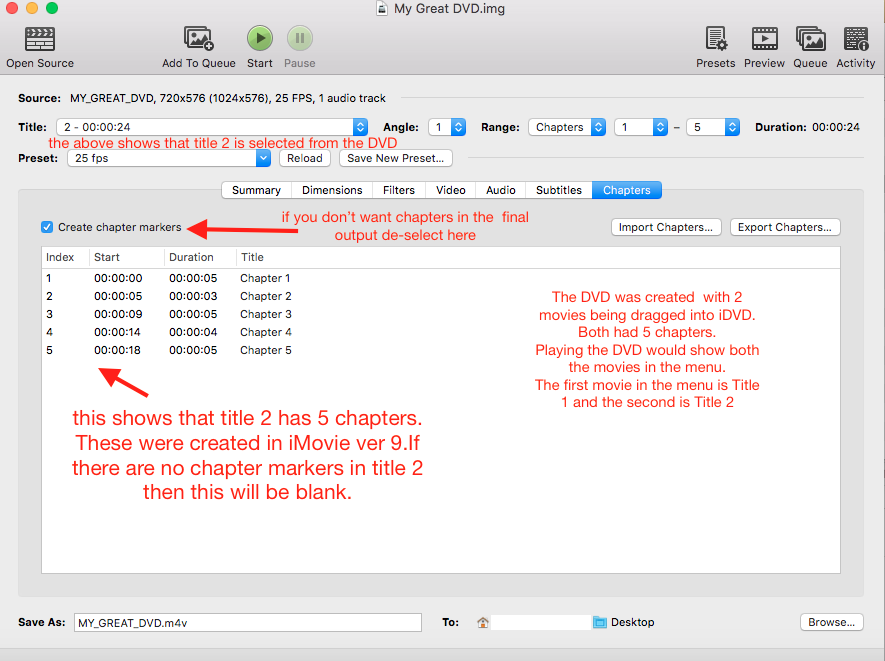
I got 2 very short clips ( 25 to 30 seconds long) and for each of them I added 5 chapter markers in iMovie ver 9 and exported them. So 2 separate videos, both with 5 chapter markers.
Then opened iDVD and dragged the 2 videos in.
This gave me 2 items in the menu, i.e. 2 Titles.
I then created a disk image of the DVD.
For test purposes I usually burn to a DVD-RW, but it was at this point that I discovered that my optical burner was non functional., so it had to be a disc image.
So, then onto HandBrake.
I have used HandBrake before and deal directly with the DVD itself rather than doing anything with the Vob files.
So the source is the DVD ( or in my case here the disc image) rather than copying the Vob files to the desktop.
I hadn't played around with the options until today regarding chapters but could see that chapter info could be displayed if indeed chapter markers were present. I noted that if you did not want the chapter markers to be present in the output file then you could turn this to OFF.
I selected chapter markers to be present.
You have to select which menu item ( video) on the DVD that you want to deal with, i.e. the title number., as you can only deal with one at a time.
If you have say, 7 separate menu items then you will have 7 "titles ".
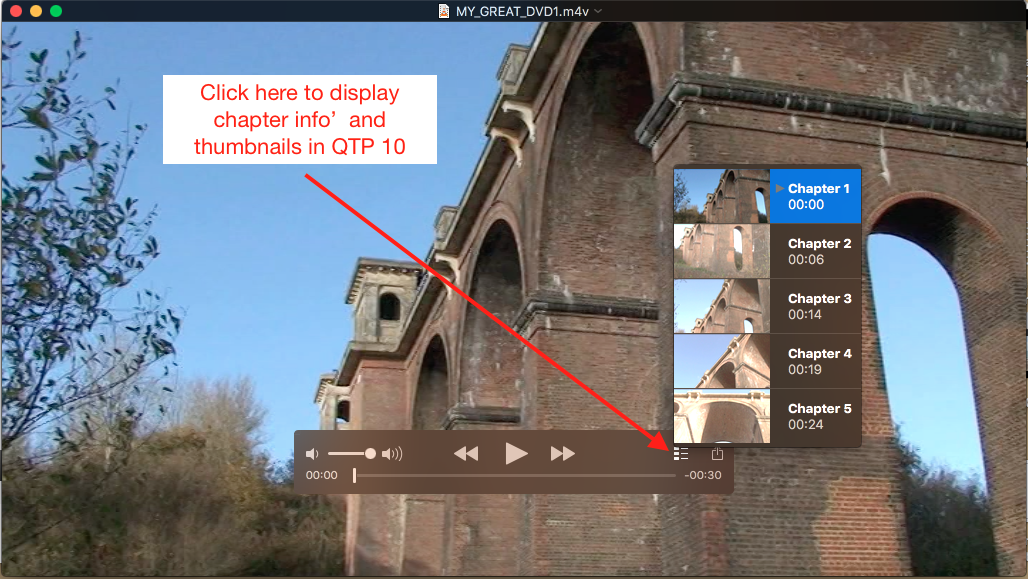
The m4v obtained contained, as expected, the chapter markers that are visible when played in QT10 and 7.
I have not played the file in anything else so don't know if those chapters are visible in anything else
I think that we know that chapter markers will not show up in all apps, so can be unpredictable .
When I said "full title" I meant the whole title or whole or complete movie( or all chapters even if they have chapters)
When playing the HandBrake output in QTP you can see the chapters( if they were present originally on the DVD) and you get a thumbnail of a scene to indicate the content.In my example the chapters were numbered 1,2,3 etc but what I can't remember, as I type this , is if in iMovie 9 when you create the chapters, you can give the chapter a description ,say Christmas Party, in place of a number 1,2 etc.
As I said before, I haven't really played around much with HandBrake or chapter markers, so would need to revisit this at some time.