Hi cuhullainn,
If the iPhone will not fully power up or progress past asking for a Wi-Fi network, you'd either need to connect to one or if you have access to a computer you may be able to try restoring the iPhone via iTunes/Finder.
See more info here: If your iPhone won't turn on or is frozen - Apple Support
"If your iPhone turns on but gets stuck during start up
If you see the Apple logo or a red or blue screen during startup, try these steps:
- Connect your iPhone to a computer. On a Mac with macOS Catalina, open the Finder. On a Mac with macOS Mojave or earlier, or on a PC, open iTunes. Find out which macOS your Mac is using.
- Select your iPhone on your computer.
- While your iPhone is connected, follow these steps:
- On your iPhone 8 or later, including iPhone SE (2nd and 3rd generation): Press and quickly release the volume up button. Press and quickly release the volume down button. Then press and hold the side button.
- On your iPhone 7 or iPhone 7 Plus: Press and hold the side button and volume down button at the same time.

- On your iPhone 6s or earlier, including iPhone SE (1st generation): Press and hold both the Home button and the side button or the top button at the same time.
- Keep holding the buttons until you see the recovery mode screen.
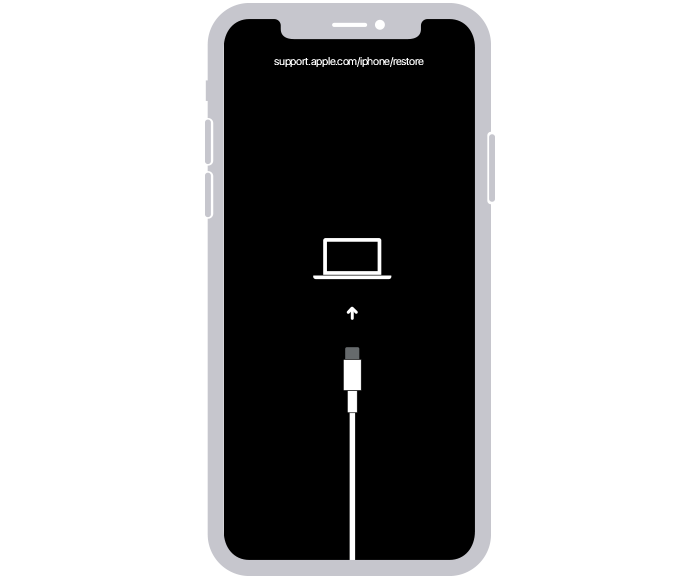
- When you get the option to restore or update, choose Update.

- Your computer will download the software for your device. If it takes more than 15 minutes, your device will exit recovery mode. Repeat steps 2-4."
This process attempts to reinstall iOS without wiping the data on the device.
Let us know if that helps.
Cheers!


