A random language showed up in my iPhone's list of preferred languages

I checked that setting for the first time today and my preferred languages are "English" and "Chamoru" which I have never heard of and for sure didn't add.


Is there even possibly a reasonable explanation for this?

Posted on Oct 12, 2022 9:34 AM

1 reply

Oct 13, 2022 12:16 PM in response to Community User

Hey riordanrost,


It sounds like you're seeing an unexpected language showing on your iPhone.


While we couldn't say for sure what caused that to appear, you can find the steps to change your language here: Change the language on your iPhone or iPad - Apple Support


"1. Open the Settings app
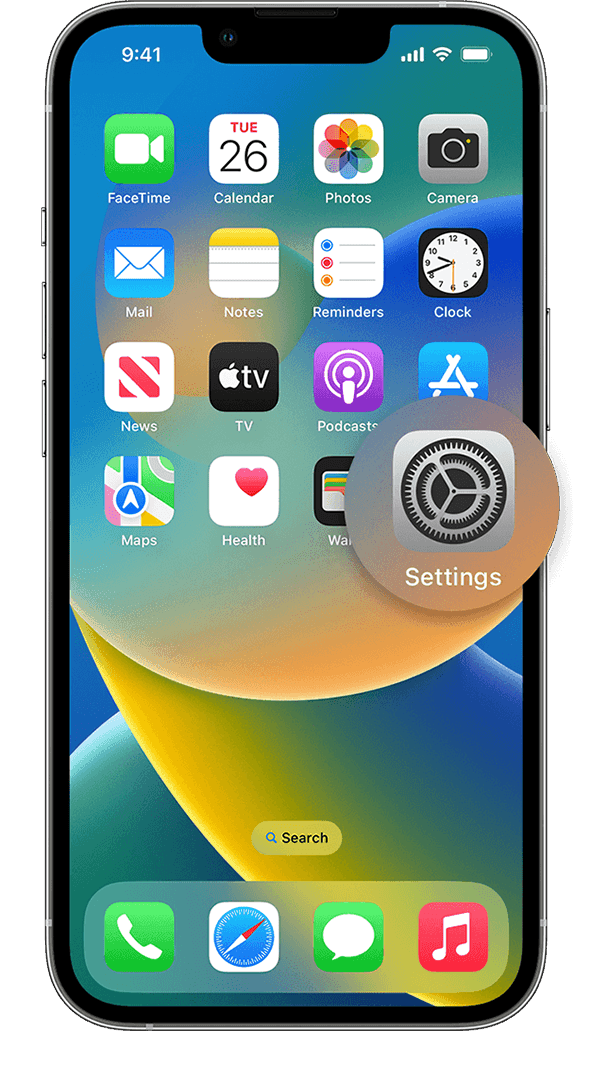


An iPhone showing the Home Screen with the Settings app icon magnified.2. Tap General


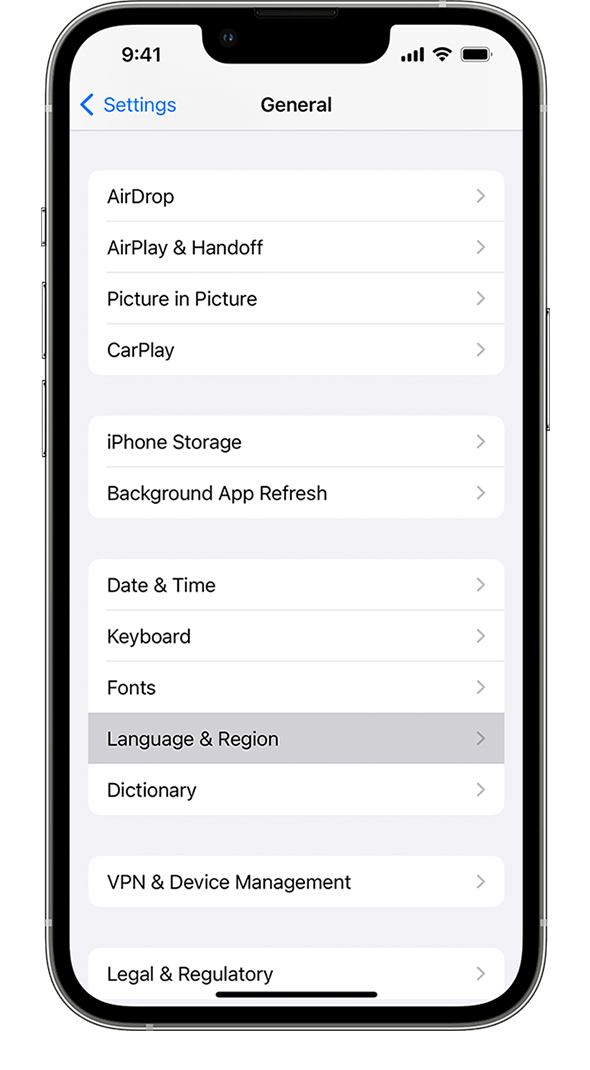
An iPhone showing the Settings app with the General option highlighted, below Screen Time.3. Select Language & Region


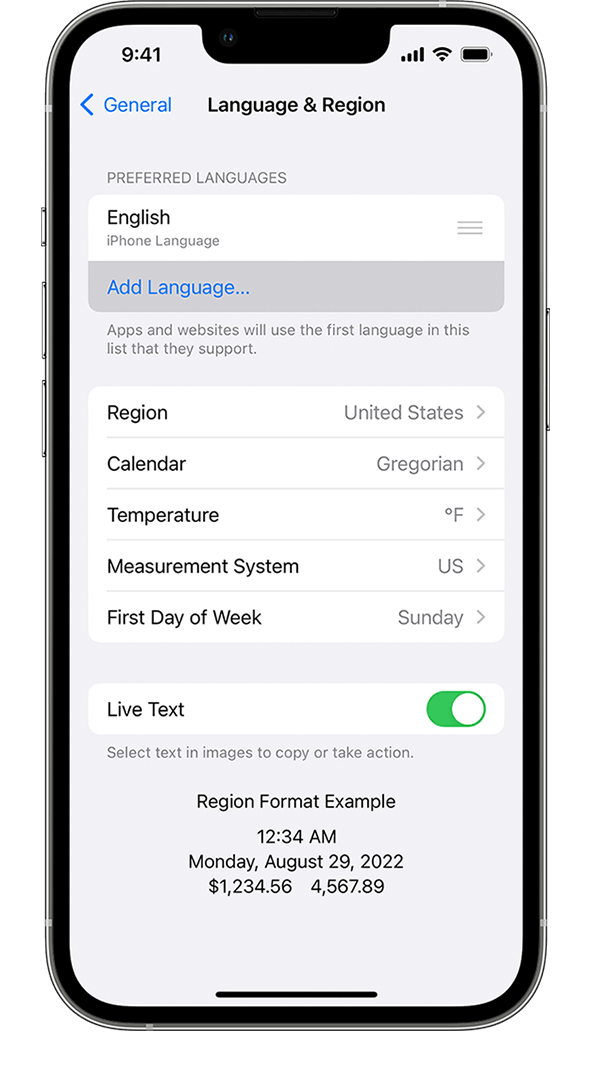
An iPhone showing the General settings menu, with the Language & Region option highlighted.Tap Add Language


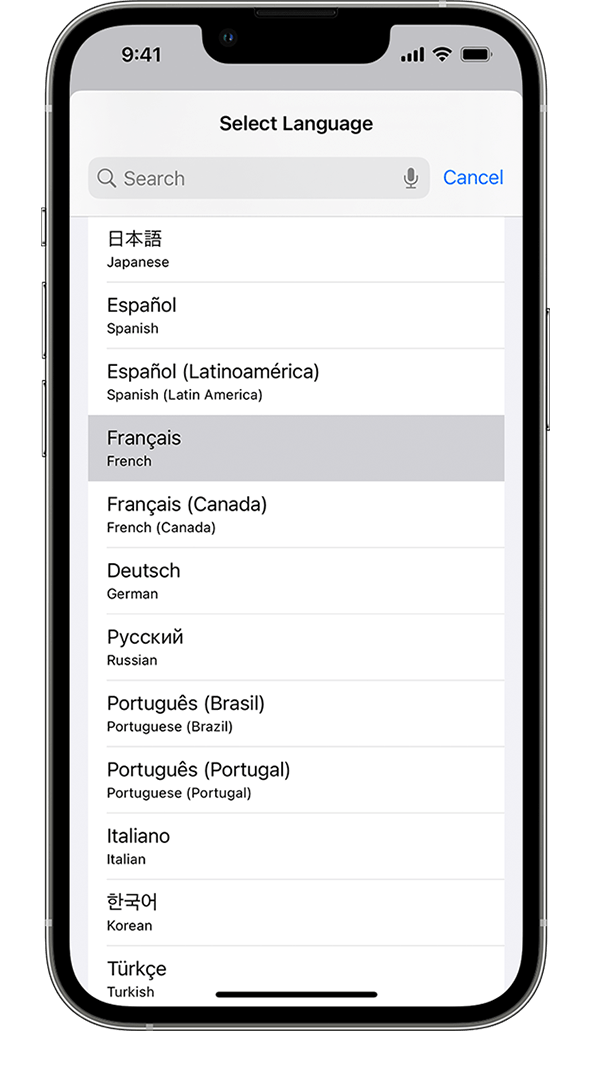
An iPhone showing the Language & Region menu, with Add Language highlighted.4. Select your language


An iPhone showing the list of available system languages, with French highlighted.5. Select your primary language

An alert will ask you which language you want to use as your primary language. After your device updates the language, your device automatically displays the language you selected."


Thanks!

 

This thread has been closed by the system or the community team. You may vote for any posts you find helpful, or search the Community for additional answers.

A random language showed up in my iPhone's list of preferred languages

Welcome to Apple Support Community
A forum where Apple customers help each other with their products. Get started with your Apple Account.