How do I cancel free trial subscription and remove card off phone
How do I cancel free subscription trial and remove all payment methods off phone
How do I cancel free subscription trial and remove all payment methods off phone
Hi there 1111j,
To cancel a free trial to a subscription, follow these steps from If you want to cancel a subscription from Apple"
1. Open the Settings app.
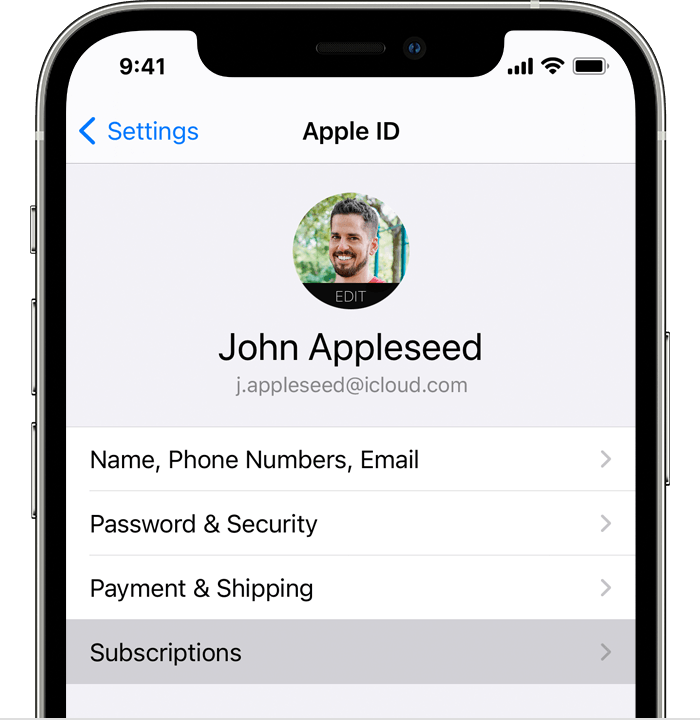
2. Tap your name.
3. Tap Subscriptions.
4. Tap the subscription.
5. Tap Cancel Subscription. You might need to scroll down to find the Cancel Subscription button. If there is no Cancel button or you see an expiration message in red text, the subscription is already canceled.
If you can't find the subscription that you want to cancel
Note:
If you signed up for a free or discounted trial subscription and you don't want to renew it, cancel it at least 24 hours before the trial ends.
Also, to remove a payment method, follow the 'How to change your payment method on your iPhone, iPad, or iPod touch' section here: Change, add, or remove Apple ID payment methods - Apple Support
Take care!
Hi there 1111j,
To cancel a free trial to a subscription, follow these steps from If you want to cancel a subscription from Apple"
1. Open the Settings app.
2. Tap your name.
3. Tap Subscriptions.
4. Tap the subscription.
5. Tap Cancel Subscription. You might need to scroll down to find the Cancel Subscription button. If there is no Cancel button or you see an expiration message in red text, the subscription is already canceled.
If you can't find the subscription that you want to cancel
Note:
If you signed up for a free or discounted trial subscription and you don't want to renew it, cancel it at least 24 hours before the trial ends.
Also, to remove a payment method, follow the 'How to change your payment method on your iPhone, iPad, or iPod touch' section here: Change, add, or remove Apple ID payment methods - Apple Support
Take care!
How do I cancel free trial subscription and remove card off phone