Pinned text
How to identify a pinned text by name and photo
iPhone 12
How to identify a pinned text by name and photo
iPhone 12
Hi Fjmbs,
Thanks for contacting Apple Support Communities!
We understand that you need help to identify pinned conversations in Messages, correct?
Your pinned conversations are identified by the name of your contact and the photo that you assign or the photo that your contact has assigned themselves. Your contacts using iMessage can choose to assign a photo and you can choose to use their assigned photo or you can assign a photo to their contact if you choose. This article explains the complete process: Use Messages on your iPhone or iPad - Apple Support
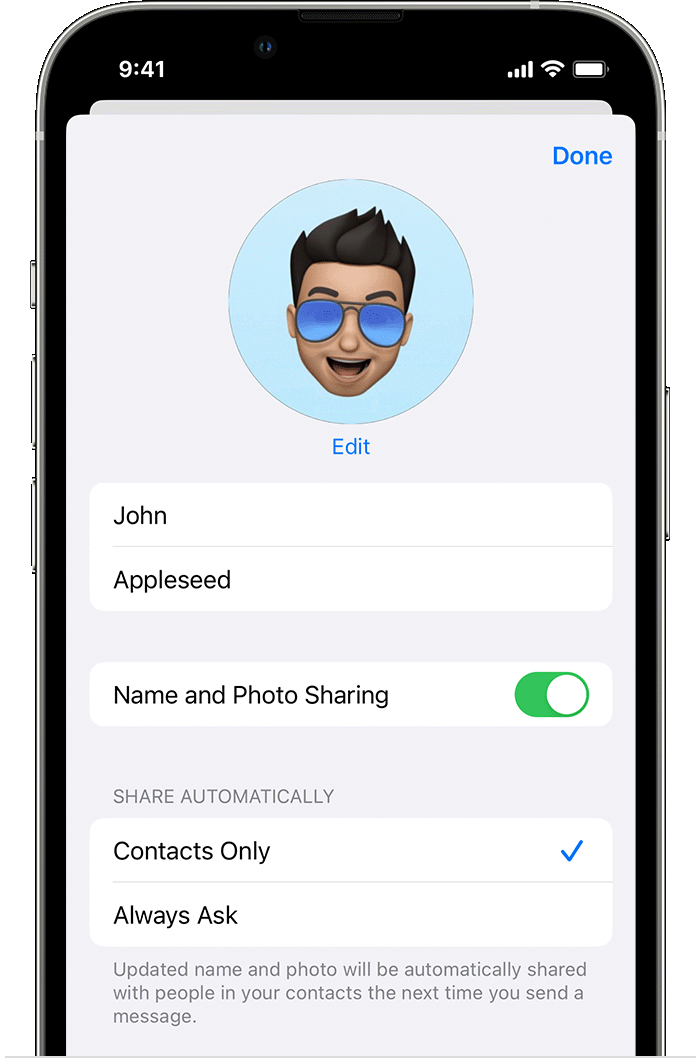
Change your name and photo
1. In Messages, tap Edit or the More button.
2. Tap Edit Name and Photo.
3. Edit your name. Or tap the image circle to choose an image, photo, emoji, or Memoji.
2. Tap Done.
Your name and photo can be shared with anyone using iMessage, but you'll be asked to confirm that you want to share with someone when sending or replying to a new message. You can also turn sharing on and off. Just complete steps 1-2, and turn Name and Photo Sharing on or off.
We hope this helps you.
Cheers!
Pinned text