Hi kerline,
Let's try removing the photo and adding different one to rule out an issue with the photo:
"Open the group iMessage
1.Tap the group icons at the top of the message thread. If you have iOS 14 or earlier, tap the icons at the top of the thread, then tap the info button.
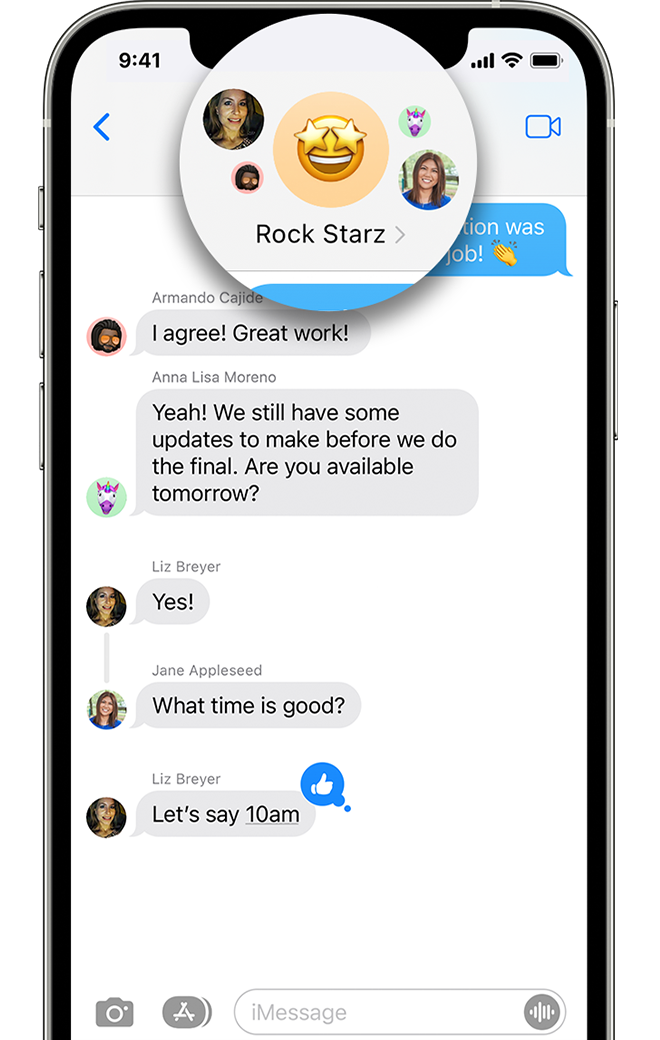 2. Tap Change Name and Photo
The Change Name and Photo option is in blue text under the group icons and names of the people on the thread.
Remember, you can name group iMessages, but not SMS/MMS group messages. To name a group text message, everyone needs to be using an iPhone, iPad, or iPod touch.
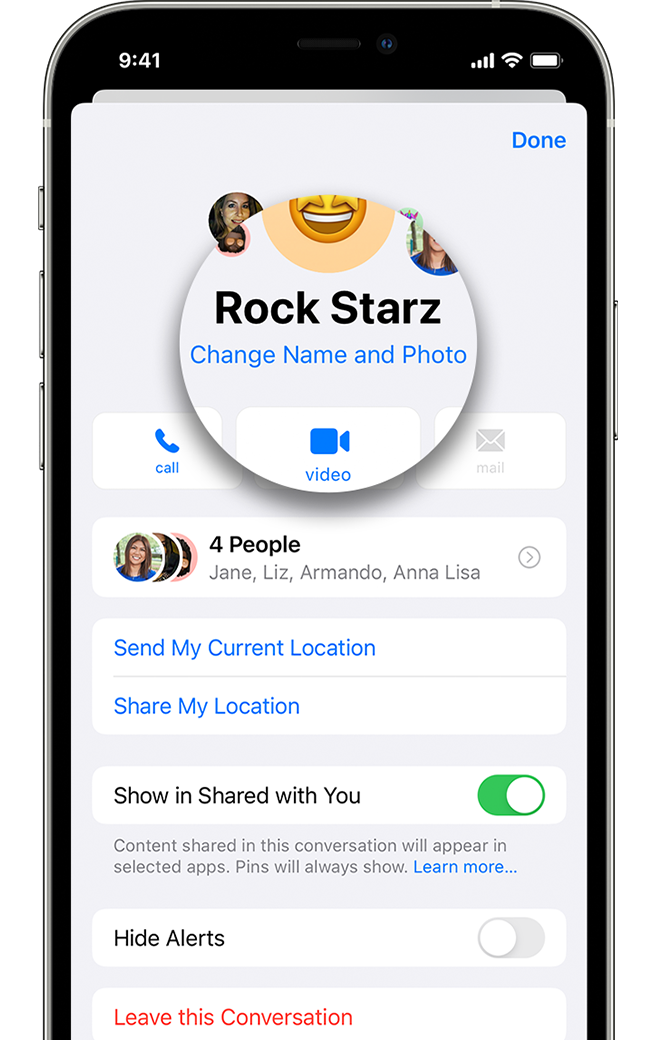 3. Add a name and photo for the group
After you enter the name for the group, tap the Camera button to take a photo. Or select a photo that you already have. You can also choose an emoji or Memoji for your group photo.
4. When you’re finished, tap Done."
You can find these steps along with other information that may be helpful, here: Name a group text message on your iPhone, iPad, or iPod touch - Apple Support
If that seems to work without the alert you were seeing, go ahead and add the original photo back if you would like and see if the alert returns.
We also recommend restarting your device and keeping it updated as those steps assure you have cleared out any minor software issues and are running the most current version.
Restart your iPhone - Apple Support
Update your iPhone or iPad - Apple Support
Cheers!


