Hi there Alondra-N-Ramos,
Can you add the Calculator complication back onto the watch faces for your Apple Watch SE? If unsure, this article shows how:
"Add complications to the watch face
You can add special features—called complications—to some watch faces, so you can instantly check things like stock prices, the weather report, or information from other apps you installed.
- With the watch face showing, touch and hold the display, then tap Edit.
- Swipe left all the way to the end. If a face offers complications, they’re shown on the last screen.
- Tap a complication to select it, then turn the Digital Crown to choose a new one—Activity or Heart Rate, for example.
- When you’re finished, press the Digital Crown to save your changes, then tap the face to switch to it.
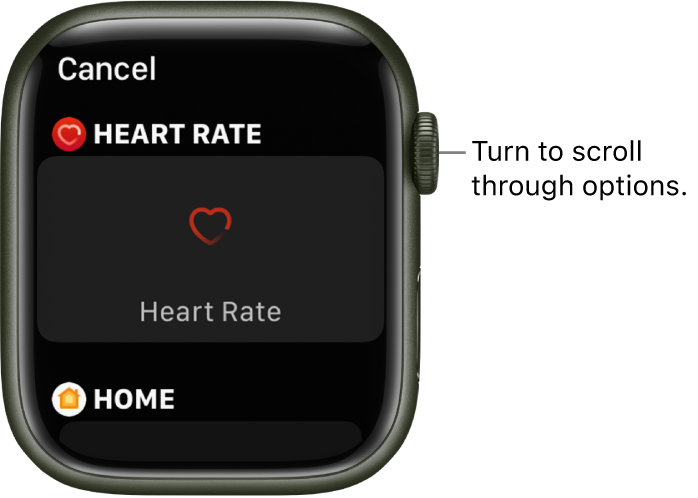
Some apps you get from the App Store also include complications."
That information, and more, can be found here: Customize the watch face - Apple Support
You can also try restarting your devices, as that can sometimes help resolve unexpected issues:
"How to restart your iPhone X, 11, 12, 13, or later
- Press and hold either volume button and the side button until the power-off slider appears.
- Drag the slider, then wait 30 seconds for your device to turn off. If your device is frozen or unresponsive, force restart your device.
- To turn your device back on, press and hold the side button (on the right side of your iPhone) until you see the Apple logo."
Those steps are from this article: Restart your iPhone - Apple Support If the iPhone you own isn't listed above, you can find the steps in the article just mentioned.
For your Apple Watch:
"How to restart your Apple Watch if you have watchOS 9
- If your Apple Watch is charging, take it off the charger.
- Press and hold the side button until you see the power button
 in the upper-right corner of the display.
 - Tap the power button.
- Drag the Power Off slider.
- After your watch turns off, press and hold the side button again until you see the Apple logo."
If you need to see how to restart for watchOS 8 or earlier, please open the following article (which also contains the steps above): Restart your Apple Watch - Apple Support
Take care!


