I created a new iTunes library on a hard drive and the one of my computer got overwritten - how do I retrieve it?

I was creating a new iTunes library on my hard drive and for some reason by doing so the one on my computer got overwritten - hence I lost all my music, playlists, etc. It is very important for me to retrieve it as it was showing all my music files I lost when my previous hard drive broke two weeks ago, so I knew what to redownload.

Since that hard drive broke, it has been a nightmare... Please help! I do radio and retrieving my library is of utmost importance!!!

Thank you

MacBook Air 13″, macOS 11.2

Posted on Oct 24, 2022 6:54 PM

Reply
Question marked as Top-ranking reply

Posted on Oct 26, 2022 11:27 AM

Hello pa93,


If you have a Time Machine backup, you may be able to reinstate your prior iTunes Library using the steps below:


1. On your Mac, open a window for the item you want to restore.
For example, to recover a file you accidentally deleted from your Documents folder, open the Documents folder.
If you’re missing an item from the desktop, you don’t need to open a window.
2. Use Launchpad to view and open apps on Mac and open Time Machine (in the Other folder). A message may appear while your Mac connects to the backup disk.
3. Use the arrows and timeline to browse the local snapshots and backups.
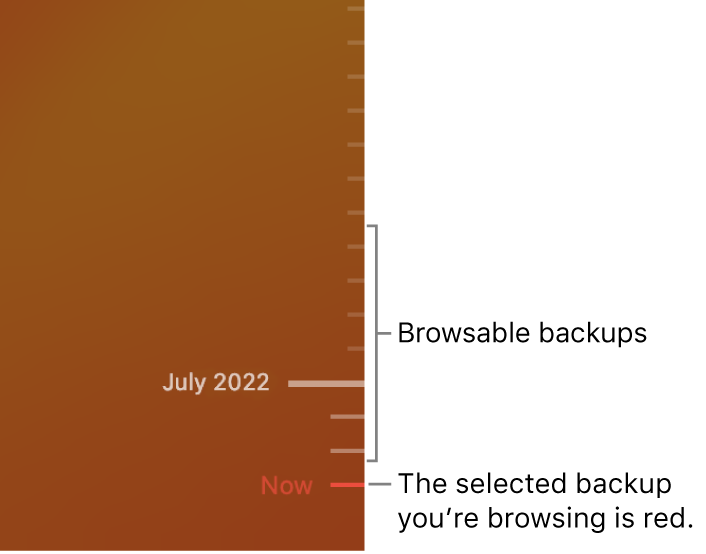
Tick marks in the backup timeline. The red tick mark indicates the backup you’re browsing.
If you see a pulsing light to semi-dark gray tick mark, it represents a backup that’s still loading or validating on the backup disk.
4. Select one or more items you want to restore (these can include folders or your entire disk), then click Restore.


You can also find those steps in this resource: Restore items backed up with Time Machine on Mac - Apple Support


Hopefully that puts you on the path to getting your prior library back.


Take care.

1 reply
Question marked as Top-ranking reply

Oct 26, 2022 11:27 AM in response to pa93

Hello pa93,


If you have a Time Machine backup, you may be able to reinstate your prior iTunes Library using the steps below:


1. On your Mac, open a window for the item you want to restore.
For example, to recover a file you accidentally deleted from your Documents folder, open the Documents folder.
If you’re missing an item from the desktop, you don’t need to open a window.
2. Use Launchpad to view and open apps on Mac and open Time Machine (in the Other folder). A message may appear while your Mac connects to the backup disk.
3. Use the arrows and timeline to browse the local snapshots and backups.
Tick marks in the backup timeline. The red tick mark indicates the backup you’re browsing.
If you see a pulsing light to semi-dark gray tick mark, it represents a backup that’s still loading or validating on the backup disk.
4. Select one or more items you want to restore (these can include folders or your entire disk), then click Restore.


You can also find those steps in this resource: Restore items backed up with Time Machine on Mac - Apple Support


Hopefully that puts you on the path to getting your prior library back.


Take care.

This thread has been closed by the system or the community team. You may vote for any posts you find helpful, or search the Community for additional answers.

I created a new iTunes library on a hard drive and the one of my computer got overwritten - how do I retrieve it?

Welcome to Apple Support Community
A forum where Apple customers help each other with their products. Get started with your Apple Account.