How to add debit cards or credit cards
How to add debit card or credit card on wallet
iPhone 12 mini, iOS 16
How to add debit card or credit card on wallet
iPhone 12 mini, iOS 16
Greetings Praveen_Janaa,
We'd like to provide you with the steps to add your credit card or debit card to the Wallet app. These steps will help to ensure that you've got everything set up properly to start using Apple Pay with your device or devices.
To use Apple Pay, you need:
• A compatible device1 with the latest version of iOS or iPadOS, watchOS, or macOS.
• A supported card from a participating card issuer.
• An Apple ID signed in to your Apple device.
Learn if your country/region supports Apple Pay. To check if your card is compatible with Apple Pay, contact your card issuer.
How to add a debit or credit card on your iPhone
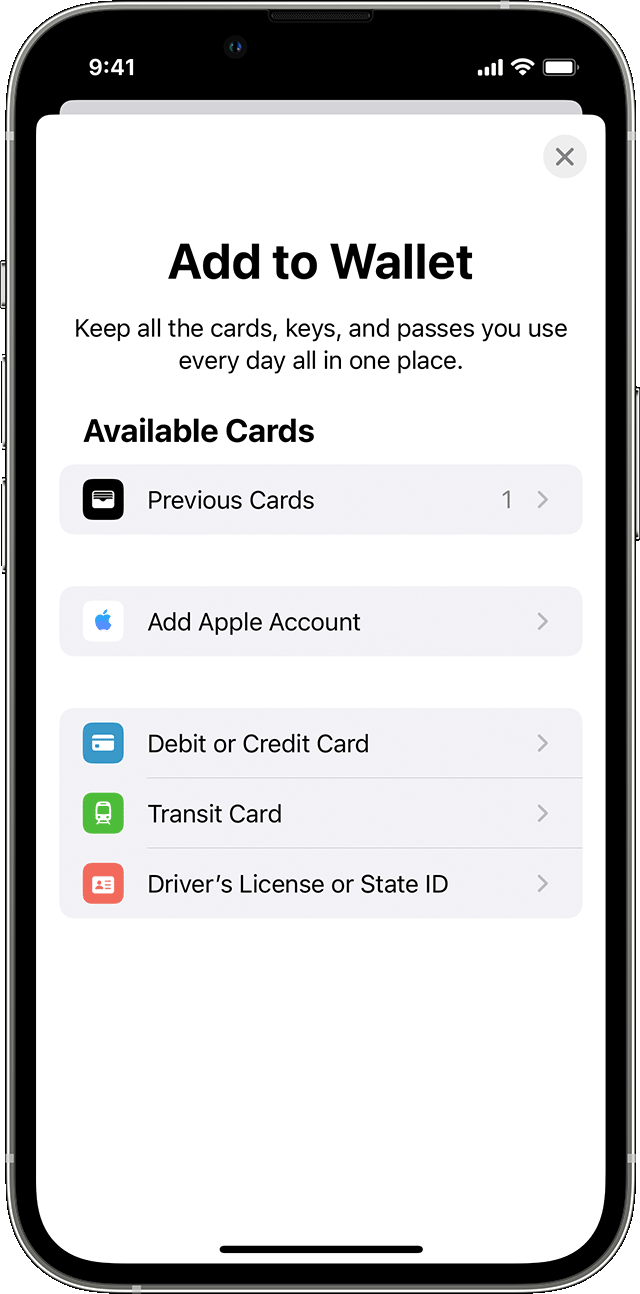
1. In the Wallet app, tap the Add button.
• Tap Debit or Credit Card to add a new card.
• Tap Previous Cards to add a card that you used previously.
2. Tap Continue.
3. Follow the steps on the screen to add a new card.
4. Verify your information with your bank or card issuer. They might ask you to provide more information or to download an app before approving your card for use with Apple Pay.
5. If you have a paired Apple Watch, you have the option to also add the card to your watch.
More details here: Set up Apple Pay
Best regards.
Greetings Praveen_Janaa,
We'd like to provide you with the steps to add your credit card or debit card to the Wallet app. These steps will help to ensure that you've got everything set up properly to start using Apple Pay with your device or devices.
To use Apple Pay, you need:
• A compatible device1 with the latest version of iOS or iPadOS, watchOS, or macOS.
• A supported card from a participating card issuer.
• An Apple ID signed in to your Apple device.
Learn if your country/region supports Apple Pay. To check if your card is compatible with Apple Pay, contact your card issuer.
How to add a debit or credit card on your iPhone
1. In the Wallet app, tap the Add button
• Tap Debit or Credit Card to add a new card.
• Tap Previous Cards to add a card that you used previously.
2. Tap Continue.
3. Follow the steps on the screen to add a new card.
4. Verify your information with your bank or card issuer. They might ask you to provide more information or to download an app before approving your card for use with Apple Pay.
5. If you have a paired Apple Watch, you have the option to also add the card to your watch.
More details here: Set up Apple Pay
Best regards.
How to add debit cards or credit cards