Remote management reset
How long did you hold it for? Mine just keeps restarting back to the same screen. Can you elaborate?
How long did you hold it for? Mine just keeps restarting back to the same screen. Can you elaborate?
Hello Jasingarcia84,
Welcome to Apple Support Communities!
If we understand your post correctly, you're having an issue with remote management. We'd like to help!
Try these steps first
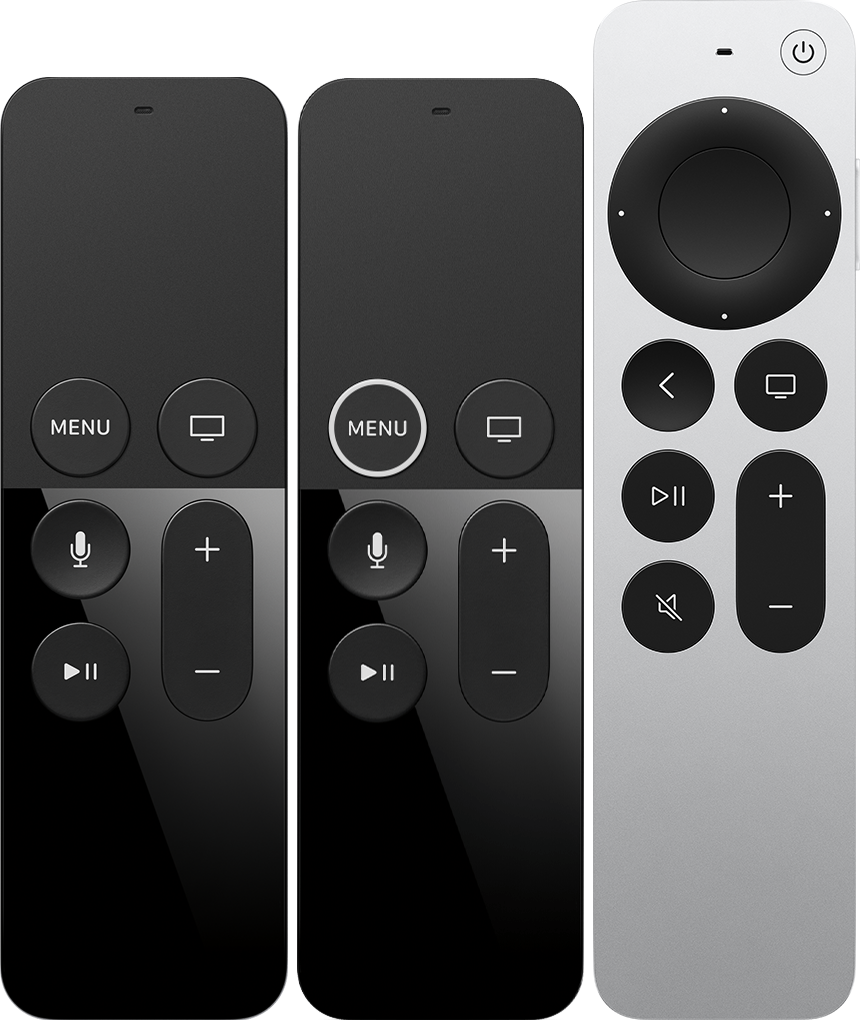
If you have a Siri Remote or Apple TV Remote, charge it for 30 minutes using a Lightning to USB cable and a USB wall charger. If you have an Apple Remote, replace the battery.
Unplug your Apple TV from the wall power outlet. Wait at least six seconds, then plug it back in.
If your remote still isn't working as expected, follow the steps for your type of remote. After each step, see if you still need help.
Siri Remote or Apple TV Remote
Press and hold the TV/Control Center buttonand the Volume Down button
at the same time. Hold the buttons down for about 5 seconds, or until the status light on Apple TV turns off then turns on again.
Release the buttons, then wait 5–10 seconds. A Connection Lost notification will appear on your TV screen.
After your remote restarts, a Connected notification will appear on your TV screen.
If your remote still isn't working as expected, try these steps:
Point your remote at your Apple TV. Make sure that the remote is about three inches from the Apple TV.
Press and hold Back(or Menu) and Volume Up
for five seconds.
If asked, place your remote on top of Apple TV to complete pairing.
If you can't pair your Siri Remote (2nd generation) or Apple TV Remote (2nd generation), make sure that your Apple TV is updated to tvOS 14.5 or later. You can use the Apple TV Remote on your iPhone, iPad, or iPod touch to navigate your Apple TV to check which version of tvOS you have.
If you still need help, contact Apple Support.
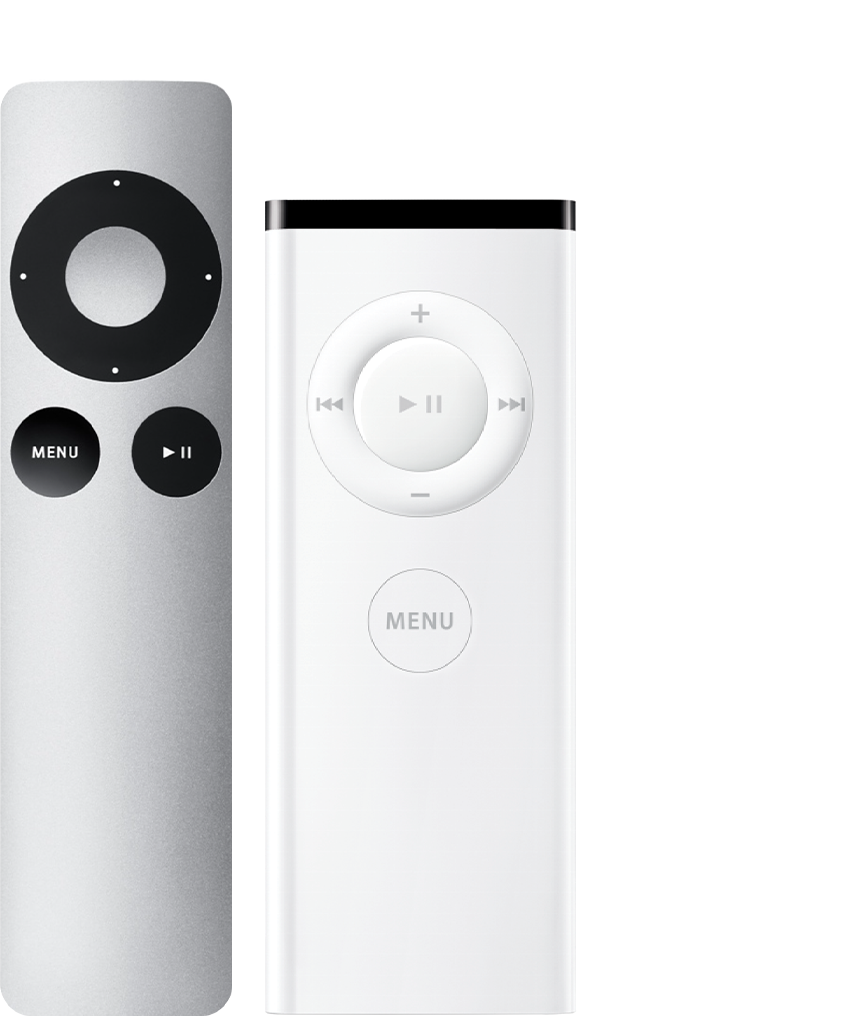
Apple Remote (aluminum or white)
Unlink your Apple Remote from your Apple TV. On your Apple Remote, hold down Menu and the Left arrow for six seconds. Then on your Apple TV, look for Unlinkabove an icon of a remote.
Link your Apple Remote to your Apple TV. On your Apple Remote, hold down Menu and Right for six seconds. Then on your Apple TV, look for Linkabove an icon of a remote.
If you still need help, contact Apple Support.
If your Apple TV remote isn't working
Thank you for using Apple Support Communities.
Take care!
Remote management reset