
I’m trying to pay for my Apple Music subscription
trying to pay for subscription
iPhone 13 Pro Max, iOS 16
trying to pay for subscription
iPhone 13 Pro Max, iOS 16
Hello taquilla128,
Thank you for reaching out to Apple Support Communities, and we'll be happy to help in any way we can. This article goes over how to manage your subscriptions, report a problem, and handle your billing information right from your devices: Subscriptions and Billing - Official Apple Support
If your payment method is being declined, please follow the information here:If your payment method is declined in the App Store or iTunes Store - Apple Support
"If a payment method can’t be charged
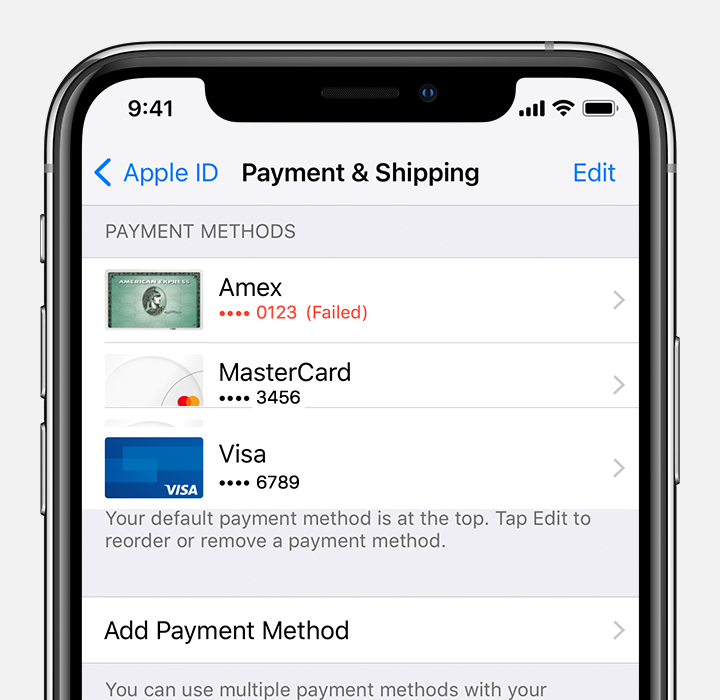
If you use Family Sharing and Purchase Sharing is turned on, the family organizer must update their billing information or add a new payment method. If you're not the family organizer, you can't change the payment method.
See which payment methods are accepted in your country or region."
If you still need help with your account, please reach out to Apple's billing experts here: Get Support
We hope this helps.
Cheers!
Hello taquilla128,
Thank you for reaching out to Apple Support Communities, and we'll be happy to help in any way we can. This article goes over how to manage your subscriptions, report a problem, and handle your billing information right from your devices: Subscriptions and Billing - Official Apple Support
If your payment method is being declined, please follow the information here:If your payment method is declined in the App Store or iTunes Store - Apple Support
"If a payment method can’t be charged
If you use Family Sharing and Purchase Sharing is turned on, the family organizer must update their billing information or add a new payment method. If you're not the family organizer, you can't change the payment method.
See which payment methods are accepted in your country or region."
If you still need help with your account, please reach out to Apple's billing experts here: Get Support
We hope this helps.
Cheers!
I’m trying to pay for my Apple Music subscription

