Hide subscription from family sharing
how can I hide purchases sharing from family?
iPhone 13 Pro Max, iOS 16
how can I hide purchases sharing from family?
iPhone 13 Pro Max, iOS 16
Hello ar000,
Thanks for reaching out to us in Apple Support Communities about how to hide purchases. We're happy to help by looking into this more!
Here's a resource that can help: Hide purchases from the App Store - Apple Support
Hide apps on your iPhone, iPad, or iPod touch
1. Open the App Store app.
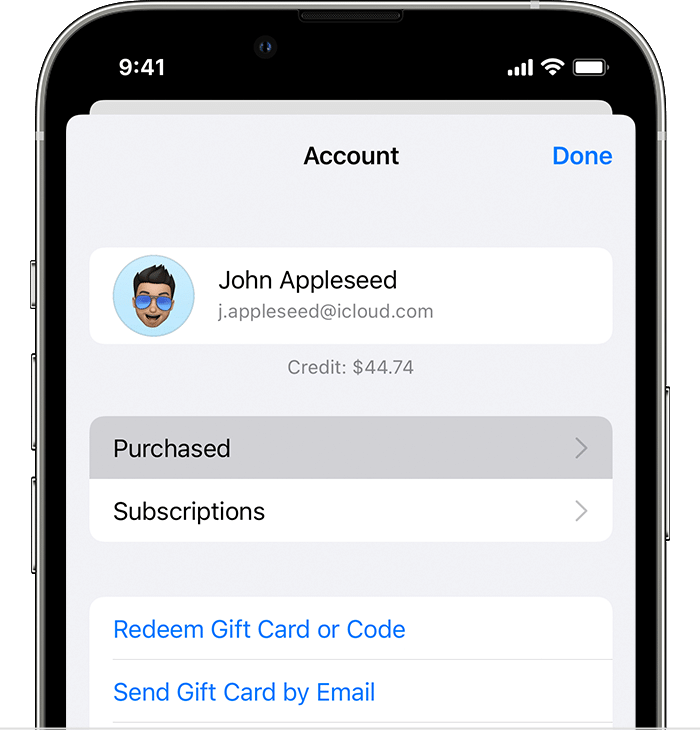
2. Tap the account button, or your photo or initials, at the top of the screen.
3. Tap Purchased. If you use Family Sharing, tap My Purchases.
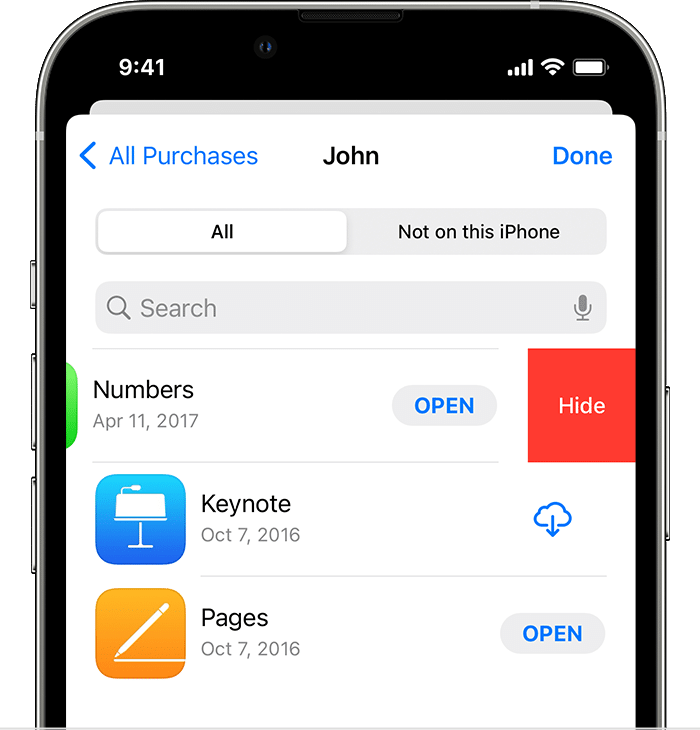
4. Find the app that you want, then swipe left on it and tap Hide.
5. Tap Done.
Hope this helps.
Best Regards.
Hide subscription from family sharing