Restore passwords
Resetting my password after being locked out of my mac, my saved passwords are gone. Is there any way for me to get it back?
MacBook Air
Resetting my password after being locked out of my mac, my saved passwords are gone. Is there any way for me to get it back?
MacBook Air
Hey vivienna,
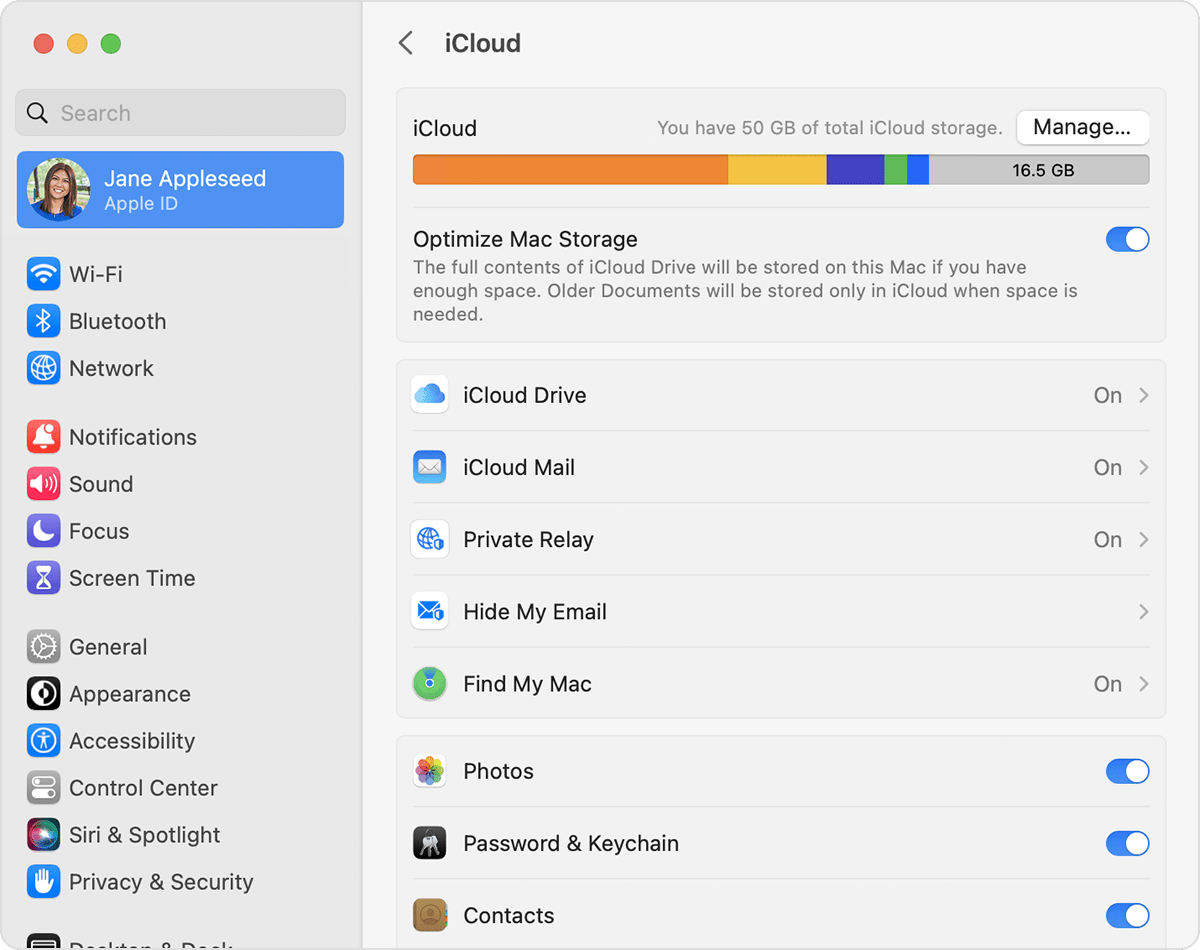
Sounds like you're not seeing your saved passwords on your Mac after resetting your password. You can attempt to restore them if you're using iCloud Keychain by ensuring this feature is enabled. The following steps are best equipped to assist you in ensuring that:
Turn on iCloud Keychain on your Mac
1. Choose Apple menu > System Settings (or System Preferences).
2. Click your name, then click iCloud. In earlier versions of macOS, click Apple ID, then click iCloud in the sidebar.
3. Turn on Password & Keychain.*
4. If you choose to "Approve Later" when signing in to your Apple ID, you need to approve with an old passcode or from another device when prompted. If you're unable to approve, reset your end-to-end encrypted data when prompted.
Find your saved passwords and passkeys on Mac
All this is outlined in more detail here: Set up iCloud Keychain
We hope this helps out.
Take care!
If you can find the original keychain file you can try to reimport it.
If you backed up your keychains to iCloud, you can try to restore it.
This is where I love cloning for backup. With cloning, you know an exact replica of your Mac is restorable including any passwords you saved as part of the software
Restore passwords