Hello punchyfury,
You'll want to verify that Windows is properly recognizing it as well: If your Windows PC doesn't recognize your iPhone, iPad, or iPod touch - Apple Support
1. Disconnect your device from your computer.
2. Unlock your iOS or iPadOS device and go to the Home screen. Then reconnect your device. If iTunes opens, close it.
3. Click and hold (or right-click) the Start button, then choose Device Manager.
4. Locate and expand the Portable Devices section.
5. Look for your connected device (such as Apple iPhone), then right-click on the device name and choose Update driver.
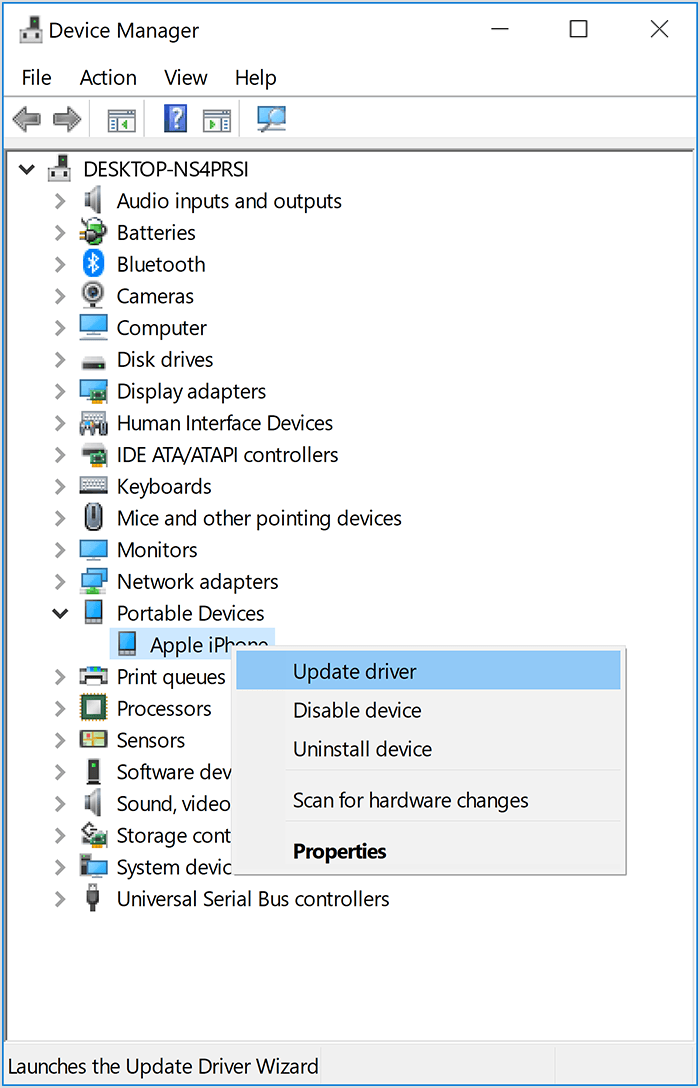
6. Select "Search automatically for updated driver software."
7. After the software installs, go to Settings > Update & Security > Windows Update and verify that no other updates are available.
8. Open iTunes
If it's not seen, continue with the rest of the document, or reach out to Apple directly here: Get Support
Have a great day.


