Don't have Start Workout Reminder
I don't have Start Workout Reminder in settings.
I reset the device - it didn't help.
What could be the problem?
Apple Watch Series 7
I don't have Start Workout Reminder in settings.
I reset the device - it didn't help.
What could be the problem?
Apple Watch Series 7
Hi VyskvarkoVS,
In order to have the start and stop reminder, it requires watchOS 5 or later. Let's make sure you are using the latest software on your Apple Watch by completing the steps listed here: Update your Apple Watch - Apple Support that are also below.
Update directly on your Apple Watch
" If your Apple Watch has watchOS 6 or later, you can install updates without your iPhone:
Best regards
Hi VyskvarkoVS,
In order to have the start and stop reminder, it requires watchOS 5 or later. Let's make sure you are using the latest software on your Apple Watch by completing the steps listed here: Update your Apple Watch - Apple Support that are also below.
Update directly on your Apple Watch
" If your Apple Watch has watchOS 6 or later, you can install updates without your iPhone:
Best regards
Howdy VyskvarkoVS,
We appreciate you checking that out for us. We noticed the previous screenshot was from the Apple Watch app on your iPhone, so let's try locating this setting on your Apple Watch instead. Check out the steps below for assistance, and you can find additional helpful information for the Workout app here: Use the Workout app on your Apple Watch - Apple Support
Get reminders to start a workout
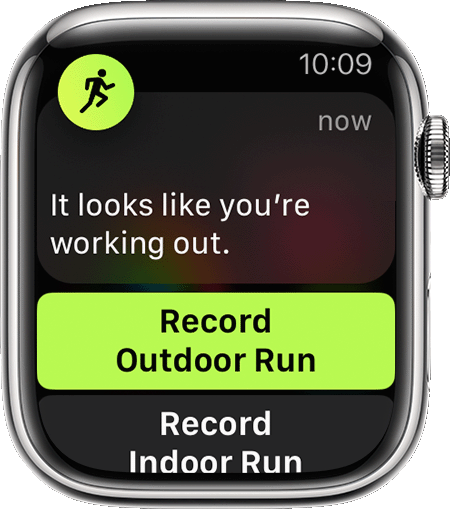
In watchOS 5 or later, when your Apple Watch senses that you’re working out, it taps you on the wrist and asks. Tap an option within the notification to record the workout, change the workout type, mute notifications for the day, or dismiss the notification. No matter when you tap, you’ll get all your workout credit from the time you started exercising.
How long it takes for your watch to alert you to record a workout varies by workout type. Here are the workouts that your watch can give you reminders for:
• Indoor Walk
• Outdoor Walk
• Indoor Run
• Outdoor Run
• Outdoor Cycling
• Elliptical
• Rower
• Pool Swim
• Open Water Swim
To turn this setting on or off, open the Settings app on your Apple Watch, tap Workout, then go to Start Workout Reminder.
Let us know if you can find this on your Apple Watch itself, and confirm what is shown there if you need additional assistance.
Have a great day!
Hi) Apple Watch doesn't have these settings items. All items are identical with the app on my iPhone.
VyskvarkoVS,
Thanks for checking. Based on the steps you've taken so far, we recommend using the links below to contact us directly so we can look into the issue further:
Contact - Official Apple Support
Contact Apple for support and service - Apple Support
Best.
Hi, thanks for reply. I have latest watchOS version.
Don't have Start Workout Reminder