how can i change location name

iPhone 13, iOS 16

Posted on Nov 12, 2022 5:07 PM

Reply
Question marked as Top-ranking reply

Posted on Nov 14, 2022 1:23 PM

Hi queendianna,


For help with the Find My feature, check out the section "Name your location" in the steps below found in the article here:


"Share with people

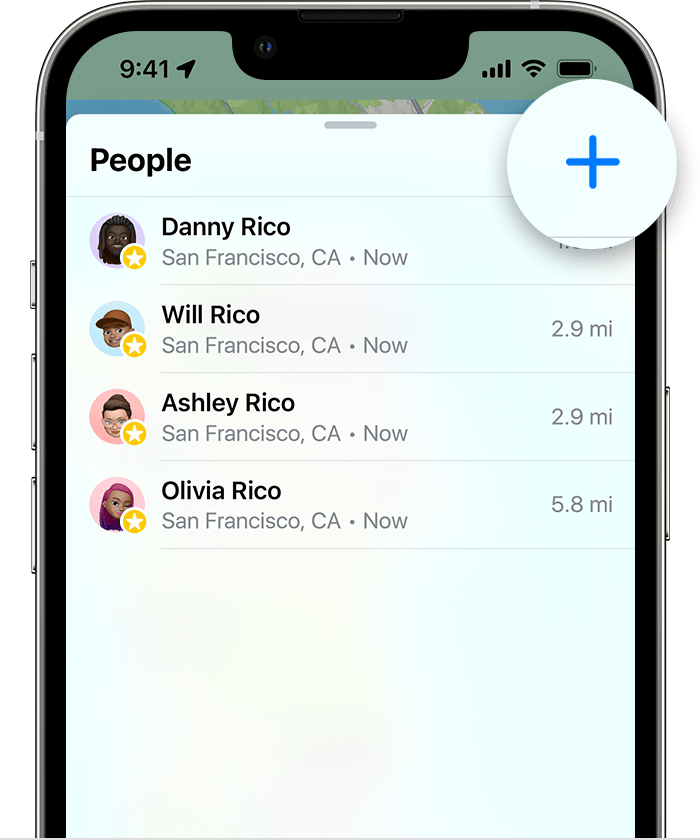
  1. Open the Find My app and select the People tab.
  2. Tap the Add button .
  3. Share your location with a friend in Find My on iPhone
  4. Select Share My Location.
  5. Enter the name or phone number of the person that you want to share your location with.
  6. Select Send.
  7. Choose to share your location for One Hour, Until End of Day, or Share Indefinitely.

When you share your location with someone, they have the option to share their location back.


Name your location

If you want, you can name the locations that you frequently visit:

  1. Open the Find My app, then select the Me tab.
  2. Scroll down and tap Location.
  3. Select Home, Work, School, Gym, None, or tap Add Custom Label to create your own name."


If you have any issues, test when your iPhone is charged and with low power mode off. Use Low Power Mode to save battery life on your iPhone or iPad


Cheers.


1 reply
Question marked as Top-ranking reply

Nov 14, 2022 1:23 PM in response to queendianna

Hi queendianna,


For help with the Find My feature, check out the section "Name your location" in the steps below found in the article here:


"Share with people

  1. Open the Find My app and select the People tab.
  2. Tap the Add button .
  3. Share your location with a friend in Find My on iPhone
  4. Select Share My Location.
  5. Enter the name or phone number of the person that you want to share your location with.
  6. Select Send.
  7. Choose to share your location for One Hour, Until End of Day, or Share Indefinitely.

When you share your location with someone, they have the option to share their location back.


Name your location

If you want, you can name the locations that you frequently visit:

  1. Open the Find My app, then select the Me tab.
  2. Scroll down and tap Location.
  3. Select Home, Work, School, Gym, None, or tap Add Custom Label to create your own name."


If you have any issues, test when your iPhone is charged and with low power mode off. Use Low Power Mode to save battery life on your iPhone or iPad


Cheers.


This thread has been closed by the system or the community team. You may vote for any posts you find helpful, or search the Community for additional answers.

how can i change location name

Welcome to Apple Support Community
A forum where Apple customers help each other with their products. Get started with your Apple Account.