Hello evamaria65,
Thank you for reaching out to Apple Support Communities, and we'll be happy to help in any way we can. We understand you're having issues with downloading apps and you need to cancel a subscription. This article goes over how to manage your subscriptions, report a problem, and handle your billing information right from your devices: Subscriptions and Billing - Official Apple Support
To cancel a subscription, follow the steps here: If you want to cancel a subscription from Apple - Apple Support
To request a refund, follow the guidance here: Request a refund for apps or content that you bought from Apple - Apple Support
"How to request a refund
- Sign in to reportaproblem.apple.com.
- Tap or click "I'd like to," then choose "Request a refund."
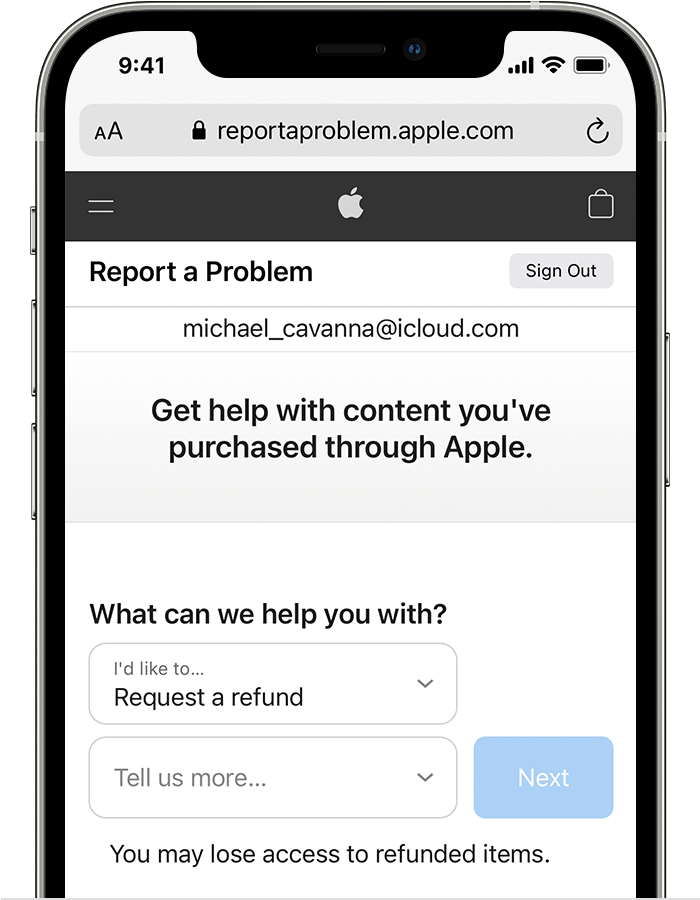
- Choose the reason why you want a refund, then choose Next.
- Choose the app, subscription, or other item, then choose Submit. If you were charged for a subscription that you no longer want, you can also cancel the subscription.
-
If you can't request a refund on reportaproblem.apple.com
- If the charge is pending, you canʼt request a refund yet. After the charge goes through, try to request a refund again.
- If you have an unpaid order, you need to pay for that order before you request a refund. You might need to update your payment information.
- If you don't know why you were charged, review your family members' purchases. If you're the family organizer, tap or click the Apple ID button, then choose All. Purchases charged to your shared payment method appear.
If you already requested a refund
Check the status of your refund request"
If you still need help with your account, please reach out to our billing experts here: Get Support
If youre unable ot download or update apps, also folow the guidance here to resolve the issue: If you can’t download or update apps on your iPhone or iPad - Apple Support
We hope this helps.
Cheers!


