
Playlist export?
I have created a playlist in Itunes that I want to use as the soundtrack for an Imovie project. Is a full playlist export possible?
iMac 27″, macOS 10.15
I have created a playlist in Itunes that I want to use as the soundtrack for an Imovie project. Is a full playlist export possible?
iMac 27″, macOS 10.15
Hello MarshallK234,
We would like to see how we can help you with adding songs to your iMovie project. Check out this link for the different options avaiable to add songs to your project: Add songs and other audio files to your iMovie project - Apple Support
"Add songs or other audio files on Mac
In iMovie for Mac, you can use the iMovie media browser to import songs from your music library in the Music app. You can also drag audio files right into your timeline from the Finder.
Add songs or other audio files using the media browser
You can use the media browser in iMovie to add songs that you’ve downloaded to the music library on your Mac, as well as songs and other audio files that you've added to your music library.
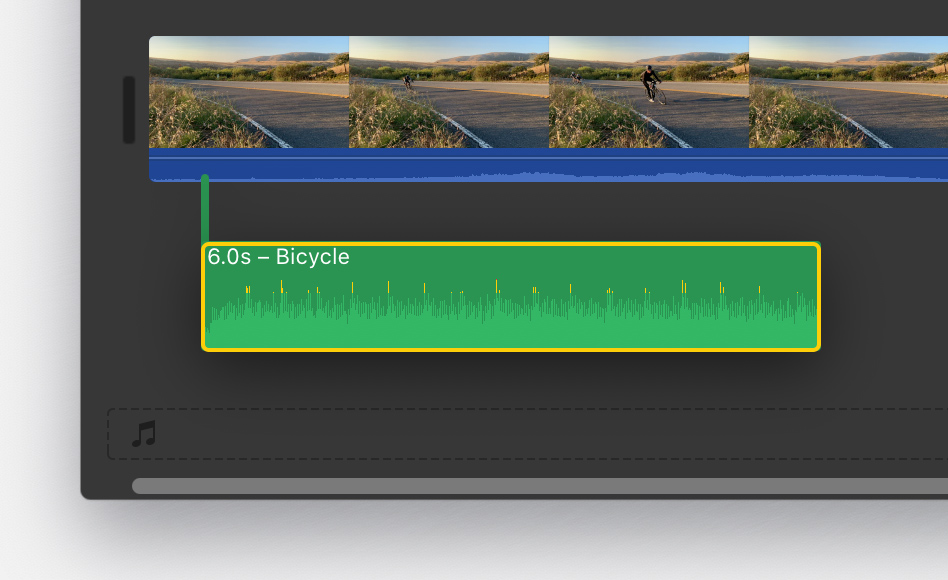
 at the bottom of the timeline. The song won’t move if you move any video clips in the timeline.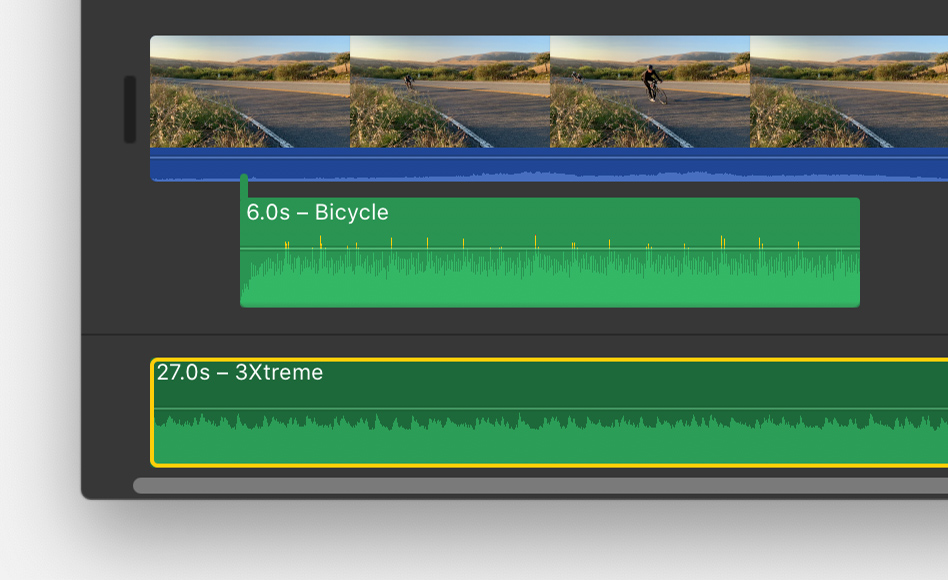
If you only want to use a part of the song, select a range in the waveform at the top of the browser so the range has a yellow border, then drag the range to the timeline. You can shorten or extend a range selection by dragging either side of it."
Cheers!
Hello MarshallK234,
We would like to see how we can help you with adding songs to your iMovie project. Check out this link for the different options avaiable to add songs to your project: Add songs and other audio files to your iMovie project - Apple Support
"Add songs or other audio files on Mac
In iMovie for Mac, you can use the iMovie media browser to import songs from your music library in the Music app. You can also drag audio files right into your timeline from the Finder.
Add songs or other audio files using the media browser
You can use the media browser in iMovie to add songs that you’ve downloaded to the music library on your Mac, as well as songs and other audio files that you've added to your music library.
at the bottom of the timeline. The song won’t move if you move any video clips in the timeline.If you only want to use a part of the song, select a range in the waveform at the top of the browser so the range has a yellow border, then drag the range to the timeline. You can shorten or extend a range selection by dragging either side of it."
Cheers!
Playlist export?
