Upgraded to iOS 16 now phone locked in silent mode
My iPhone 8 stuck in silent mode after upgrade to ios 16
iPhone 8, iOS 16
My iPhone 8 stuck in silent mode after upgrade to ios 16
iPhone 8, iOS 16
Hello Bobordon,
It sounds like your iPhone is stuck in silent mode after updating to iOS 16. For an issue like this, we'd recommend checking these related steps to attempt to solve it: Adjust the volume on iPhone - Apple Support
Adjust the volume on iPhone
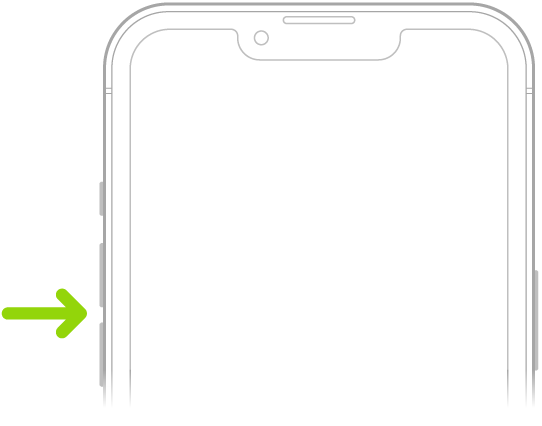
When you’re on the phone or listening to songs, movies, or other media on iPhone, you can use the buttons on the side of your device to adjust the audio volume. Otherwise, the buttons control the volume for the ringer, alerts, and other sound effects. You can also use Siri to turn the volume up or down.
Siri: Say something like: “Turn up the volume” or “Turn down the volume.” Learn how to use Siri.
WARNING: For information about avoiding hearing loss, see Important safety information for iPhone.
Lock the ringer and alert volumes in Settings
1. Go to Settings.
2. Tap Sounds & Haptics (on supported models) or Sounds (on other iPhone models).
3. Turn off Change with Buttons.
Adjust the volume in Control Center
When iPhone is locked or when you’re using an app, you can adjust the volume in Control Center.
Open Control Center, then drag.
Temporarily silence calls, alerts, and notifications
Open Control Center, tap Focus, then tap Do Not Disturb. (See Set Do Not Disturb.)
Put iPhone in silent mode
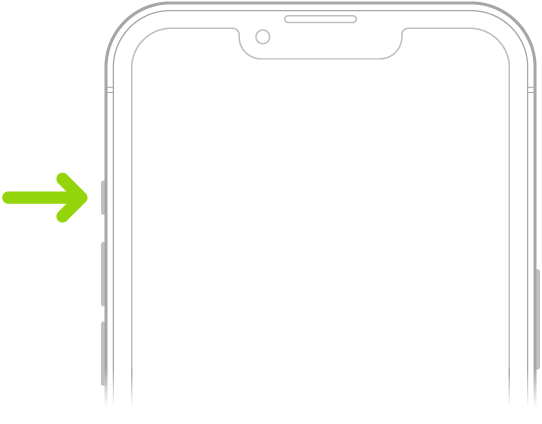
To put iPhone in silent mode, set the Ring/Silent switch so that the switch shows orange. To turn off silent mode, set the switch back.
When silent mode is off, iPhone plays all sounds. When silent mode is on, iPhone doesn’t ring or play alerts or other sound effects (but iPhone may still vibrate).
Important: Clock alarms, audio apps such as Music, and many games play sounds through the built-in speaker, even when silent mode is on. In some countries or regions, the sound effects for Camera, Voice Memos, and Emergency Alerts are played, even when the Ring/Silent switch is set to silent.
On iPhone, there are several ways to protect your hearing from loud volume while listening to headphone audio. See Use headphone audio level features on iPhone.
In case the issue continues to occur, which iOS 16 version are you using exactly? Are you connected to any devices using Bluetooth?
Hoping this helps out, take care.
Hello Bobordon,
It sounds like your iPhone is stuck in silent mode after updating to iOS 16. For an issue like this, we'd recommend checking these related steps to attempt to solve it: Adjust the volume on iPhone - Apple Support
Adjust the volume on iPhone
When you’re on the phone or listening to songs, movies, or other media on iPhone, you can use the buttons on the side of your device to adjust the audio volume. Otherwise, the buttons control the volume for the ringer, alerts, and other sound effects. You can also use Siri to turn the volume up or down.
Siri: Say something like: “Turn up the volume” or “Turn down the volume.” Learn how to use Siri.
WARNING: For information about avoiding hearing loss, see Important safety information for iPhone.
Lock the ringer and alert volumes in Settings
1. Go to Settings
2. Tap Sounds & Haptics (on supported models) or Sounds (on other iPhone models).
3. Turn off Change with Buttons.
Adjust the volume in Control Center
When iPhone is locked or when you’re using an app, you can adjust the volume in Control Center.
Open Control Center, then drag
Temporarily silence calls, alerts, and notifications
Open Control Center, tap Focus, then tap Do Not Disturb. (See Set Do Not Disturb.)
Put iPhone in silent mode
To put iPhone in silent mode
When silent mode is off, iPhone plays all sounds. When silent mode is on, iPhone doesn’t ring or play alerts or other sound effects (but iPhone may still vibrate).
Important: Clock alarms, audio apps such as Music, and many games play sounds through the built-in speaker, even when silent mode is on. In some countries or regions, the sound effects for Camera, Voice Memos, and Emergency Alerts are played, even when the Ring/Silent switch is set to silent.
On iPhone, there are several ways to protect your hearing from loud volume while listening to headphone audio. See Use headphone audio level features on iPhone.
In case the issue continues to occur, which iOS 16 version are you using exactly? Are you connected to any devices using Bluetooth?
Hoping this helps out, take care.
Upgraded to iOS 16 now phone locked in silent mode