Mail cannot access your mailbox information because it’s already in use.
Mail cannot access your mailbox information because it’s already in use. It is happening every other day....grr.....since I down loaded Catalina.
iMac 21.5″ 4K, macOS 13.0
Mail cannot access your mailbox information because it’s already in use. It is happening every other day....grr.....since I down loaded Catalina.
iMac 21.5″ 4K, macOS 13.0
Hello Wenda289,
Thanks for posting in Apple Support Communities. We understand that you've been unable to access the Mail app since updating to macOS Catalina. We'd like to provide you with a few steps that may be able to help resolve the issue:
• Quit and reopen the app. Then verify if the app is still not responding as expected.
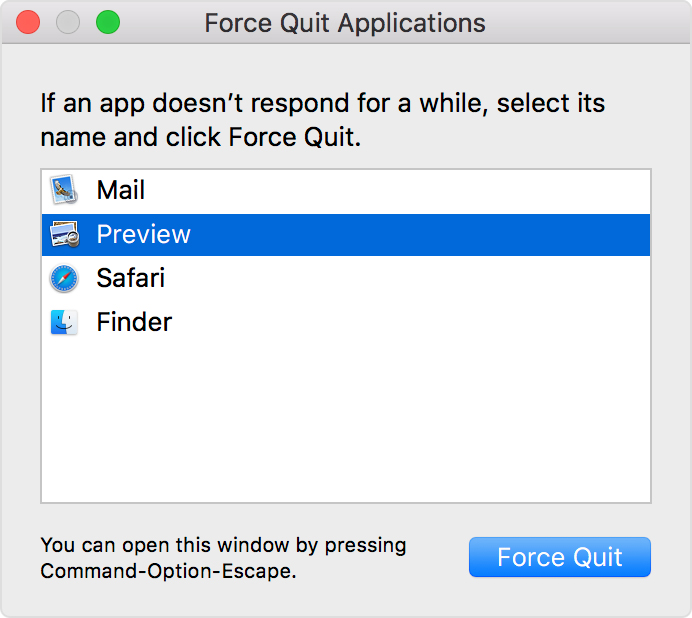
1. Take either of these actions:
Press these three keys together: Option, Command, Esc (Escape).*
Or choose Force Quit from the Apple menu in the corner of your screen.
2. A Force Quit window opens. Select the app that you want to quit, then click Force Quit.
You can even force the Finder to quit, if it stops responding: Select Finder in the Force Quit window, then click Relaunch.
• Restart your Mac. On your Mac, choose Apple menu > Shut Down. Completing this steps allows the system and the apps to be refreshed.
• Start up your Mac in safe mode. This step can help identify whether issues you’re experiencing are caused by software that loads as your Mac starts up. Your screen will flash and load slow. This is expected behavior while in this mode
We hope this helps.
Best wishes!
Mail cannot access your mailbox information because it’s already in use.