change my subscription payment to Discovery Plus from my Apple Store account to my credit card?

change my subscription payment to Discovery Plus from my Apple Store account to my credit card

MacBook Air 13″, macOS 13.0

Posted on Nov 22, 2022 5:19 PM

Reply
1 reply

Nov 24, 2022 11:53 AM in response to MnTommy

Greetings MnTommy,


You can learn how to edit your payment methods for your Apple ID here:


If you need to change or update your Apple ID payment method - Apple Support


"Update your payment method on your Mac
  1. Open the App Store.
  2. Click your name or the Sign In button.
  3. Click Account Settings.
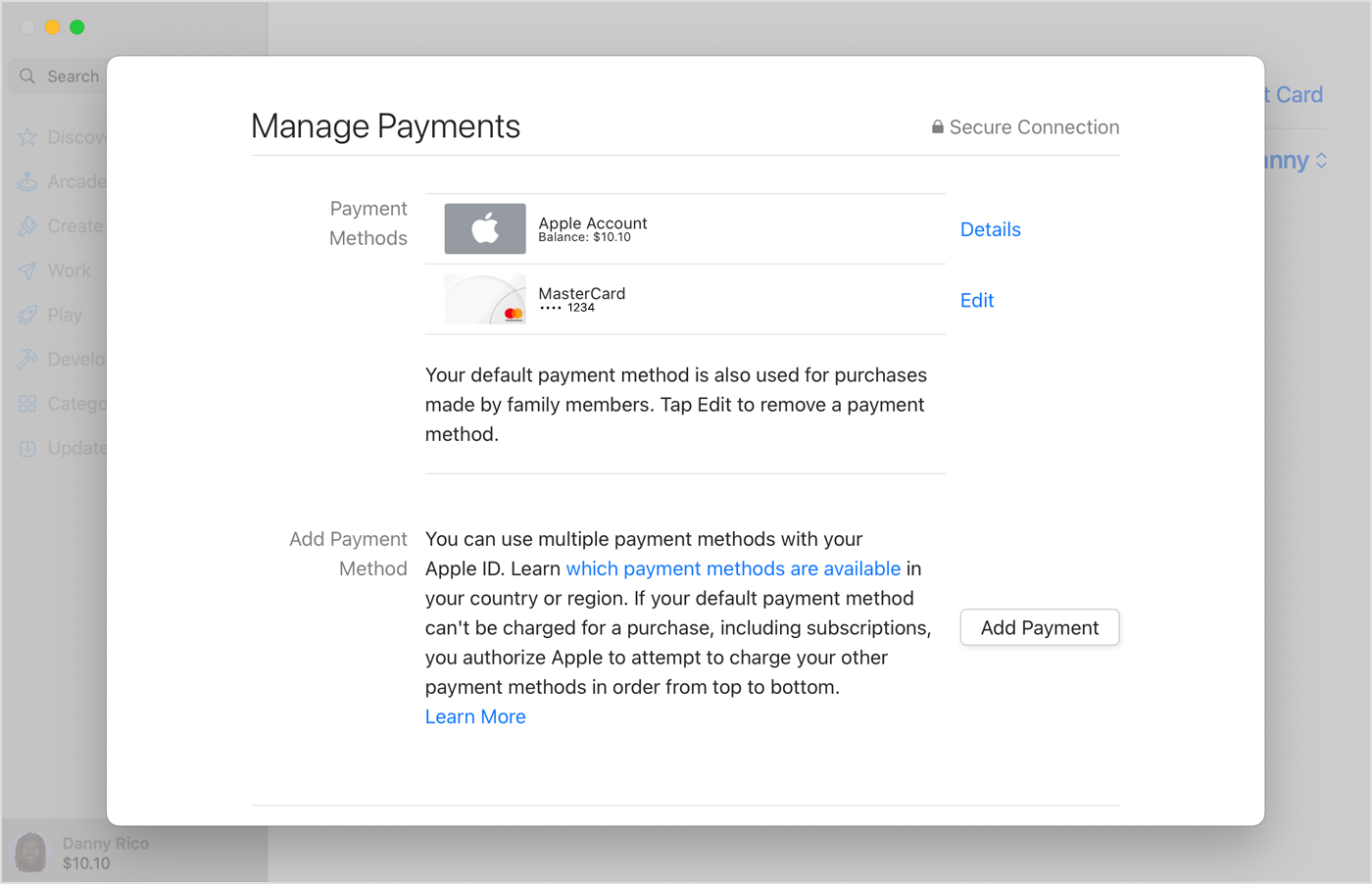
  4. Next to Payment Information, click Manage Payments. (If you're using an older version of macOS, click Edit next to Payment Type.)
  5. Click Add Payment, then enter the new payment method. Click Done.

On Mac, a credit card and Apple Account balance appear in the list of payment methods.      

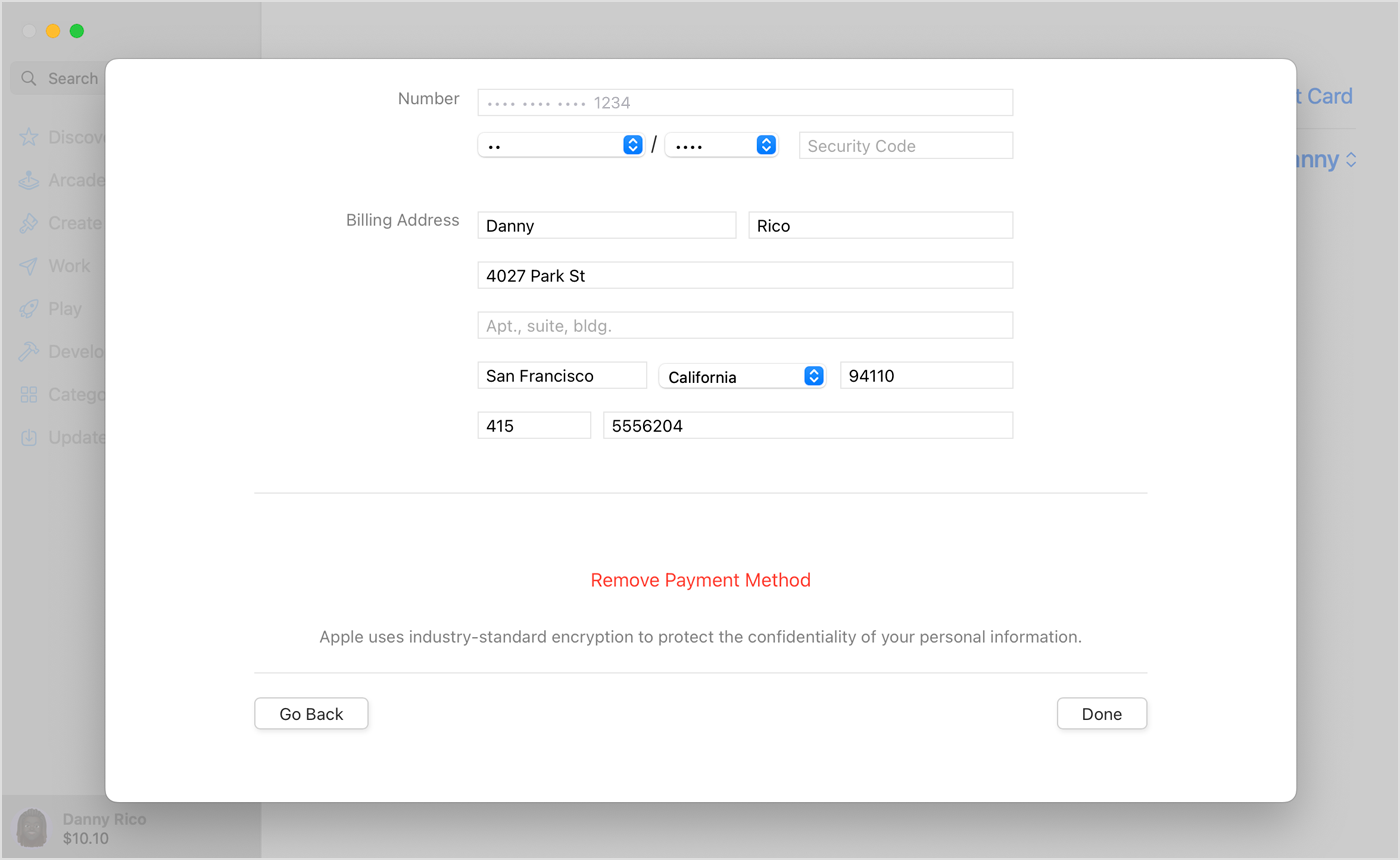
       6. Click Edit next to the old payment method, then click Remove Payment Method."On Mac, payment details like name and address appear above the Remove Payment Method button.

Take care.

This thread has been closed by the system or the community team. You may vote for any posts you find helpful, or search the Community for additional answers.

change my subscription payment to Discovery Plus from my Apple Store account to my credit card?

Welcome to Apple Support Community
A forum where Apple customers help each other with their products. Get started with your Apple Account.