
How to use Apple Watch for maximum access
first time user.wants to understand multitasking attributes.
Apple Watch Series 7
first time user.wants to understand multitasking attributes.
Apple Watch Series 7
Hello uday271,
Thank you for reaching out to Apple Support Communities.
Currently there is no official multitasking with Apple Watch.
Your an open another app and switch between them:
"Open apps from the Home Screen
How you open an app depends on which view you choose.
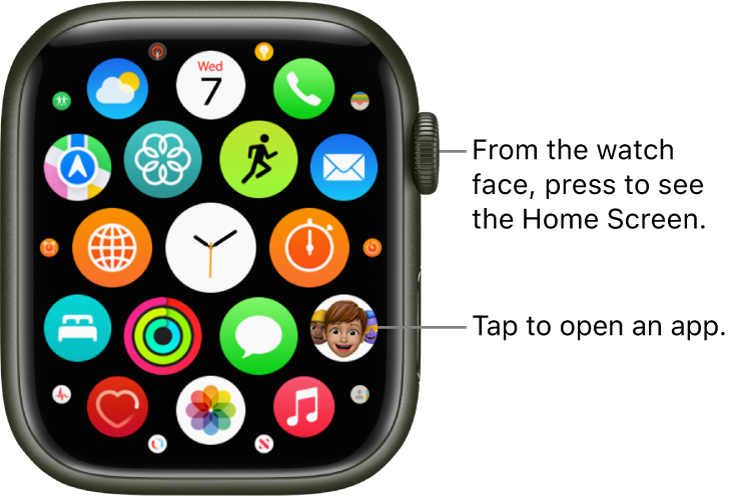
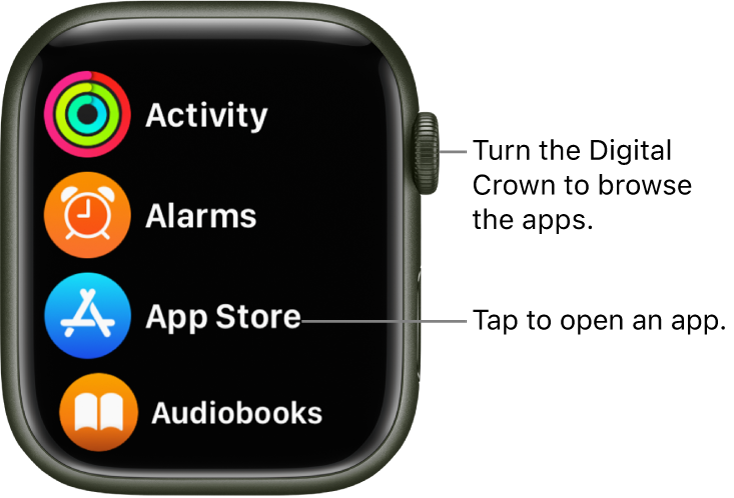
To return to the Home Screen from an app, press the Digital Crown once, then press it again to switch to the watch face (or, in grid view, tap  on the Home Screen).
To quickly open the last app you used while viewing another app or the watch face, double-click the Digital Crown."
More details can be found here: Open apps on Apple Watch
Hopefully this helps.
Cheers!
Hello uday271,
Thank you for reaching out to Apple Support Communities.
Currently there is no official multitasking with Apple Watch.
Your an open another app and switch between them:
"Open apps from the Home Screen
How you open an app depends on which view you choose.
To return to the Home Screen from an app, press the Digital Crown once, then press it again to switch to the watch face (or, in grid view, tap on the Home Screen).
To quickly open the last app you used while viewing another app or the watch face, double-click the Digital Crown."
More details can be found here: Open apps on Apple Watch
Hopefully this helps.
Cheers!
How to use Apple Watch for maximum access

