How do a I transfer a child account without an iphone on the current Family Organizer Apple ID.

I initially created a child account on my Gmail Apple ID. At the time I did not have an iPhone or iPad but my child had an iPad that was setup using that Child Account. I then switched to Apple/iPhone ecosystem (after 15+ yrs) and created a new Apple ID with an iCloud address on my new iPhone. I now have an iPhone associated with a new Apple ID. I would like to transfer the Child Account from my older Gmail/Apple ID (Organizer of a Family containing my Child’s account) to my new iCloud Account (New organizer of a family). I have found the directions for the transfer but the email I receive does not open in a Web Browser when I click View Request. The online instructions further state that I must complete the transfer request using an iPhone or iPod. Since my new iPhone is associated with my new iCloud account, I am hesitant to add my old Apple ID to this new iPhone. The Gmail Apple ID is no longer needed and I don’t want to use it with that the Child Account. I am looking for a way to approve the request through a web browser. Is that possible?? My Child has been using his Apple ID for over a year and I do not want to simply delete it. Please help.

Thanks

-Ari

Posted on Nov 30, 2022 5:55 AM

Reply

Similar questions

1 reply

Dec 2, 2022 11:42 AM in response to ReL9

Hi ReL9,


Thanks for posting in Apple Support Communities.


In order to provide a helpful response we need to clarify a few points. It sounds like your child's account is setup using an old email address that you no longer want to use. You want to change their Apple ID and move them to Family Sharing with your new Apple ID on your iPhone.


If you create a new Apple ID for your child, they will lose all data that is currently associated with the old Apple ID. You can change the email address associated with their Apple ID.


How to change your Apple ID to a different email address
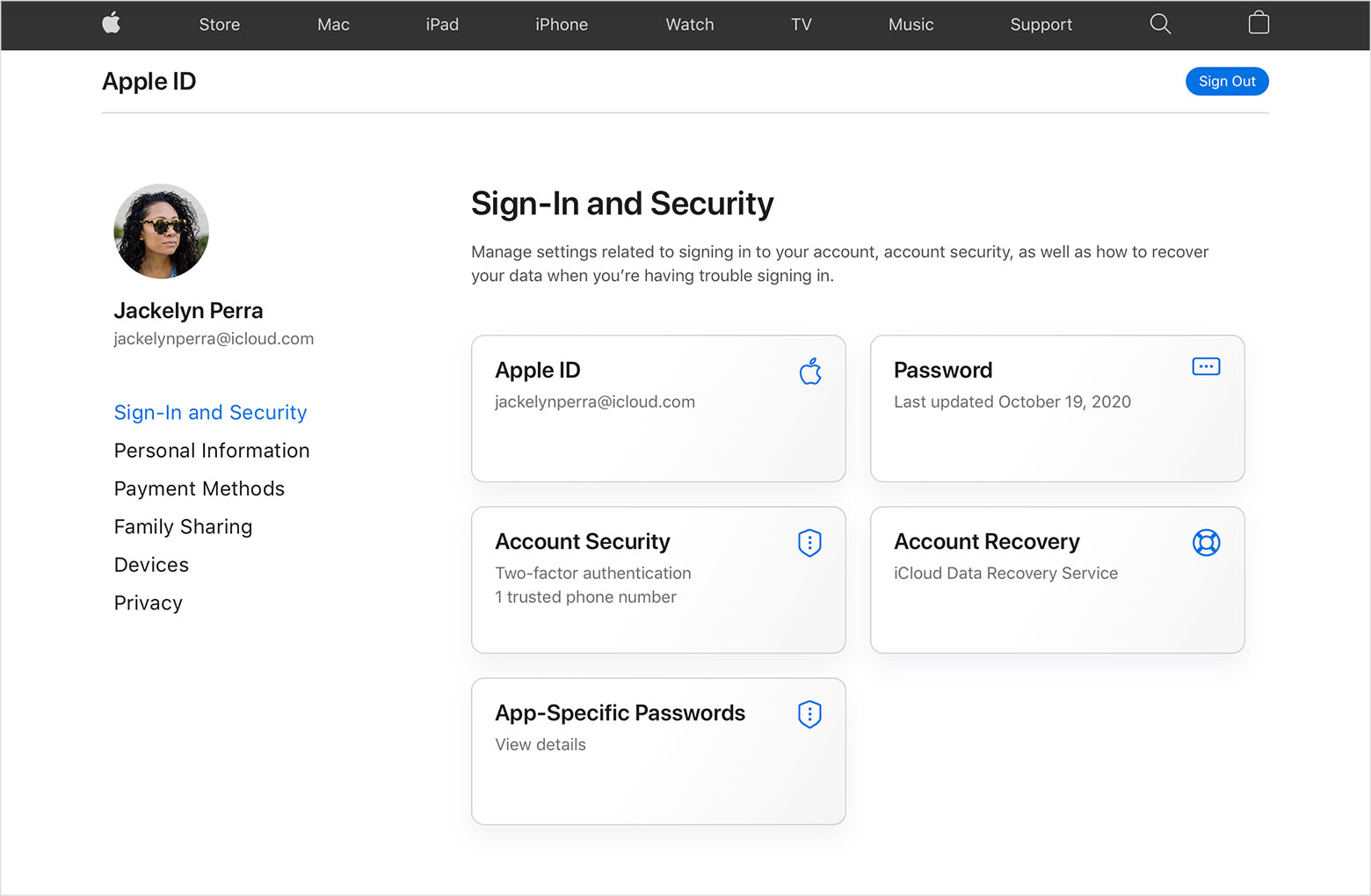
1. Go to appleid.apple.com and sign in.
2. In the Sign-In and Security section, choose Apple ID.
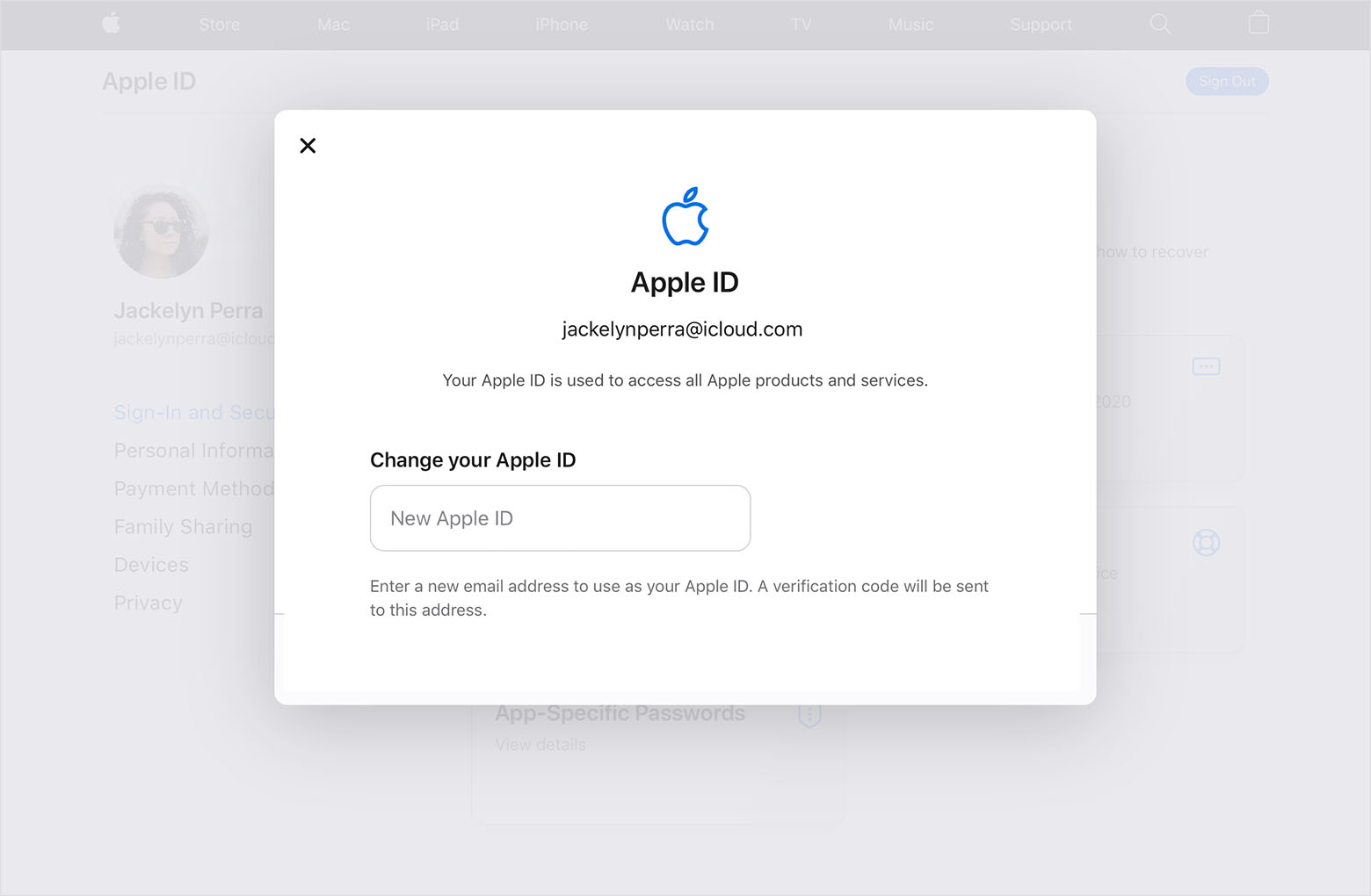
3. Enter the email address that you want to use as your Apple ID.
4. Choose Change Apple ID.
5. If you changed your Apple ID to a third-party email address, check your email for a verification code, then enter the code. Learn what to do if you didn't get the email.
6. If you use services like iCloud or Messages to share with friends and colleagues, sign in to those services with your updated Apple ID.

You can find these steps in Change your Apple ID.


You can invite the child's account from your iPhone.


Move a child to another group using Family Sharing


Regards.


This thread has been closed by the system or the community team. You may vote for any posts you find helpful, or search the Community for additional answers.

How do a I transfer a child account without an iphone on the current Family Organizer Apple ID.

Welcome to Apple Support Community
A forum where Apple customers help each other with their products. Get started with your Apple Account.