Content & Privacy Restrictions NOT working properly.

Hi, I've been using Content & Privacy Restrictions for some time and they worked well until I believe yesterday. Two of the sites that I've been blocking are news.google.com and youtube.com. Yesterday, I watched a youtube video using a third-party app. This app isn't directly showing the YT video, but uses it's own built-in player. Nowadays, even though I have both youtube and news.google.com blocked in all the various forms, I can access them on my Iphone. I deleted the 3rd party app, turned-off and -on the Restrictions, updated the system, turned-off and -on the phone. Sadly nothing works. I have distractions issues and without this blockade either I will be in a bad position in my life, or I will have to sell my phone. Please help.


PS: I must say, before apple pushed their Restriction settings, I used blocker-apps that worked wonderful. Apple disabled these over a year ago and provided a much poorer solution, that currently isn't even working. I am much dissatisfied. :/

iPhone 12, iOS 16

Posted on Dec 3, 2022 5:52 AM

Reply
1 reply

Dec 5, 2022 6:27 PM in response to advx

Hey there, and welcome to Apple Support Communities advx,


We can certainly understand your concern and can help provide some insight.


We recommend checking out these steps for more information on how to setup website restrictions on your device and see if it matches up with your procedures.


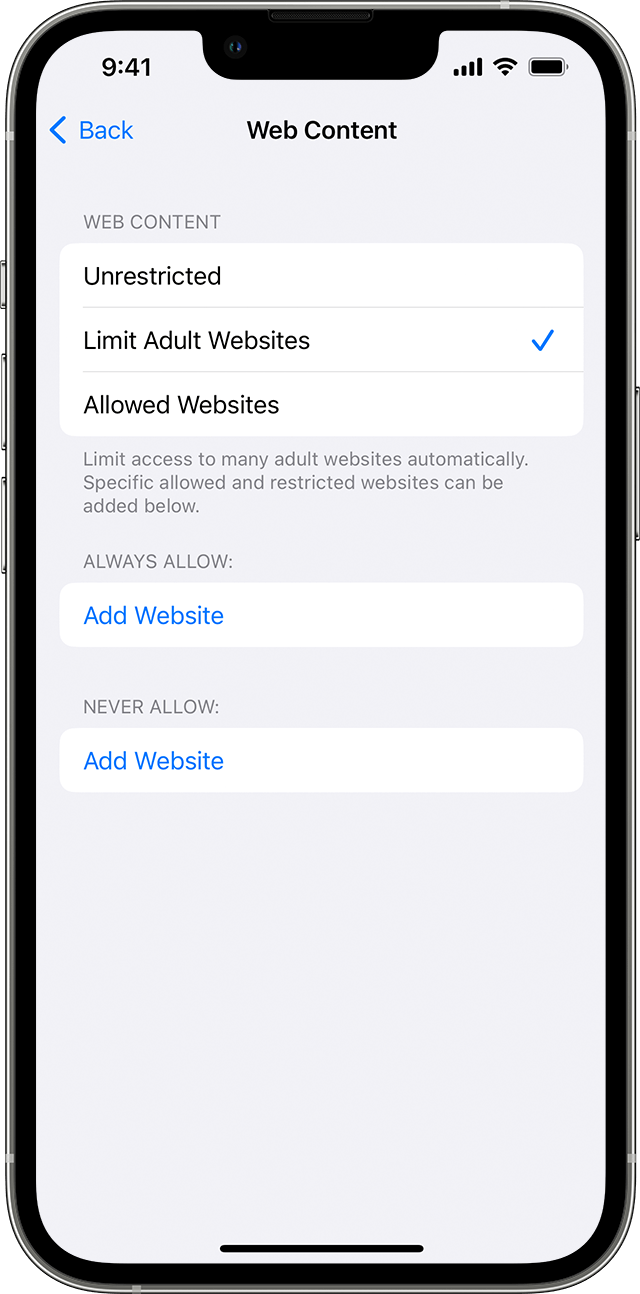
" An iPhone showing the Web Content screen. Under Web Content, the Limit Adult Websites option is selected with a checkmark next to it. 

Prevent web content

iOS and iPadOS can automatically filter website content to limit access to adult content in Safari and other apps on your device. You can also add specific websites to an approved or blocked list, or you can limit access to only approved websites. Follow these steps:

  1. Go to Settings and tap Screen Time.
  2. Tap Content & Privacy Restrictions and enter your Screen Time passcode. 
  3. Tap Content Restrictions, then tap Web Content.
  4. Choose Unrestricted Access, Limit Adult Websites, or Allowed Websites. 

Depending on the access you allow, you might need to add information, like the website that you want to restrict. "


For additional information, check out this link: Use parental controls on your child's iPhone, iPad, and iPod touch - Apple Support


Kindest regards!


This thread has been closed by the system or the community team. You may vote for any posts you find helpful, or search the Community for additional answers.

Content & Privacy Restrictions NOT working properly.

Welcome to Apple Support Community
A forum where Apple customers help each other with their products. Get started with your Apple Account.