
How do I set I monthly payments
How do I setup monthly payments
How do I setup monthly payments
Hello fellertxgal,
Thank you for reaching out to Apple Support Communities, and we'll be happy to help in any way we can. We understand you have questions about monthly payments. Where are you trying to make monthly payents and for what? This information will help us to better assist you.
If you're referring to Apple Card, follow the steps listed here: Pay your Apple Card balance online - Apple Support
"Set up scheduled recurring payments
You can set up recurring payments toward your Apple Card balance and choose the amount and schedule.
Note: If you need to change the details of a scheduled payment, such as the payment amount, cancel the scheduled payment and create a new one. See View or cancel scheduled payments.
Make a one-time payment
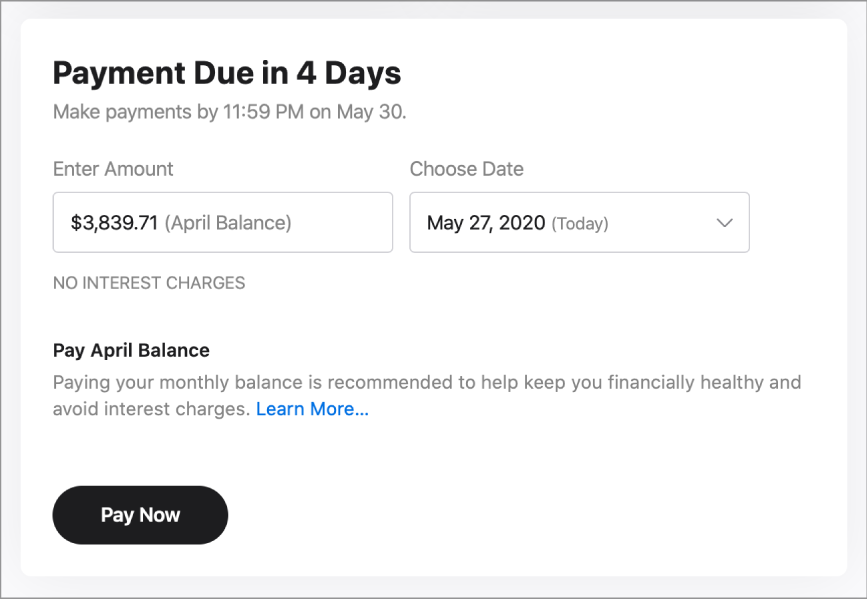
You can make an immediate, one-time payment toward your Apple Card balance, or you can schedule a one-time payment for the future.
Pay with your Daily Cash balance
When you buy something with Apple Card, you get a percentage of your purchase back in Daily Cash. You can make a payment with your Daily Cash balance. For more information about Daily Cash, see the Apple Support article Get unlimited Daily Cash with Apple Card.
If you don’t have a Daily Cash balance or if you set up Apple Cash on your iPhone or iPad, the Daily Cash Balance section isn’t visible.
Do either of the following:
Note: If you have Apple Card Family set up, each member receives Daily Cash for their own transactions.* The Family Sharing organizer can set up an Apple Cash Family account for participants who are under 18 years old so they can use their Daily Cash. See the Apple Support article Set up and use Apple Cash Family.
If you have an iPhone or iPad, you can make payments in Wallet. See the Apple Support article How to make Apple Card payments.
For information on how to change your billing address and manage your account, see Use Apple Card with Wallet on iPhone or iPad."
We hope this helps.
Cheers!
Hello fellertxgal,
Thank you for reaching out to Apple Support Communities, and we'll be happy to help in any way we can. We understand you have questions about monthly payments. Where are you trying to make monthly payents and for what? This information will help us to better assist you.
If you're referring to Apple Card, follow the steps listed here: Pay your Apple Card balance online - Apple Support
"Set up scheduled recurring payments
You can set up recurring payments toward your Apple Card balance and choose the amount and schedule.
Note: If you need to change the details of a scheduled payment, such as the payment amount, cancel the scheduled payment and create a new one. See View or cancel scheduled payments.
Make a one-time payment
You can make an immediate, one-time payment toward your Apple Card balance, or you can schedule a one-time payment for the future.
Pay with your Daily Cash balance
When you buy something with Apple Card, you get a percentage of your purchase back in Daily Cash. You can make a payment with your Daily Cash balance. For more information about Daily Cash, see the Apple Support article Get unlimited Daily Cash with Apple Card.
If you don’t have a Daily Cash balance or if you set up Apple Cash on your iPhone or iPad, the Daily Cash Balance section isn’t visible.
Do either of the following:
Note: If you have Apple Card Family set up, each member receives Daily Cash for their own transactions.* The Family Sharing organizer can set up an Apple Cash Family account for participants who are under 18 years old so they can use their Daily Cash. See the Apple Support article Set up and use Apple Cash Family.
If you have an iPhone or iPad, you can make payments in Wallet. See the Apple Support article How to make Apple Card payments.
For information on how to change your billing address and manage your account, see Use Apple Card with Wallet on iPhone or iPad."
We hope this helps.
Cheers!
How do I set I monthly payments

