How do I remove devices from my apple music account?
How do you remove devices from your Apple Music account?
How do you remove devices from your Apple Music account?
Hello von247,
You can remove associated devices from your Apple ID using the steps below:
Use a Mac or PC to find or remove your associated devices
1. On your Mac, open the Apple Music app. Or on your PC, open iTunes for Windows.
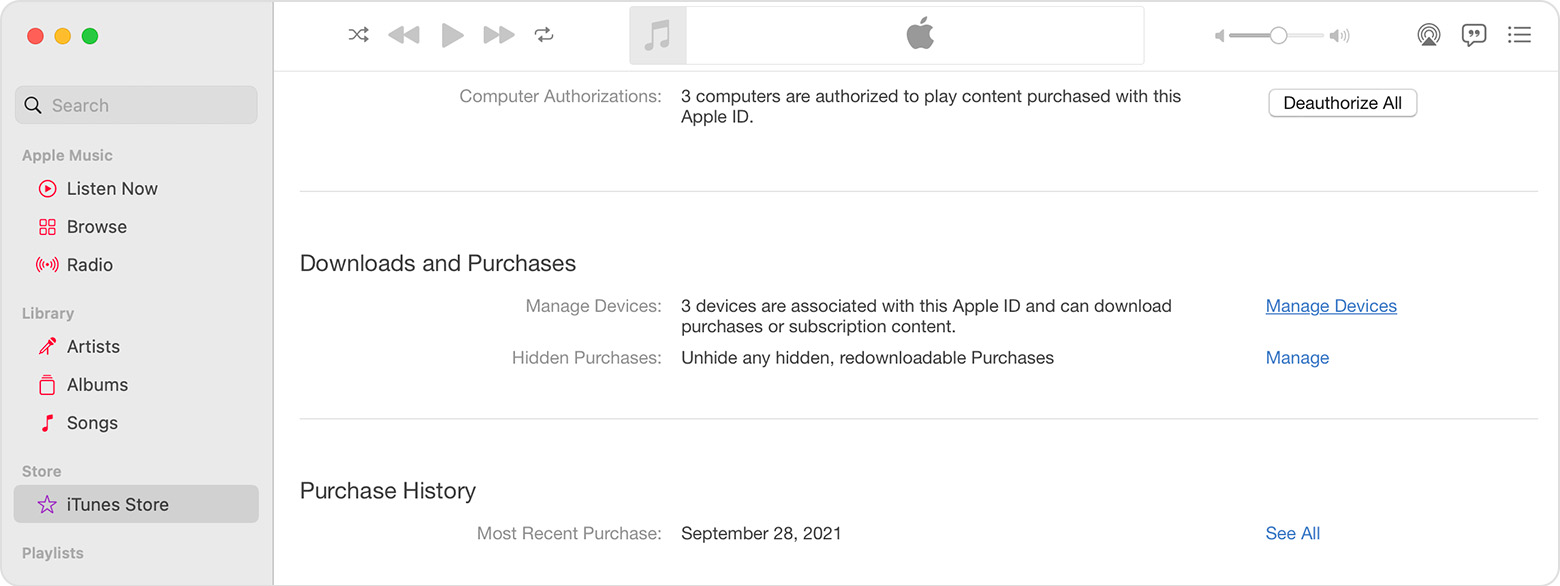
2. From the menu bar on your Mac, choose Account > Account Settings. Or from the menu bar in iTunes on your PC, choose Account > View My Account. You might need to sign in with your Apple ID.
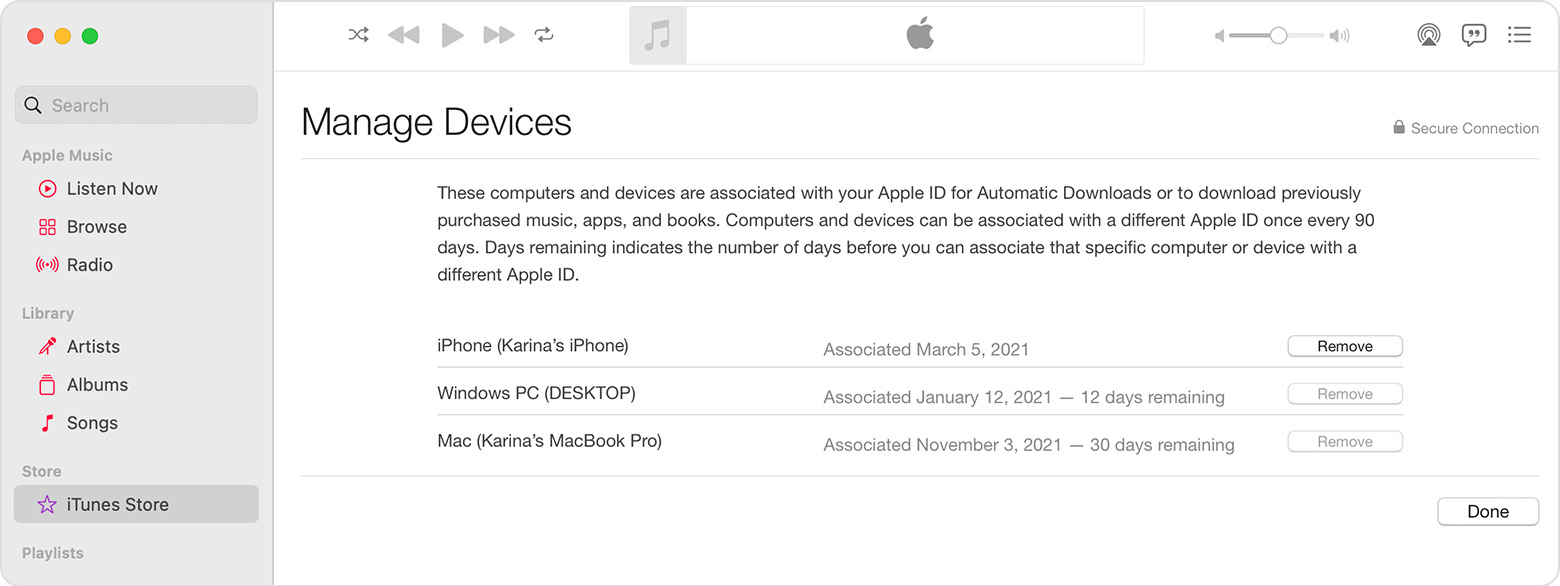
3. Click Manage Devices. If no devices are associated with your Apple ID, this section won't appear.
4. If you want to remove a device, click Remove. If you can’t remove a device, sign out of your Apple ID on that device and try again. If you still can't remove it, you might need to wait up to 90 days to associate the device with a different Apple ID.
Remove your associated iPhone or iPad
1. Tap Settings, tap your name, then tap Media & Purchases.
2. Tap View Account. You might be asked to sign in.
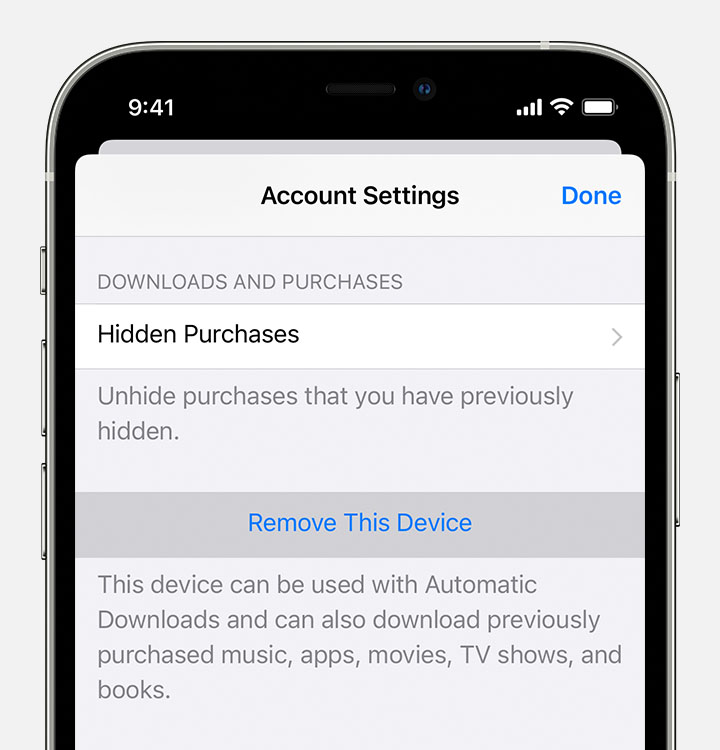
3. Scroll down, then tap Remove This Device.
You can also find those steps in this resource: View and remove your devices that are associated with Apple ID purchases
Additionally per that resource "You might need to wait up to 90 days to associate the device with a different Apple ID."
Hopefully that addresses your inquiry.
Take care.
Hello von247,
You can remove associated devices from your Apple ID using the steps below:
Use a Mac or PC to find or remove your associated devices
1. On your Mac, open the Apple Music app. Or on your PC, open iTunes for Windows.
2. From the menu bar on your Mac, choose Account > Account Settings. Or from the menu bar in iTunes on your PC, choose Account > View My Account. You might need to sign in with your Apple ID.
3. Click Manage Devices. If no devices are associated with your Apple ID, this section won't appear.
4. If you want to remove a device, click Remove. If you can’t remove a device, sign out of your Apple ID on that device and try again. If you still can't remove it, you might need to wait up to 90 days to associate the device with a different Apple ID.
Remove your associated iPhone or iPad
1. Tap Settings, tap your name, then tap Media & Purchases.
2. Tap View Account. You might be asked to sign in.
3. Scroll down, then tap Remove This Device.
You can also find those steps in this resource: View and remove your devices that are associated with Apple ID purchases
Additionally per that resource "You might need to wait up to 90 days to associate the device with a different Apple ID."
Hopefully that addresses your inquiry.
Take care.
How do I remove devices from my apple music account?