
iPhone losing all network connection after sleep
has Anyone else had their iPhone 13 (ios 16) lose all network connection overnight in “sleep” focus, even though it shows wifi and cellular still connected? Have to reboot to regain network activity.
has Anyone else had their iPhone 13 (ios 16) lose all network connection overnight in “sleep” focus, even though it shows wifi and cellular still connected? Have to reboot to regain network activity.
Hi Reg_I_am,
Perhaps a VPN is causing a network connection issue. To isolate the behavior, test after removing any VPN which may be active on your iPhone: Install or remove configuration profiles on iPhone - Apple Support
You can see the profiles you have installed in Settings > General > VPN & Device Management. If you delete a profile, all of the settings, apps, and data associated with the profile are also deleted.
Reach out to Apple Support to help investigate the behavior if the issue continues or is unrelated to use of a VPN. You can use the following link to reach out: Contact Apple Support
Kind regards.
Hi Reg_I_am,
Perhaps a VPN is causing a network connection issue. To isolate the behavior, test after removing any VPN which may be active on your iPhone: Install or remove configuration profiles on iPhone - Apple Support
You can see the profiles you have installed in Settings > General > VPN & Device Management. If you delete a profile, all of the settings, apps, and data associated with the profile are also deleted.
Reach out to Apple Support to help investigate the behavior if the issue continues or is unrelated to use of a VPN. You can use the following link to reach out: Contact Apple Support
Kind regards.
Hello Reg_I_am,
Thank you for reaching out to Apple Support Communities, and we'll be happy to help in any way we can. We understand you're having issues with staying connected to Wi-Fi. Please follow the steps listed here to see if they resolve the issue: If your iPhone or iPad won't connect to a Wi-Fi network - Apple Support
"Get help connecting to Wi-Fi on your iPhone or iPad.
Make sure that your router is on and that you're within range
If you're too far from your Wi-Fi router, you can't get a signal, so make sure that you're within range.
Make sure that Wi-Fi is on and that you can see your network
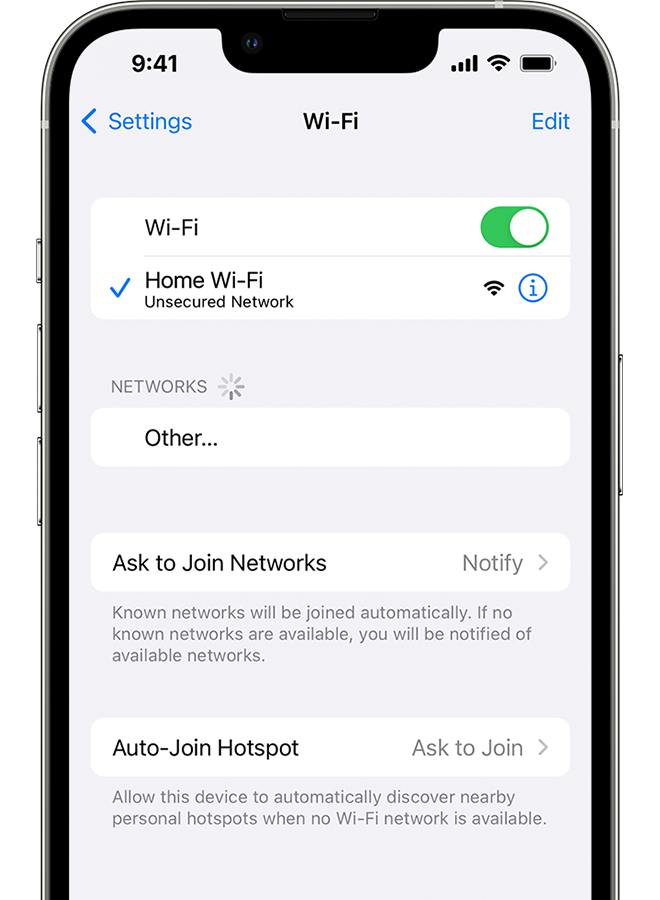
Go to Settings > Wi-Fi and make sure that Wi-Fi is on. Tap the name of your Wi-Fi network to join. A blue checkmark beside a network name means that you're connected.
If you see Auto Join disabled under Settings > Wi-Fi > [Your Network], tap the More Info button and then tap Auto-Join.
If asked, enter your Wi-Fi password
If asked, enter the password for your Wi-Fi network. Get help if you don't know your password.
Even if you enter the correct password, you might see an "unable to join the network" message or an "incorrect password" message. Restart all of your devices, then try to enter your password again.
Check for issues with your Wi-Fi network
If iOS or iPadOS detects an issue with your Wi-Fi connection, you might see a Wi-Fi recommendation under the name of the Wi-Fi network that you're connected to. For example, you might see the alert "No Internet Connection." To get more information, tap the Wi-Fi network.

Check your cables and connections
If you still can't connect to your network or get online, make sure that your router is connected to the modem and turned on.
Restart
Restart your iOS or iPadOS device.
Restart your router and cable or DSL modem by unplugging the device and then plugging it back in.
After you restart each device, see if you fixed the issue.
Reset your network settings
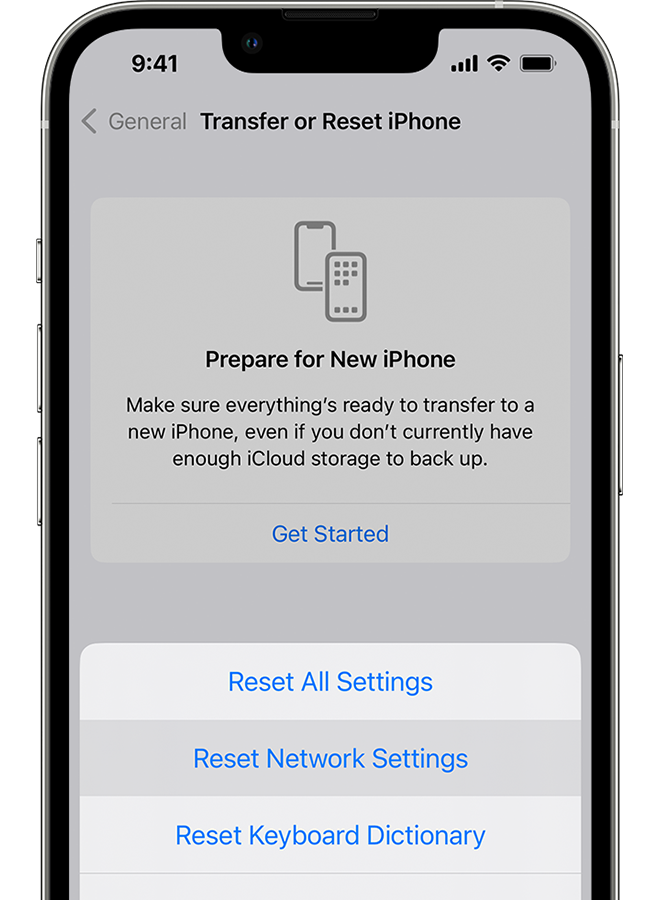
If you're using iOS or iPadOS 15 or later, tap Settings > General > Transfer or Reset [Device] > Reset > Reset Network Settings.
If you're using iOS or iPadOS 14 or earlier, tap Settings > General > Reset > Reset Network Settings.
This also resets Wi-Fi networks and passwords, cellular settings, and VPN and APN settings that you've used before.
Get more help
We hope this helps.
Cheers!
While I appreciate the response. This doesn’t answer or address the issue. The issue is, when I go into airplane or “focus” generally sleep, over night or during my work day, when I take it off focus or airplane, it shows I am connect to wifi and/or cellular, yet there is no actual data connectivity. It takes me to reboot the device to fix it. Something is wrong. I don’t know if this is an iOS bug or something with my device but it isn’t a “source” connection issue. I.e. my wifi router or anything.
iPhone losing all network connection after sleep


