
I can't get rid of a badge on Video.
On Facetime, I can't get rid of a red badge on Video that noted I had a missed call.
iMac 21.5″, OS X 10.10
On Facetime, I can't get rid of a red badge on Video that noted I had a missed call.
iMac 21.5″, OS X 10.10
Hi perlenoire,
Thanks for posting in Apple Support Communities! If your notification badge is not clearing when you open the app, try restarting the application and your Mac. Restarting can fix many issues.
Should it continue to show the badge, check to be sure your software is updated to the latest version. Outdated software can cause things to not work as expected:
"Before installing new software, it's a good idea to back up your Mac.
2. If Software Update finds new software, click the Update Now or Upgrade Now button to install it.
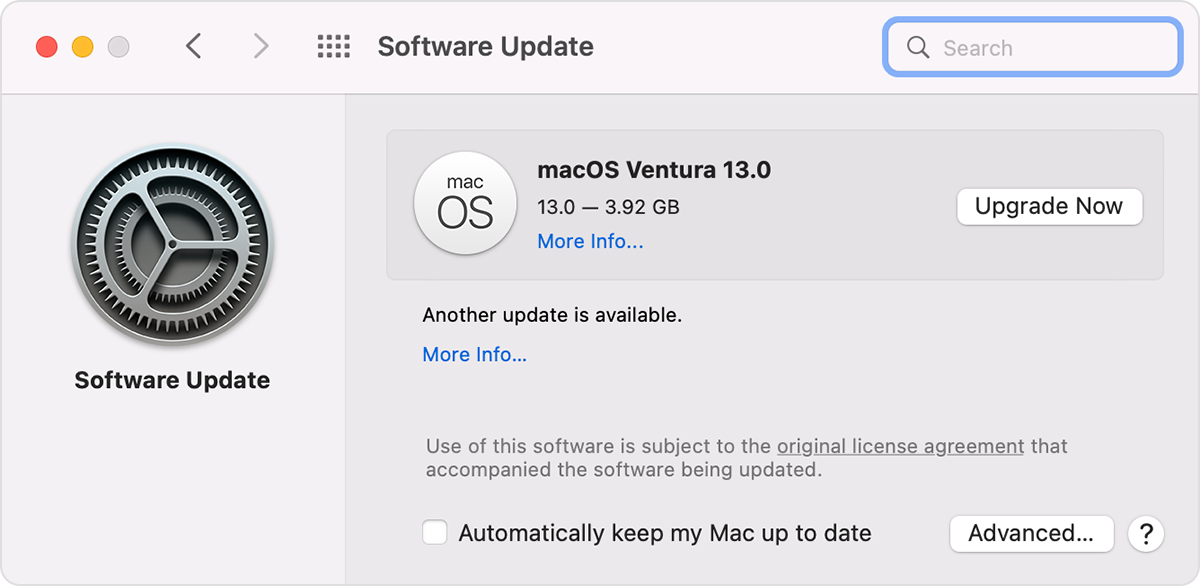
3. Enter your administrator password, if asked. During installation, your Mac might restart, and you might see a progress bar or blank screen several times.
If Software Update says that your Mac is up to date, then no new software is currently available for your Mac model. Software Update shows only updates and upgrades that are compatible with your Mac."
Hope that helps!
Hi perlenoire,
Thanks for posting in Apple Support Communities! If your notification badge is not clearing when you open the app, try restarting the application and your Mac. Restarting can fix many issues.
Should it continue to show the badge, check to be sure your software is updated to the latest version. Outdated software can cause things to not work as expected:
"Before installing new software, it's a good idea to back up your Mac.
2. If Software Update finds new software, click the Update Now or Upgrade Now button to install it.
3. Enter your administrator password, if asked. During installation, your Mac might restart, and you might see a progress bar or blank screen several times.
If Software Update says that your Mac is up to date, then no new software is currently available for your Mac model. Software Update shows only updates and upgrades that are compatible with your Mac."
Hope that helps!
Quitting the app, and shutting down worked on both the Macbook and the desktop. Thank you!
Hi perlenoire,
Thanks for following up and confirming you were able to resolve the issue!
Reach back out to Apple Support Communities if assistance is needed in the future.
Kind regards.
Hi perlenoire,
Thanks for following up and confirming you were able to resolve the issue!
Reach back out to Apple Support Communities if assistance is needed in the future.
Kind regards.
I can't get rid of a badge on Video.


